
← The Acorn overview
The Acorn application guide
Artefact Guide
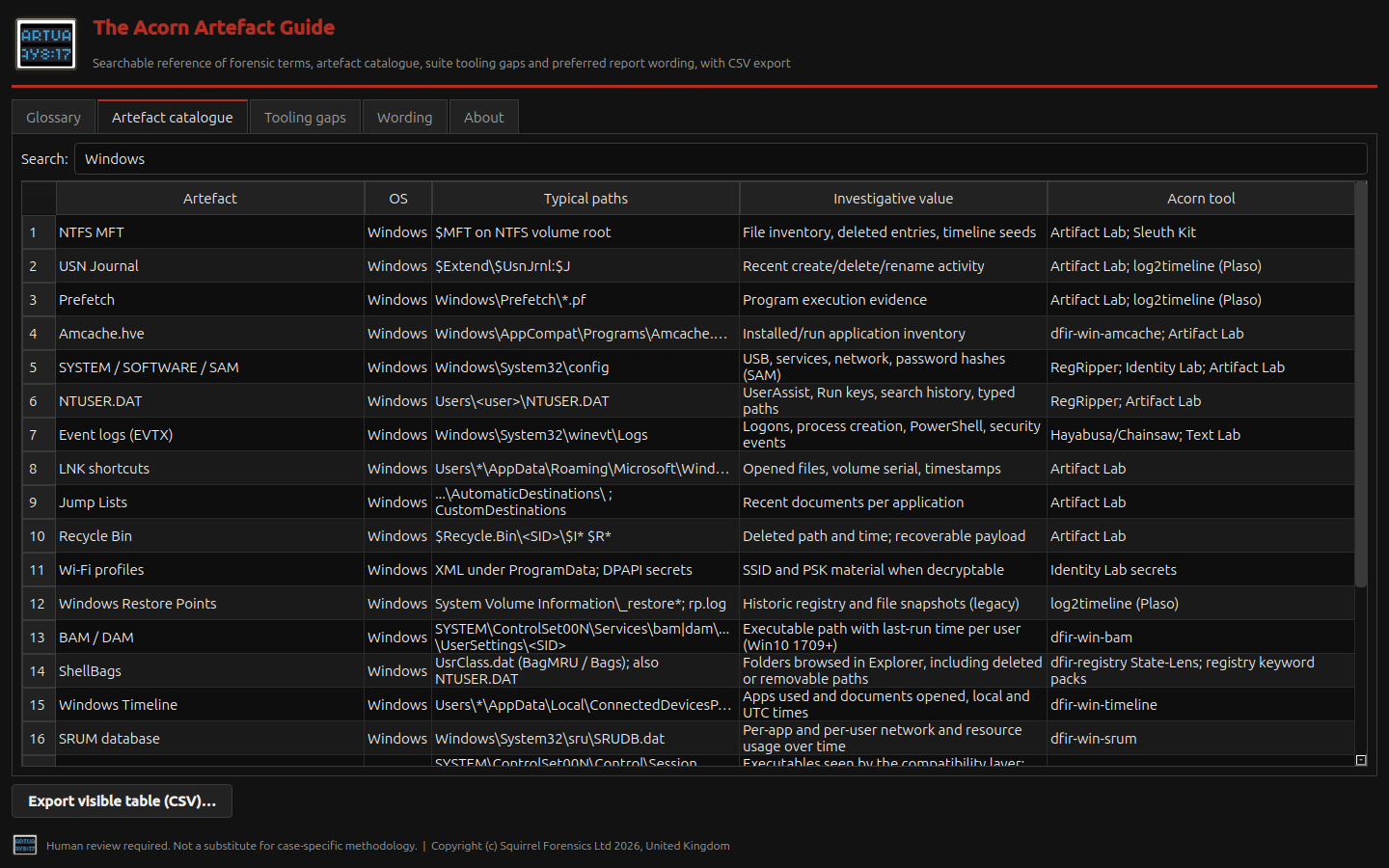
Look up a Windows artefact, its usual location and the questions it may help answer. The guide links sources to relevant tools. It is a reference catalogue, not an evidence-processing application.
Reference guide
Find Windows sources for an examination plan
Example input
- The application's reference catalogue of artefact locations, uses and related tooling.
Result or controls shown
- A reference view of potential sources, locations and related tools.
 View full screen
Enlarge the screenshot to read the source records.
Examination steps
Steps to review in your evaluation
-
Start with the operating system and behaviour being investigated.
-
Review candidate artefact locations and their possible evidential uses.
-
Check whether those sources exist in the actual collection before choosing a tool.
Related application guides
Start with your requirements
Request an application demo
Tell us the source type and task you want to examine. We can plan a demo using suitable training material. Do not send confidential evidence.