Keep the source and method together
Identify the exhibit, review its protection state and record the acquisition route. Retain the working-copy identifiers and verification information so the examination can be traced back to the seized source.
 Designed in the UK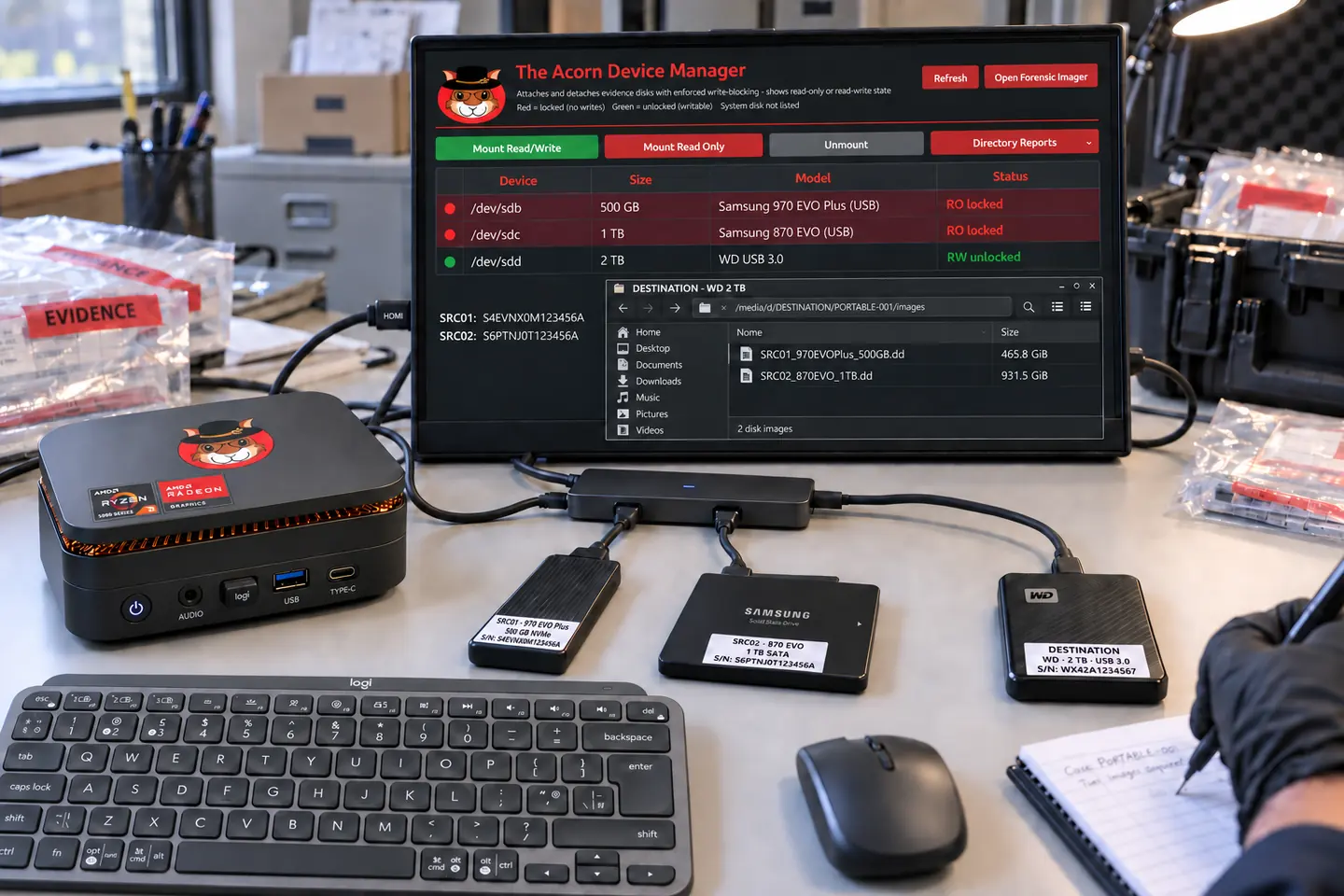
For police digital-evidence teams
Work from a seized computer towards the questions that matter: what happened, which records support it and what needs further examination. The Acorn connects acquisition, focused review and examiner handover.
Targeting late Q4 2026 · Explore the workflow and check build support.
 View full screen

Law enforcement
A laptop recovered during an investigation may hold messages, browsing records, documents and deleted material. The useful starting point is the allegation and relevant period, not an indiscriminate search through every file.
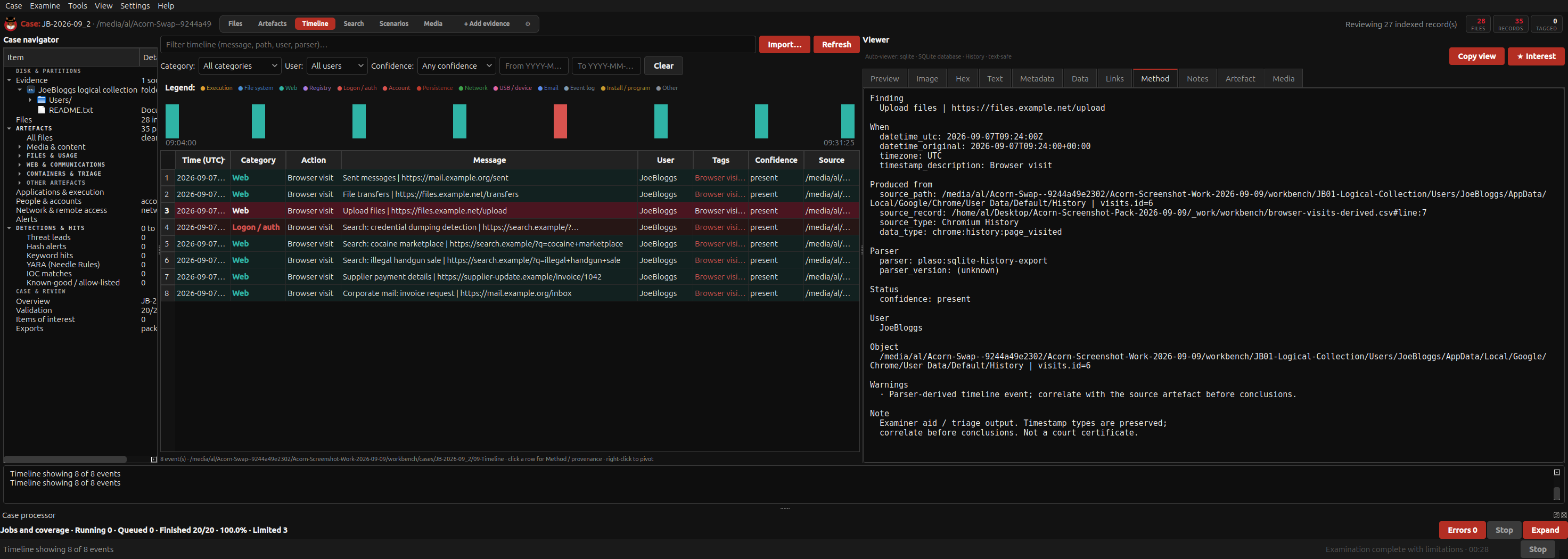
The Acorn is the forensic operating system; Workbench brings supported evidence, processing and review into a case. An examiner can inspect a record, follow it back to its source and retain the context behind a finding. For a unit evaluating the workflow, those steps should be demonstrated on known material, using the build and equipment proposed for use.
Identify the exhibit, review its protection state and record the acquisition route. Retain the working-copy identifiers and verification information so the examination can be traced back to the seized source.
Focus on a relevant date, document or account. Compare the records around it and identify which questions can be answered from the supplied evidence.
Carry the selected record, source reference and relevant processing notes into the handover. Show what was examined, what the record supports and which remaining question needs another source or examiner.
Illustrative case workflow
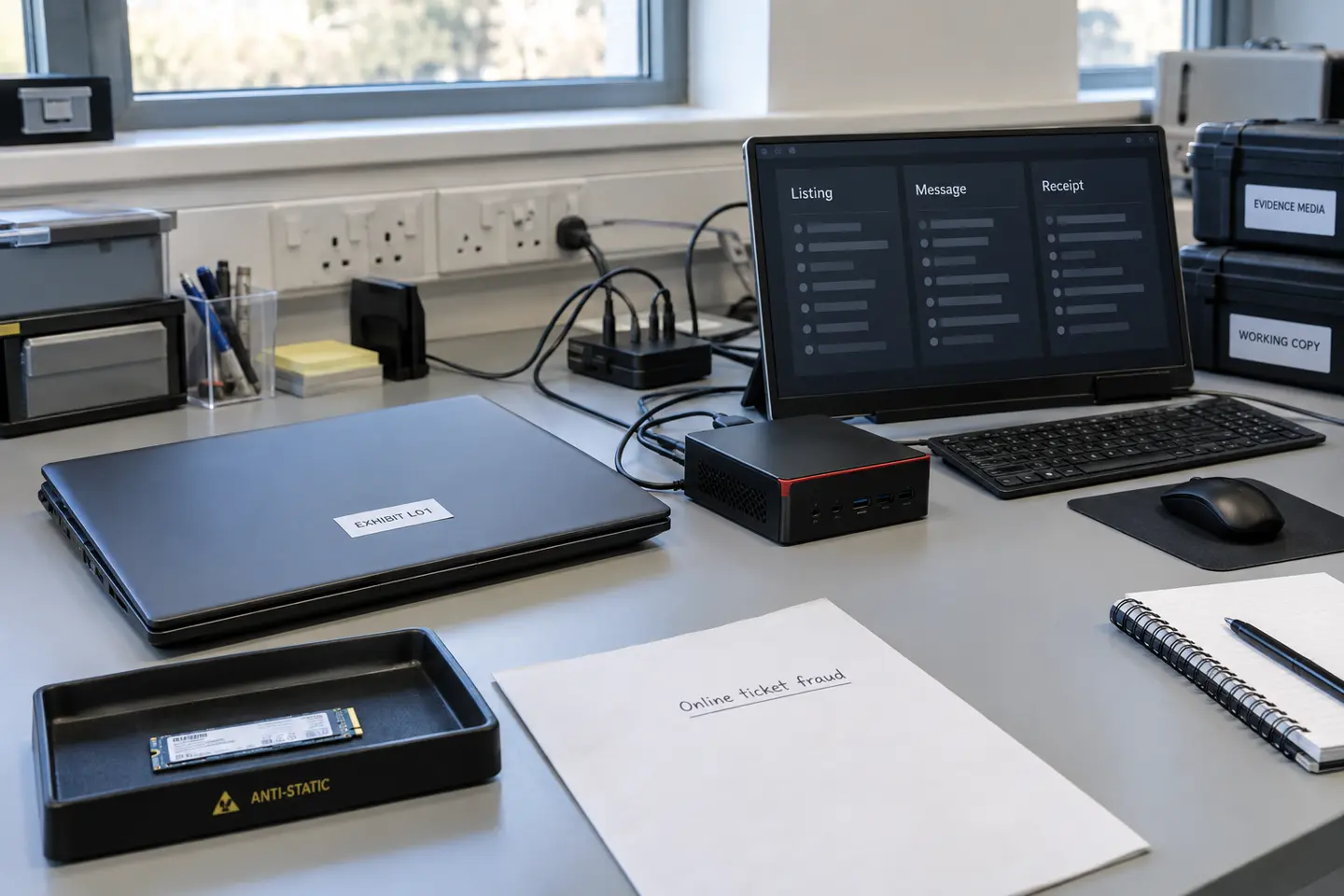
Three buyers report paying for concert tickets that never arrived. A laptop has been seized. The examiner needs to test whether its records connect the listings, messages and payment requests during the relevant week.
Identify the laptop and storage, apply kernel-level read-only protection and make a forensic image. Keep the acquisition log and hashes. If the drive reports faults, use the Imager’s recovery map to record what was and was not read.
Review browser records for listing pages, available message exports and receipt files. Compare file-system records and recovered material. Keep the original record reference and time zone with every selected event.
Compare the laptop sequence with buyers’ supplied messages and bank records. A saved receipt may support a line of enquiry, but the bank confirms whether money moved. Report the supporting records and any evidence that contradicts the allegation.
Fictional scenario for evaluating the workflow. Any genuine application captures use separate training material.
 Enlarge illustration
Open a record to see the next check.
A history row records a visit to a sales page. It does not prove who created the listing. Compare the account identifiers and provider records.
Recover the document where possible, then compare its content with a known transaction. File recovery alone does not prove payment or identify the author.
Use it as a lead, not attribution. Check messages, device activity and independent account evidence before identifying a user.
A useful evaluation
Set a question and an escalation point before starting. A focused review can identify a lead or answer a limited question. Widen the examination when a missing source, unexplained result or competing account could change the answer.
Define test material and acceptance criteria, then record expected and observed results, the build, equipment and known limits. Repeat important checks and retain the record for your quality process. Buying software does not replace that validation.
Bring a common exhibit type, an investigative question and the records you would expect to find in approved test material. Include the output your investigators and quality reviewers need, rather than only a list of features.
Check their structure, completeness and context. Recovery can lose original names or paths, so compare the recovered content with other available records before drawing a conclusion.
The planned portable bundle
The proposed portable bundle pairs The Acorn with a workstation, USB-C-powered screen, mini keyboard, mouse and carry bag.
Target specification: 24 GB RAM, AMD Ryzen Embedded, 6 cores / 12 threads, and a 1 TB PCIe SSD. Final components and compatibility are still being selected.
Explore the planned bundleTARGETING LATE Q4 2026
Provisional specification. Final VAT treatment, delivery, licence terms and availability will be confirmed before orders open.
Notify me + 10% launch offerNo deposit or pre-order is taken here.
Start with your requirements
We can plan a demonstration around a typical exhibit, the decisions your examiners make and the handover your investigators need.