Test the whole kit as a system
Test the complete kit, including the screen, adaptors and storage. Check power and spare capacity. Plan updates before travel so the trial reflects the setup the team will use.
 Designed in the UK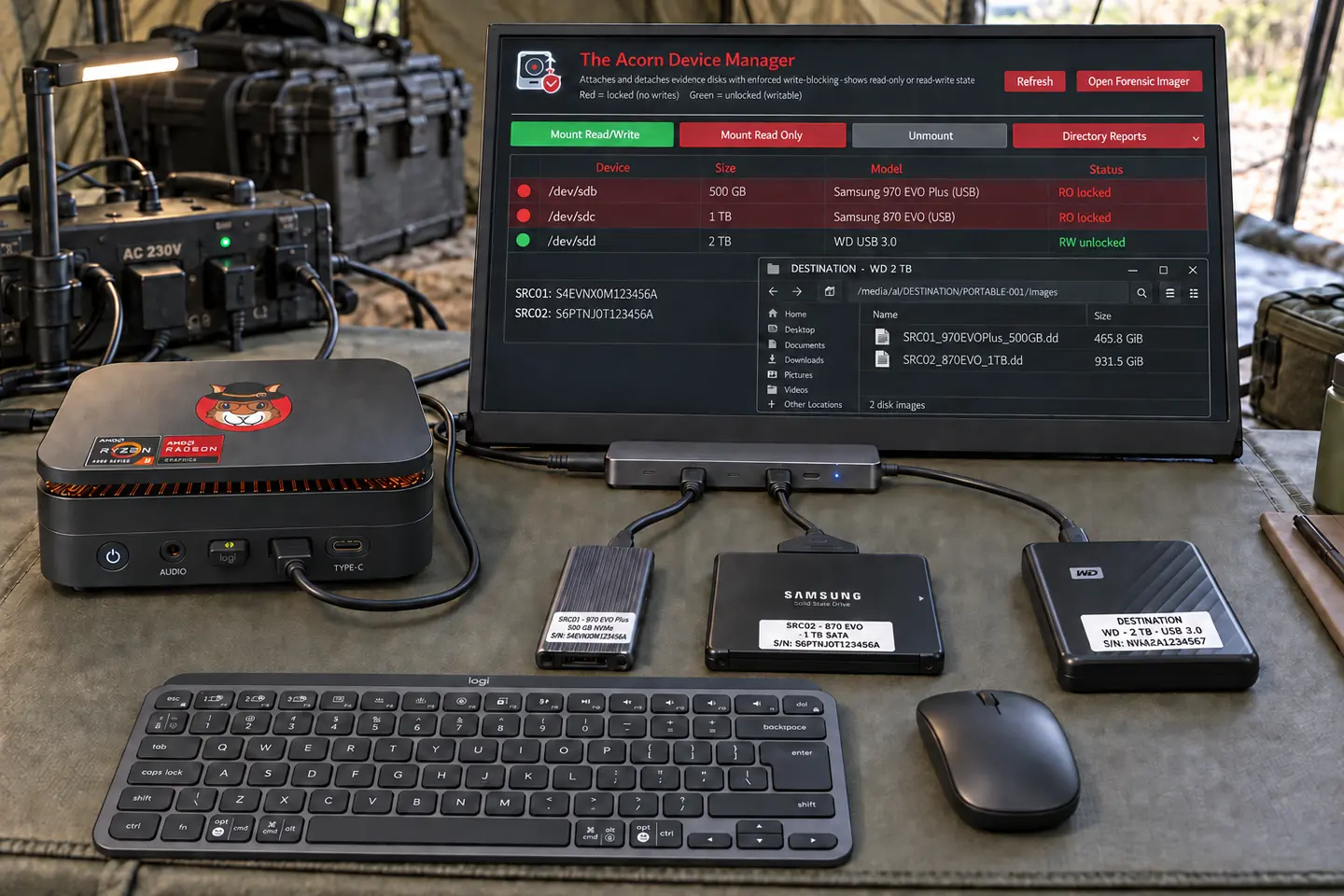
For authorised defence investigations and training
Take a compact forensic workspace to an authorised field examination. Preserve media, review available contacts, communications and location records, then hand over source-linked findings to the laboratory.
Targeting late Q4 2026 · Explore the workflow and check build support.
 View full screen

Defence & fieldwork
A team on site may need to preserve a device before a specialist can examine it. There may be little time, no reliable network and an unknown fault. Test the kit and agree the method before leaving.
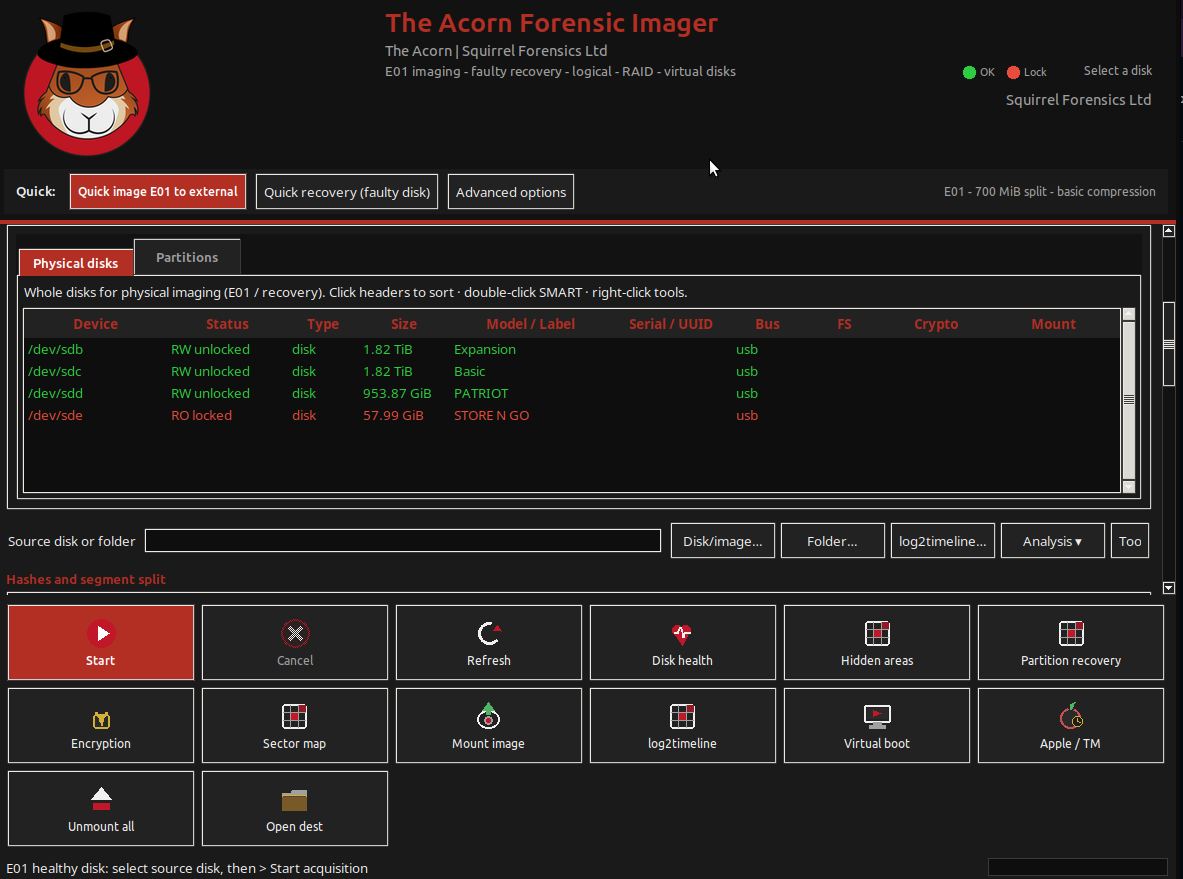
Test the forensic operating system on the computer you intend to take. Use the same boot route, adaptors and source media. Then check the copy and hand it to a second examiner. Record what worked and what remains untested for that setup.
Test the complete kit, including the screen, adaptors and storage. Check power and spare capacity. Plan updates before travel so the trial reflects the setup the team will use.
Identify the device and check its protection state before making a copy. Use the approved method and keep the logs. Note any change in the source or agreed scope.
Give a second examiner the copy and agreed records. Ask them to verify it, identify the source and explain what work remains. Note anything they cannot establish from the handover.
Illustrative case workflow
During an authorised defence investigation, a team receives a laptop and removable media at a temporary workspace. The first task is a bounded review of contact details, saved communications and photographs before a laboratory handover. Connectivity is unreliable.
Identify each item, use kernel-level read-only device protection and retain acquisition logs and hashes. For readable but faulty media, preserve the Imager’s recovery map and gaps. Local imaging and supported review can continue without cloud access.
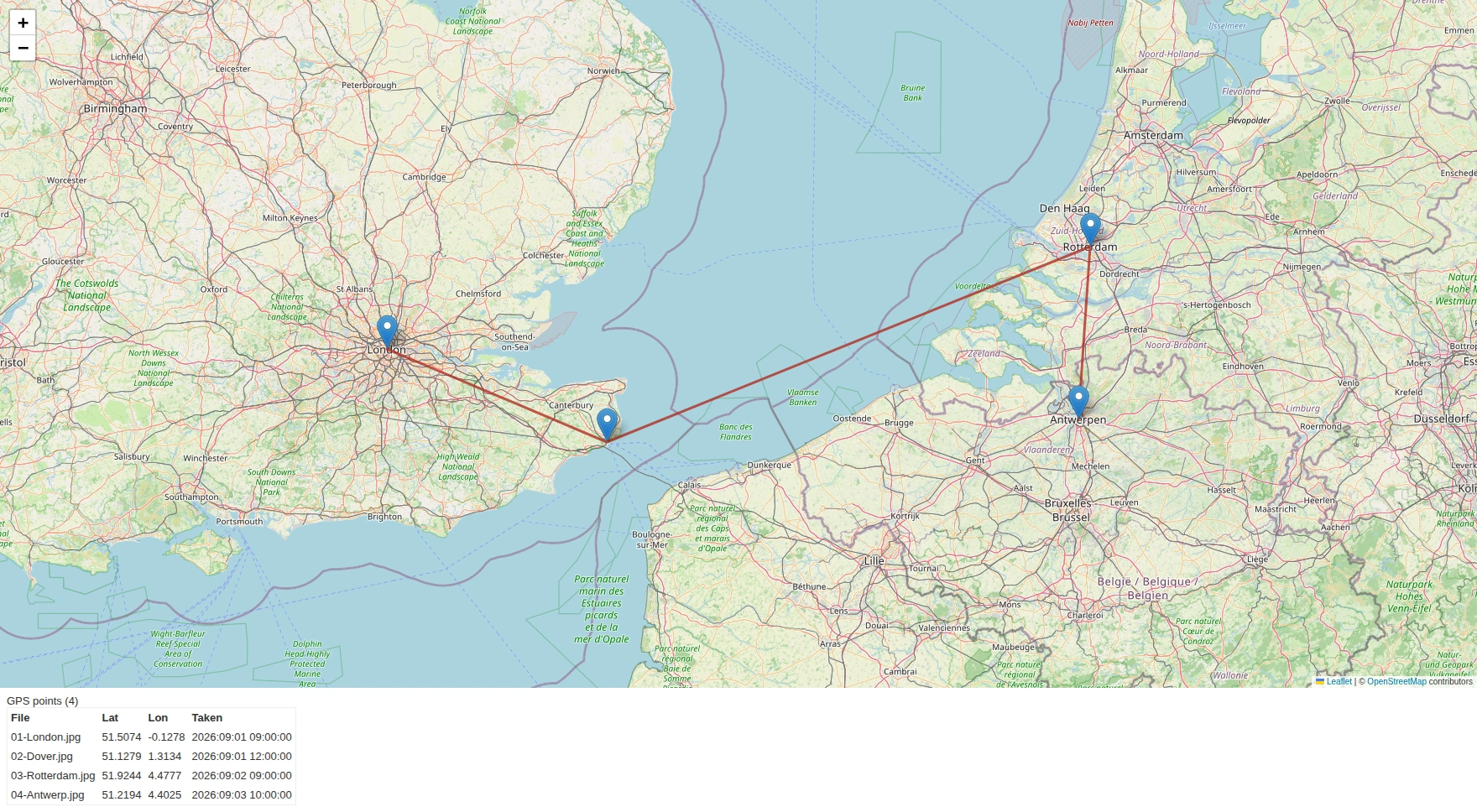
Review supplied contact or message exports, relevant documents and supported photo metadata. Record names, telephone numbers, account identifiers and location fields with their original paths and record references. Keep a stated location separate from a verified location.
Give the laboratory the preserved copy, selected records, time-zone notes and unanswered questions. Explain whether a telephone number came from a contact entry, message or document. Corroboration is needed before linking a person to an account, place or activity.
Fictional scenario for evaluating the workflow. Any genuine application captures use separate training material.
 View full screen
Open a record to see the next check.
An address-book label is not proof of ownership or current use. Retain the original entry and compare other authorised sources.
Record the values, timestamp and source file. Metadata can be absent or changed, and does not by itself identify the photographer.
Treat this as reported content. Distinguish it from device-location evidence and explain what could corroborate it.
A useful evaluation
Run the intended local workflow without a network and note any blocked steps. Check licence needs, updates and optional lookups before travel. A connected demo does not prove that the same task works offline.
No military or classified-use approval is claimed. Your security and procurement teams must assess the system against the intended information, environment and handling rules.
The portable concept is not an environmental rating. Discuss transport, temperature, physical protection and power requirements separately when selecting hardware.
Give another examiner only the copy and agreed records. Ask them to verify the result and continue the task. Use any gaps they find to revise the procedure before considering operational use.
The planned portable bundle
The proposed portable bundle pairs The Acorn with a workstation, USB-C-powered screen, mini keyboard, mouse and carry bag.
Target specification: 24 GB RAM, AMD Ryzen Embedded, 6 cores / 12 threads, and a 1 TB PCIe SSD. Final components and compatibility are still being selected.
Explore the planned bundleTARGETING LATE Q4 2026
Provisional specification. Final VAT treatment, delivery, licence terms and availability will be confirmed before orders open.
Notify me + 10% launch offerNo deposit or pre-order is taken here.
Start with your requirements
Describe the proposed equipment, working conditions and handover. We can help define a practical evaluation, without implying deployment approval.