COMING SOON · Q1 2027 Planned releaseGet notified + 10% launch offer ↗
← Acorn overview

Acorn workspace and app directory

One desktop. A tool for the next question.

See how Acorn Home organises the workspace, then choose an application by the source you have or the task you need to complete.

The forensic operating system

A clear desktop for the examination.

Acorn is the Linux workspace. Home helps you find a tool; Workbench gives case review its working context. Move into a specialist application when the record or question calls for it.

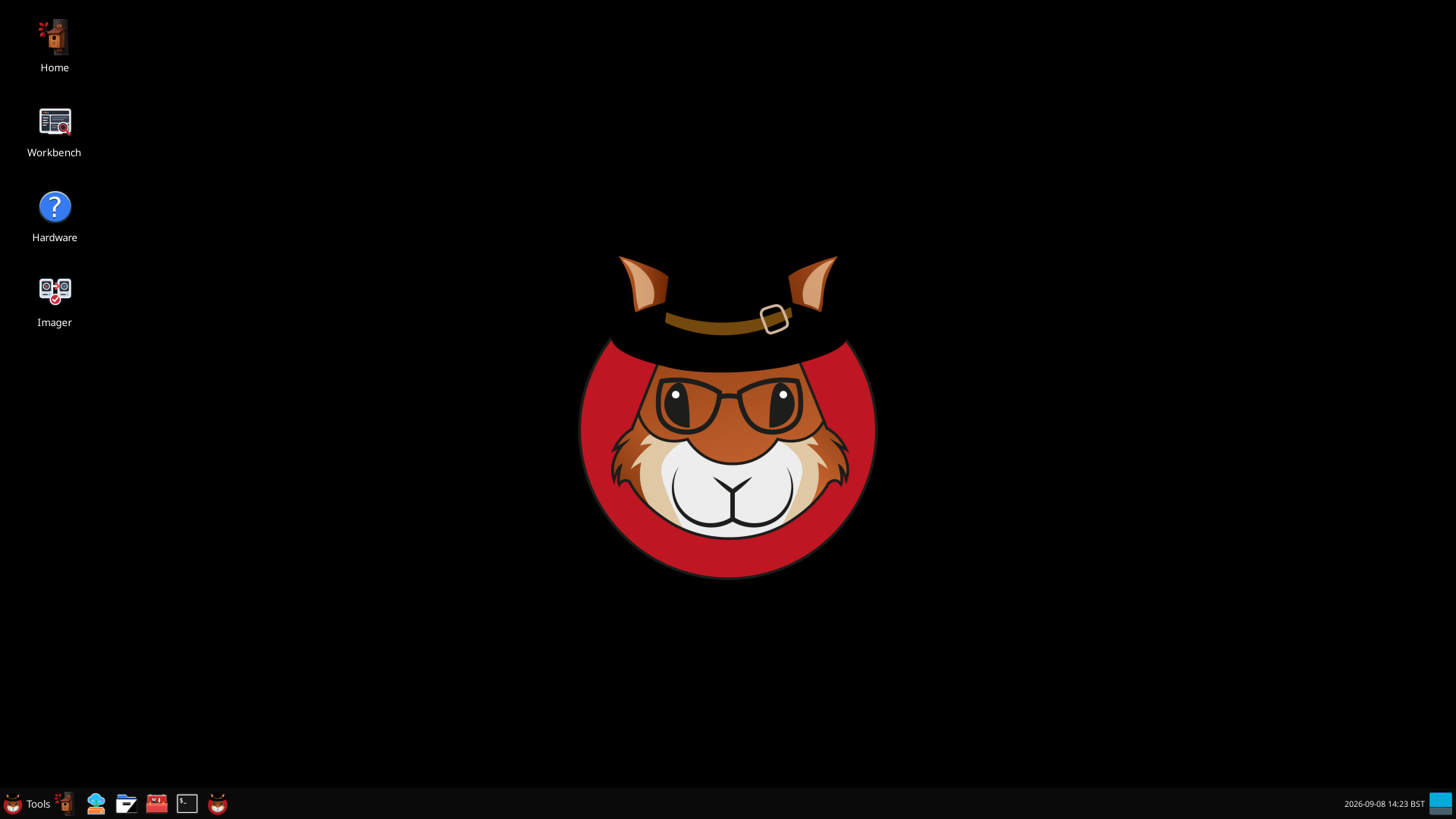
Native isolated Acorn desktop with the project wallpaper and launcher panel. No evidence is loaded. View full screen
Native isolated Acorn desktop with the project wallpaper and launcher panel. No evidence is loaded.

Start with the source

Check what is available, how it can be accessed and where the output will go. The right method depends on the device and the examination.

Choose the next task

Browse, image, recover or inspect a particular record type. Follow the app guide for the expected inputs, useful output and limits.

Keep the context

Retain source references, settings and notes so that another examiner can check the result and understand unresolved points.

Inside Acorn Home

The complete launcher, in one view.

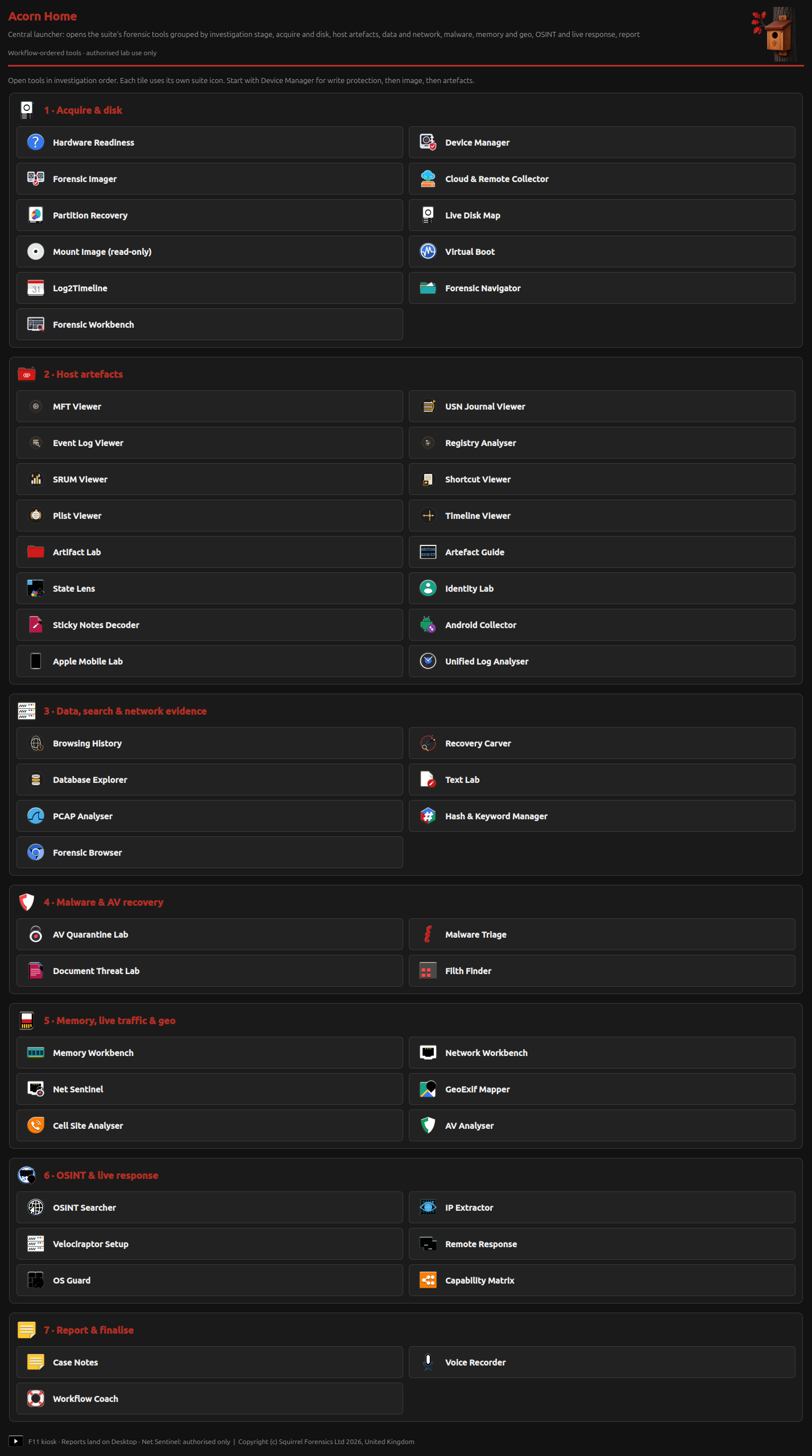
The native Home screen groups 53 launcher entries across seven stages. Those entries include apps, setup helpers and shortcuts. The directory below focuses on 49 forensic apps and workflow tools.
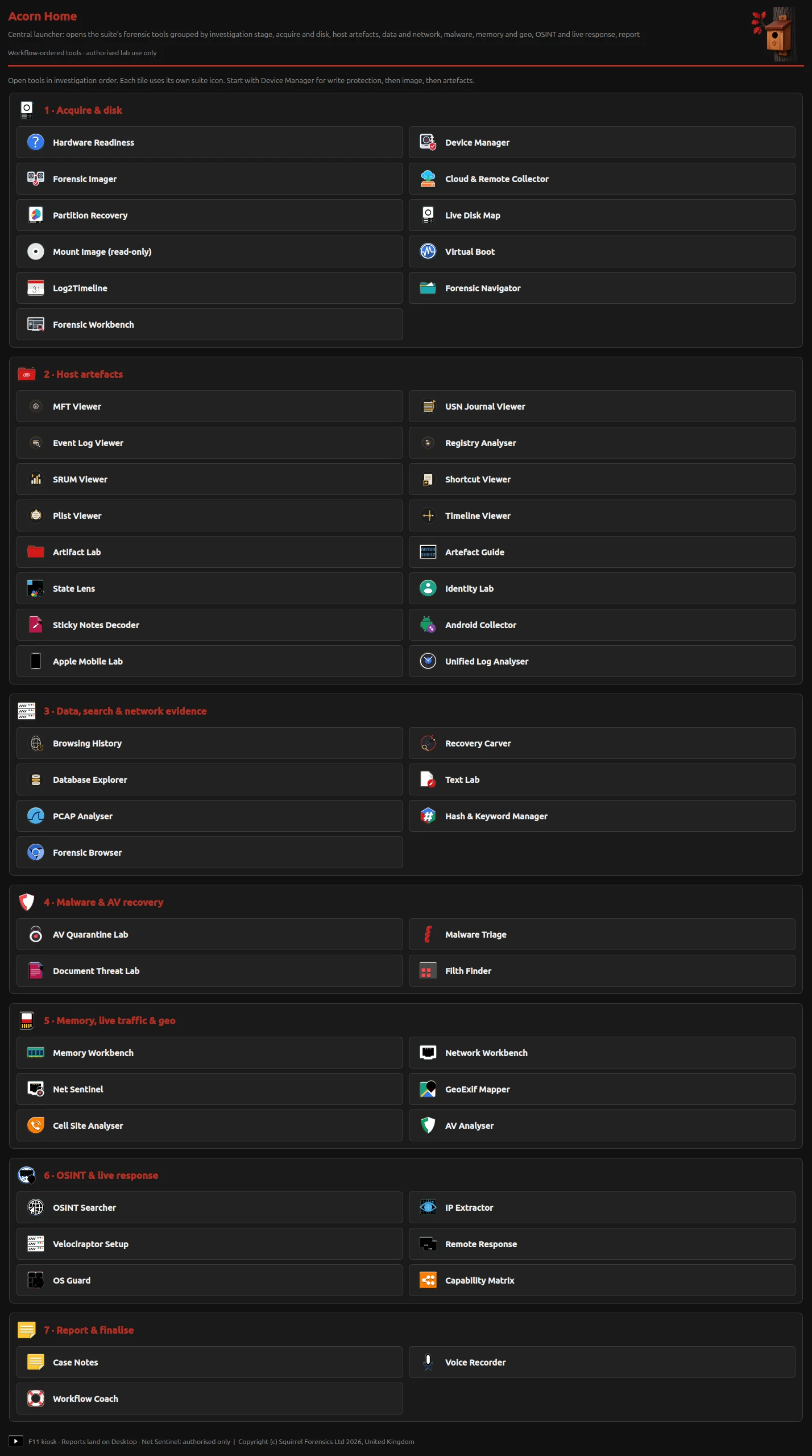
Complete native Acorn Home screen, with 53 launcher entries grouped into seven investigation stages.

Scroll through the complete screen, or open it at full size. The screenshot includes the original launcher utilities; the website’s forensic directory omits Hardware Readiness, State Lens, Capability Matrix and OS Guard.

Enlarge the complete Home screen ↗

This is an unaltered native interface capture, not evidence that every launcher completed a test. App guides distinguish reviewed results, setup views and work still in development.

The forensic app catalogue

Explore the full forensic app directory.

Browse all 49 forensic apps and workflow tools. Filter by task or choose Core for the nine starting points featured on the homepage.

49 forensic apps and workflow tools

Device ManagerCheck devices and source protection

Identify the evidence device before choosing an examination action. Device Manager makes the reported device, partition, mount and protection state available for inspection. That gives the examiner useful context, while the chosen protection method still needs its own validation.

Native device-state inspection

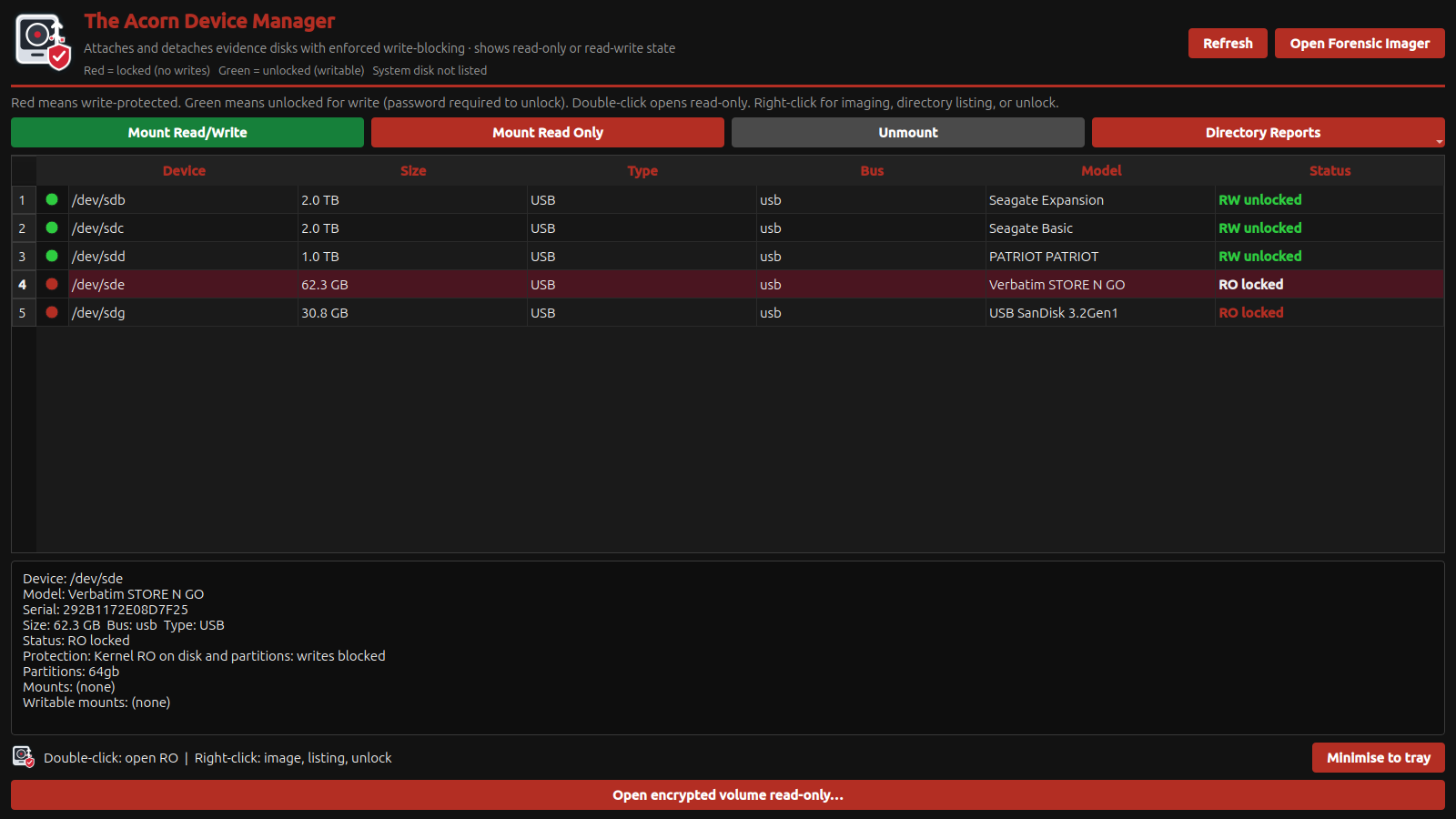
The selected USB is shown as read-only, with its kernel protection, partitions and mount information. This capture is a state inspection, not a write-block validation test. View full screen
The selected USB is shown as read-only, with its kernel protection, partitions and mount information. This capture is a state inspection, not a write-block validation test.
Explore Device Manager ↗
Forensic ImagerCreate and verify a forensic image

A forensic disk imaging job needs a clear source, a separate destination and a verification plan. The populated Imager interface brings those choices together before capture. Agree what will be checked afterwards, rather than treating a completed progress indicator as sufficient evidence of success.

Acquisition setup shown

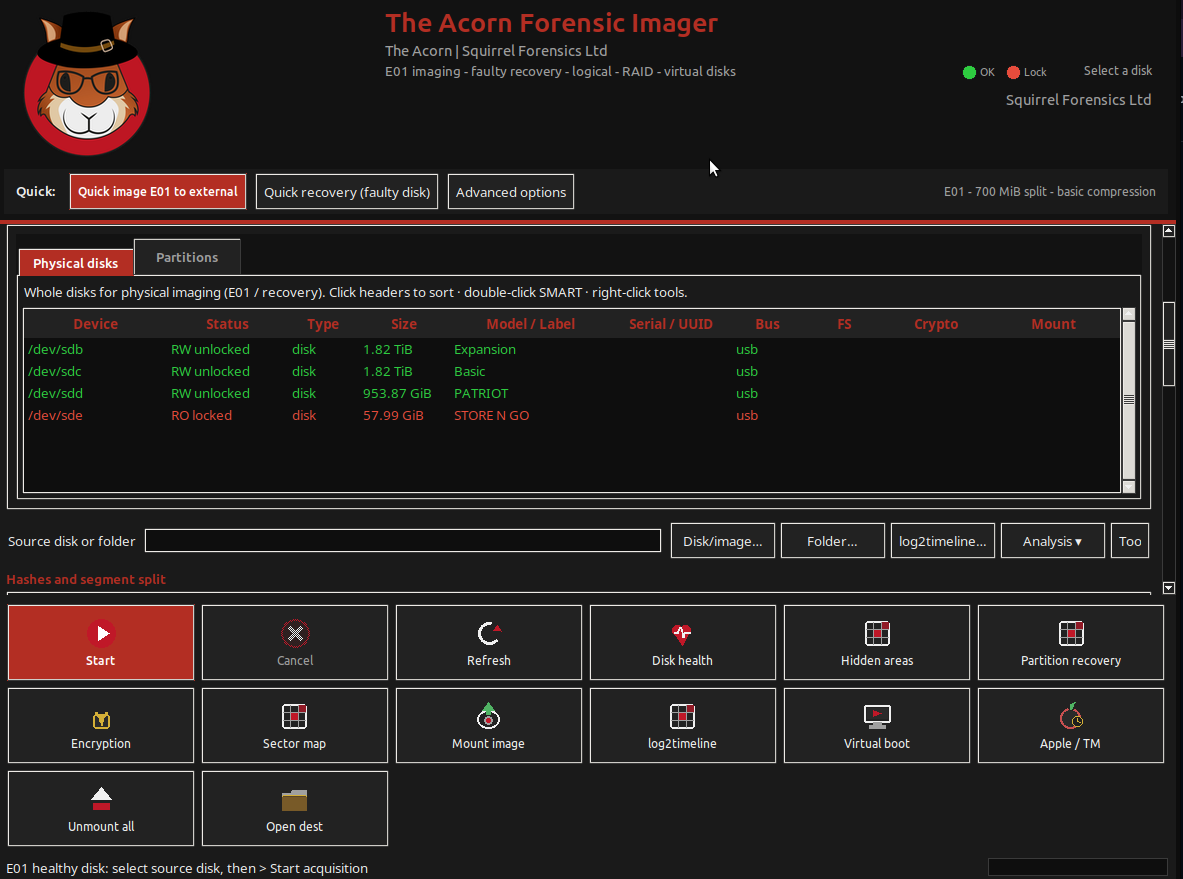
Supplied screenshot of the Acorn Forensic Imager with its disk inventory populated. No acquisition outcome is inferred from this setup screen. View full screen
Supplied screenshot of the Acorn Forensic Imager with its disk inventory populated. No acquisition outcome is inferred from this setup screen.
Explore Forensic Imager ↗
Cloud & Remote CollectorWhat provider export is in scope, and where should authorised collection material be kept?

Collection planning should make the account, scope and destination explicit. This interface shows those choices before a provider-export workflow is attempted.

Provider-export setup shown

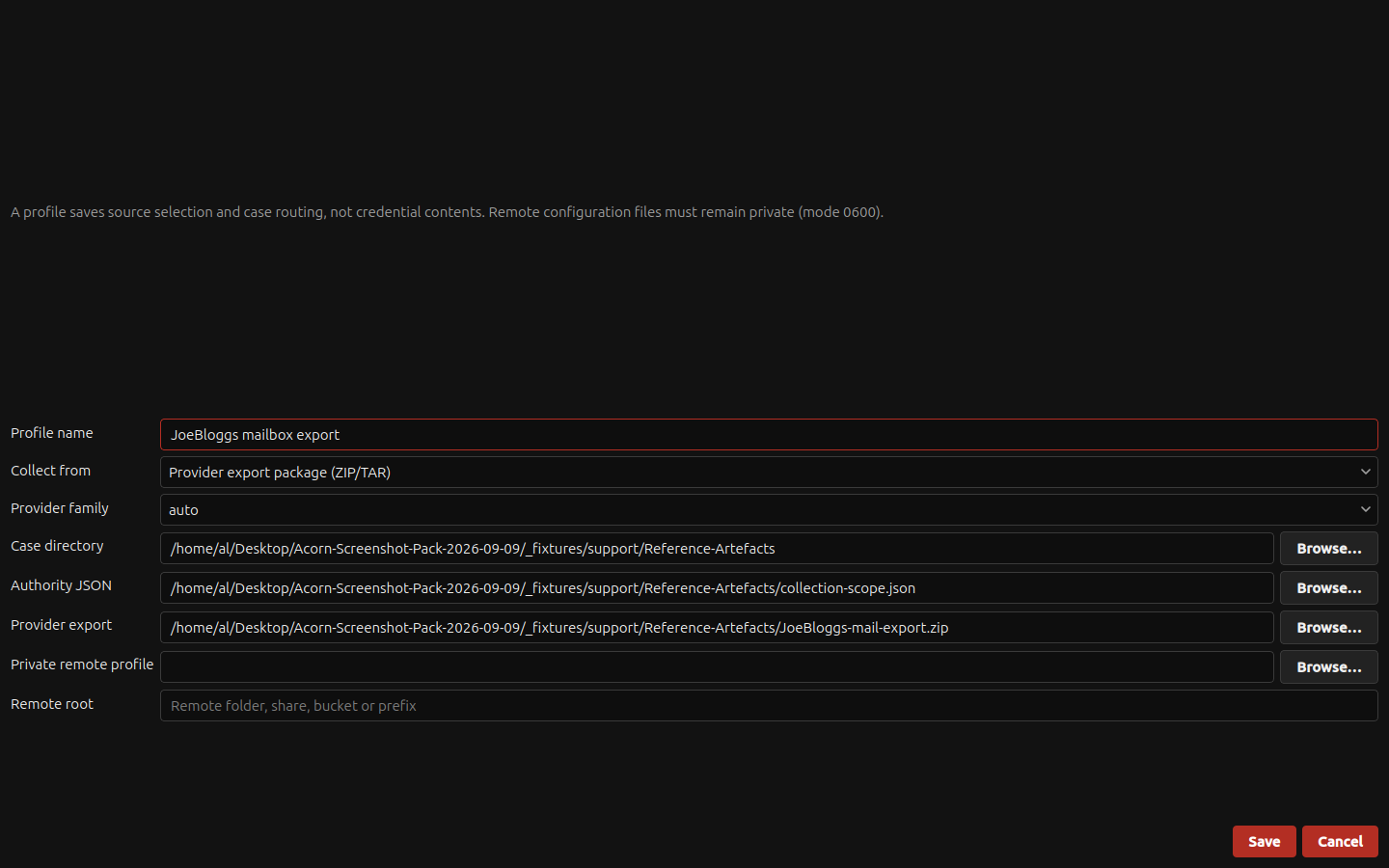
The native profile editor is populated with a local mailbox export package, case folder and scope-file path. Provider-export import is selected; the connector menu separately identifies other routes. View full screen
The native profile editor is populated with a local mailbox export package, case folder and scope-file path. Provider-export import is selected; the connector menu separately identifies other routes.
Explore Cloud & Remote Collector ↗
Partition RecoveryFind lost partitions and inspect their contents

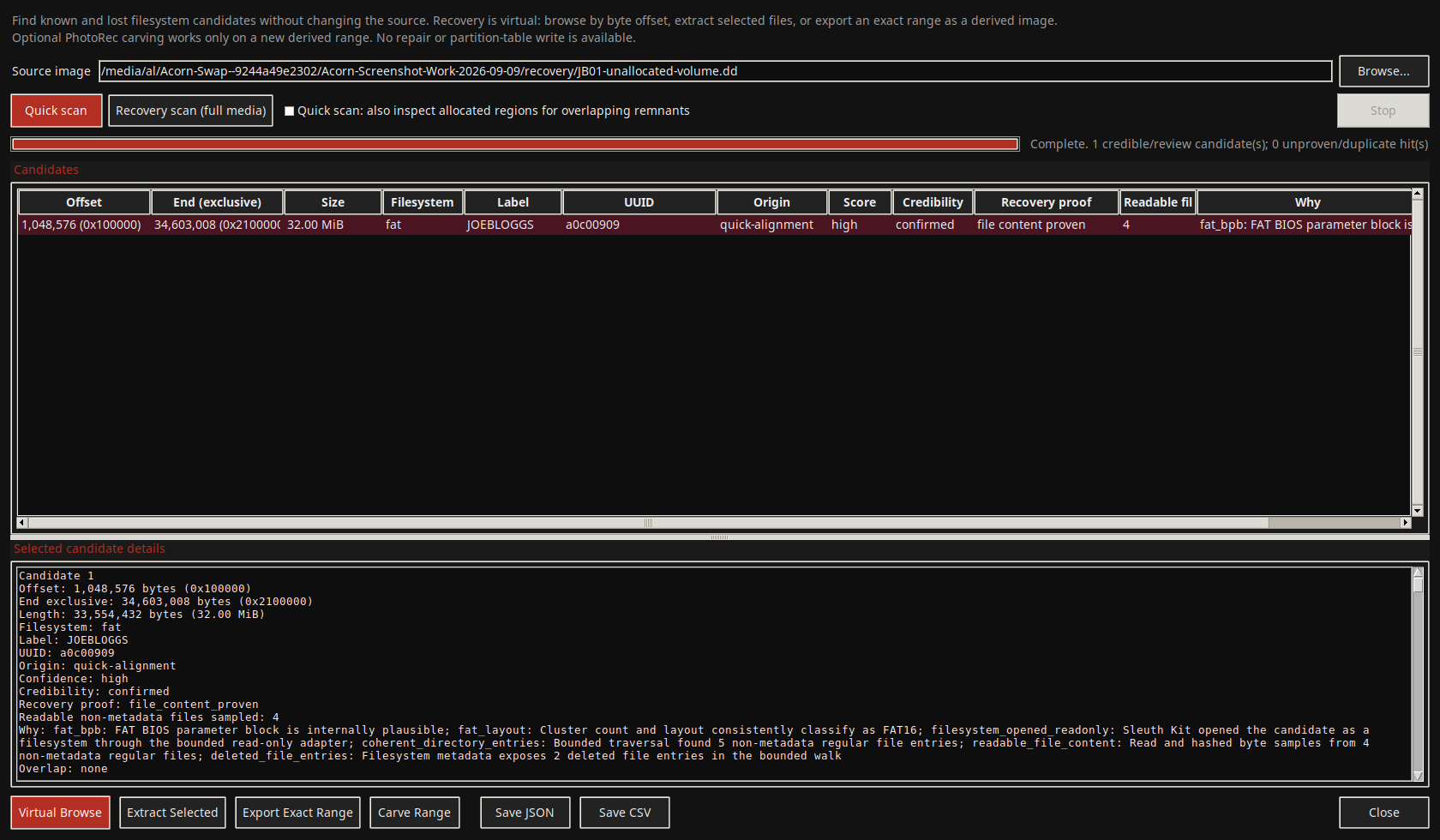
A missing partition entry does not necessarily mean all of its contents have gone. The demonstrated workflow locates a FAT16 partition and checks selected recovered files.

Demonstrated on constructed training data

The native scanner locates a FAT16 volume at byte offset 1048576 despite the missing partition table. This is a constructed image, not an actual client disk. View full screen
The native scanner locates a FAT16 volume at byte offset 1048576 despite the missing partition table. This is a constructed image, not an actual client disk.
Explore Partition Recovery ↗
Live Disk MapWhich parts of an acquisition does its map show as copied?

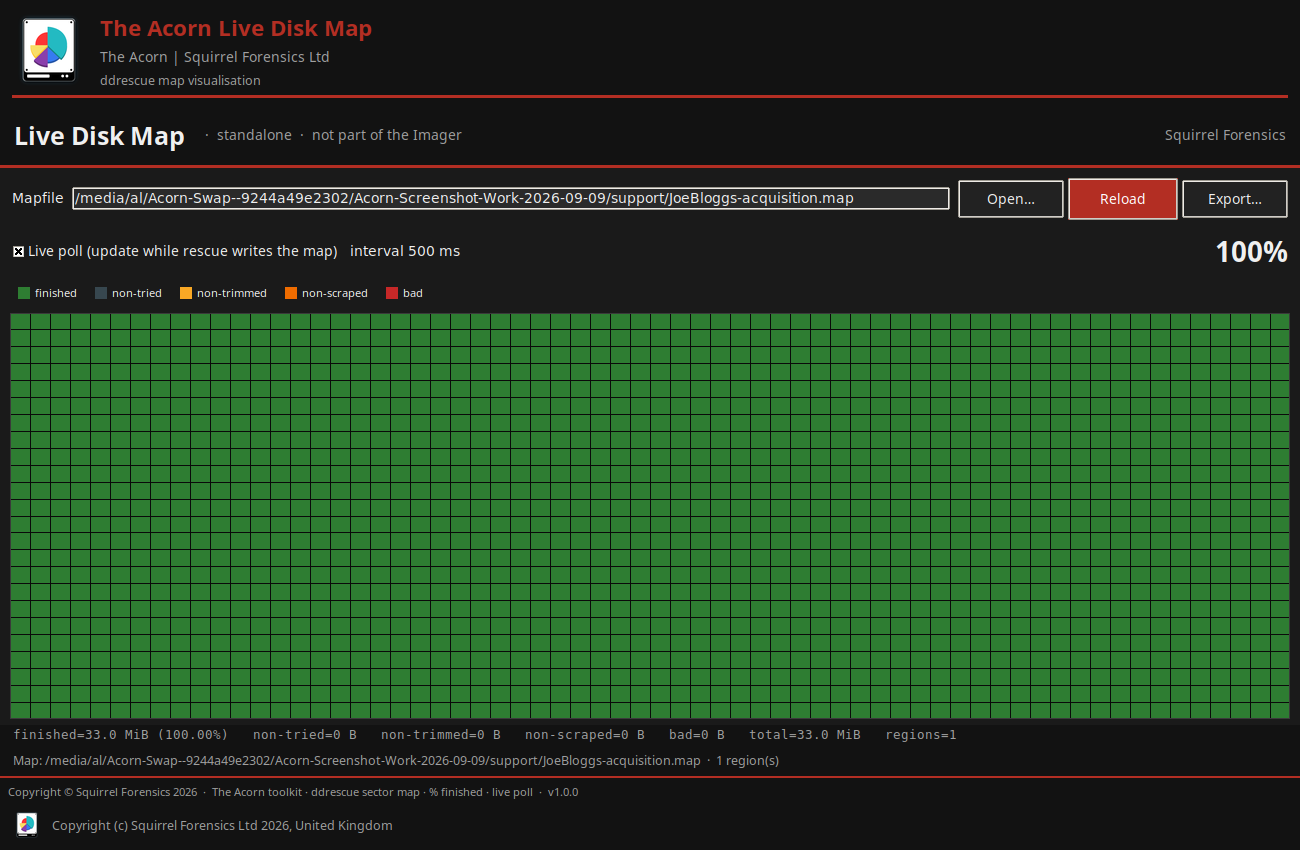
The disk map gives a visual way to review acquisition coverage. Its demonstrated example comes from regular image files, not a failing physical drive.

Demonstrated on constructed training data

The native disk-map viewer reads the map from a completed file-to-file GNU ddrescue acquisition. All 33 MiB were copied, the source and destination hashes match, and the map records no read errors. View full screen
The native disk-map viewer reads the map from a completed file-to-file GNU ddrescue acquisition. All 33 MiB were copied, the source and destination hashes match, and the map records no read errors.
Explore Live Disk Map ↗
Mount Image (read-only)What source and partition information should be checked before mounting an image?

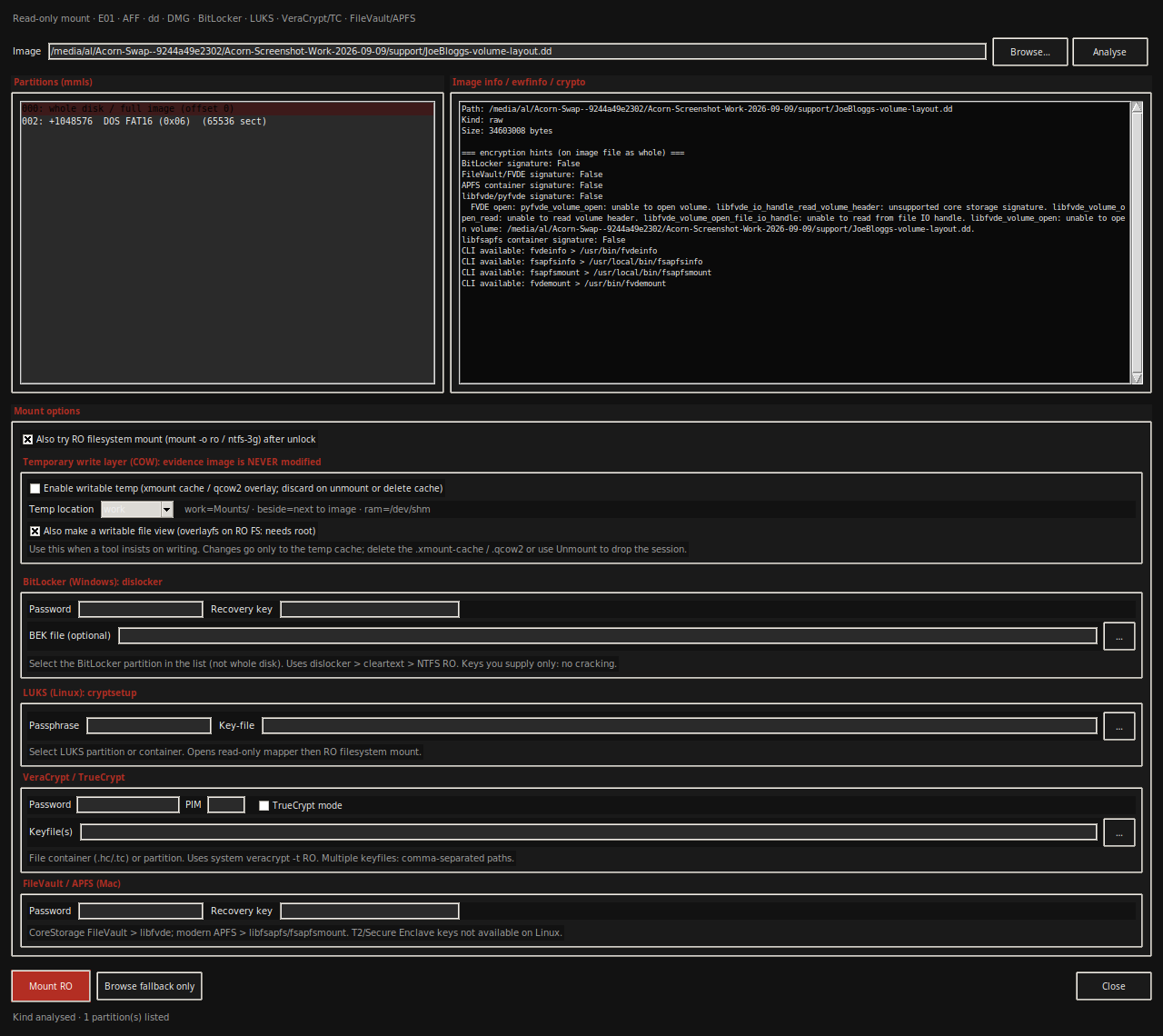
Read-only access begins before the mount action. Inspect image and partition information, then select a method appropriate to the evidence and examination.

Read-only access options shown

The read-only mount dialog identifies the supplied regular-file disk image and its FAT16 partition. Source information and credential controls remain visible before an examiner chooses a mount action. View full screen
The read-only mount dialog identifies the supplied regular-file disk image and its FAT16 partition. Source information and credential controls remain visible before an examiner chooses a mount action.
Explore Mount Image (read-only) ↗
Virtual BootWhat would a controlled boot test require, and where would changes be isolated?

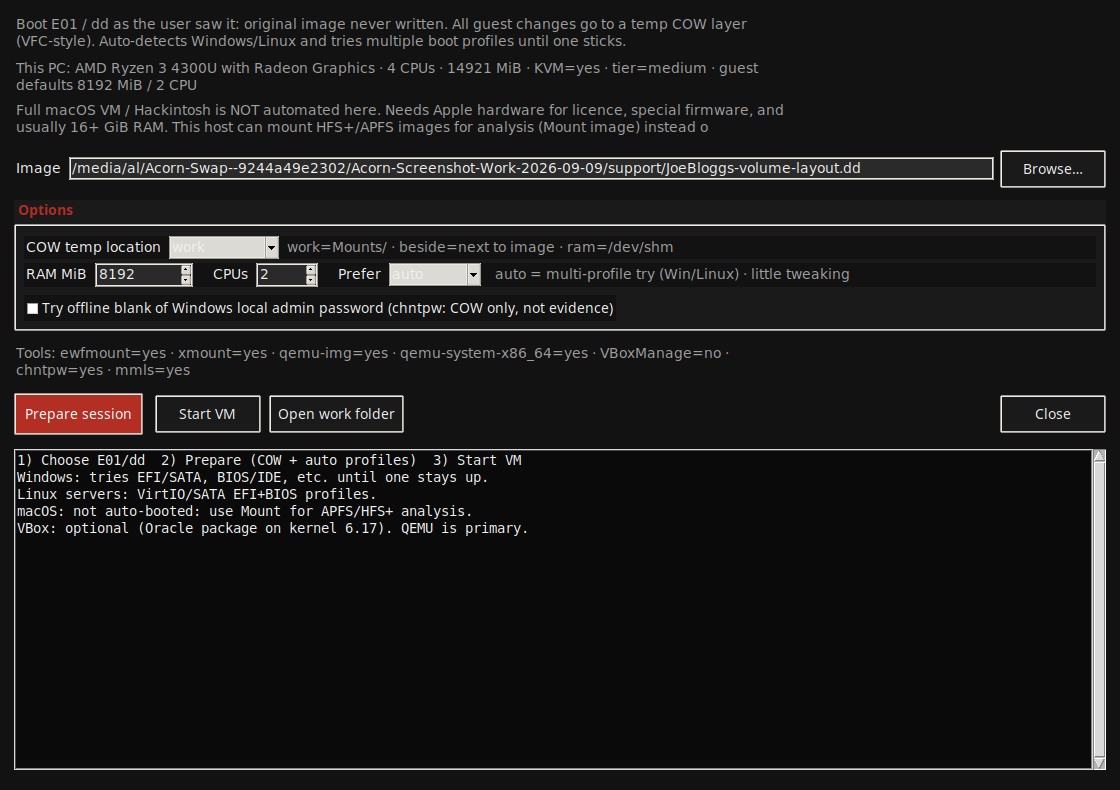
Virtual Boot exposes the choices needed to plan an image-based boot. The displayed configuration is useful preparation, not evidence that the selected image successfully boots.

Boot configuration shown

The native virtual-boot dialog presents the source image, host resource assessment and temporary copy-on-write location. CPU, memory and hypervisor options can be reviewed before attempting a guest boot. View full screen
The native virtual-boot dialog presents the source image, host resource assessment and temporary copy-on-write location. CPU, memory and hypervisor options can be reviewed before attempting a guest boot.
Explore Virtual Boot ↗
Log2TimelineWhich input, parser settings and time basis should a timeline processing run use?

Good timeline work starts with an explicit source and time basis. The Plaso setup route exposes those decisions before processing.

Processing options shown

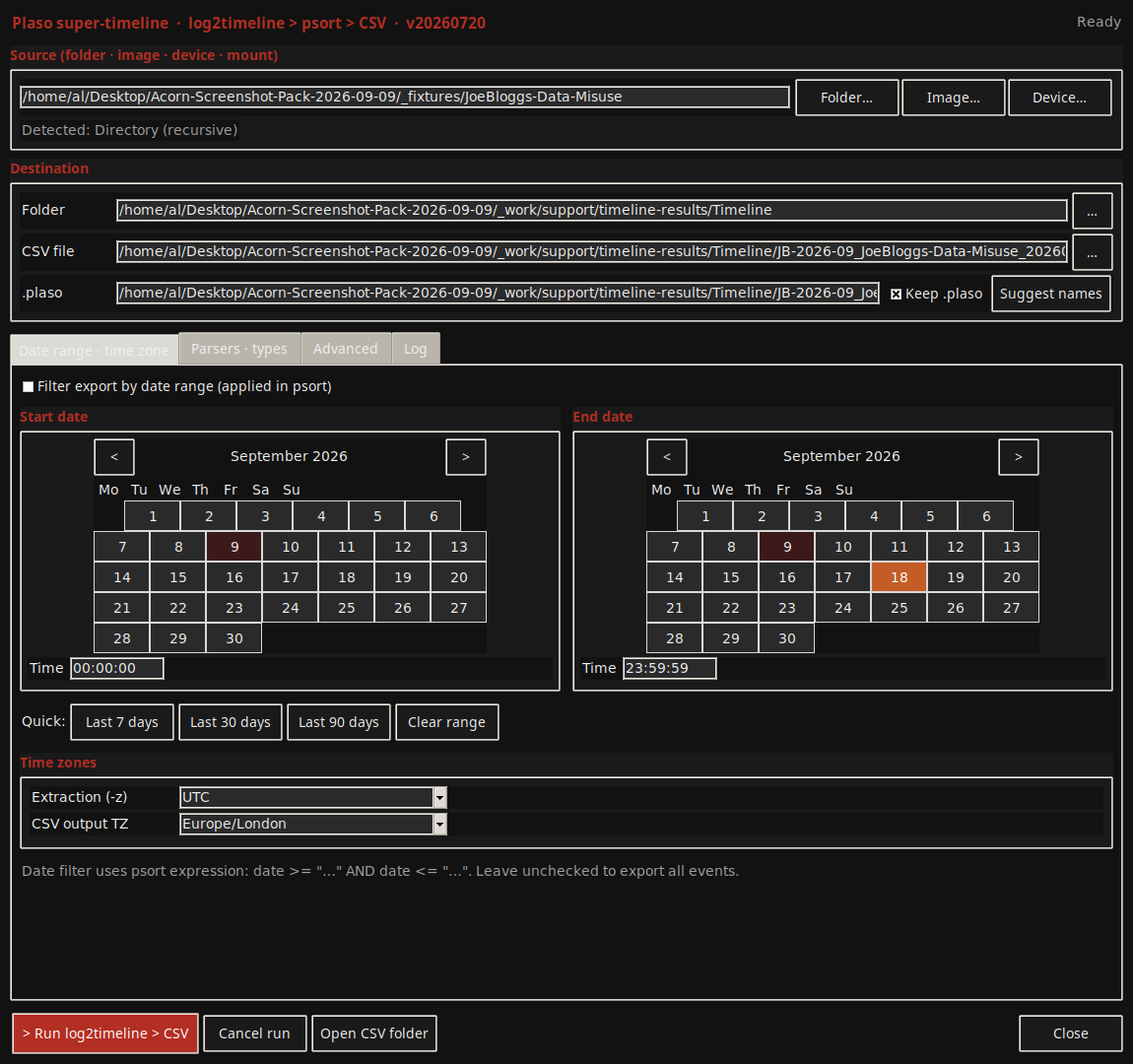
The native Plaso front end identifies the source folder and exposes parser, output, hashing and time-zone settings before timeline processing. Extraction and display time zones are separate controls. View full screen
The native Plaso front end identifies the source folder and exposes parser, output, hashing and time-zone settings before timeline processing. Extraction and display time zones are separate controls.
Explore Log2Timeline ↗
Forensic NavigatorBrowse evidence and inspect individual files

Move between files and their context without treating every visible document as original endpoint evidence. The supplied example previews an examiner's report.

Demonstrated on public training data

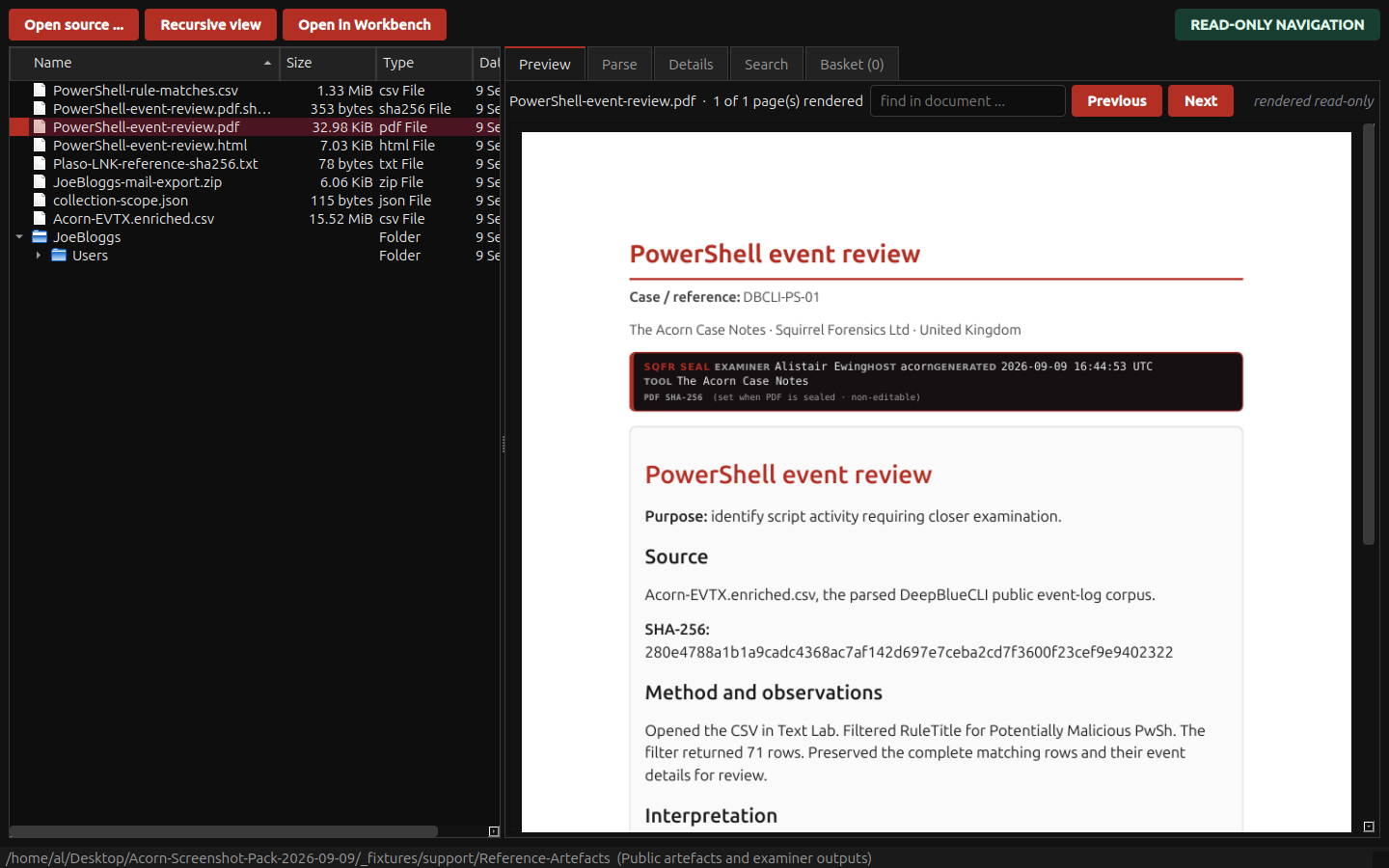
The native Navigator renders the Case Notes PDF beside its source export and reference files. The selected report records a real filter operation on public event-log data. View full screen
The native Navigator renders the Case Notes PDF beside its source export and reference files. The selected report records a real filter operation on public event-log data.
Explore Forensic Navigator ↗
Forensic WorkbenchReview files and artefacts in case context

Workbench keeps the file, its preview and the case context together. Open a relevant item, inspect its contents and follow the source record before deciding what it tells you. The example below shows a recovered photograph from a public training scenario.

Public training example · earlier interface
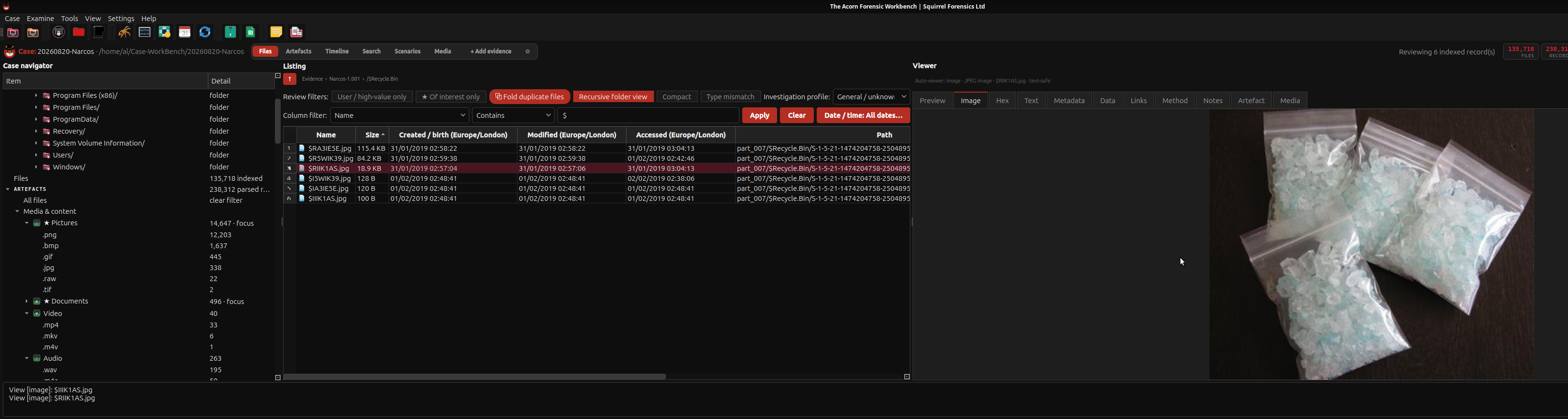
Inspect a recovered photograph alongside its file records in Acorn Workbench. This public Narcos teaching scenario shows bagged crystalline material; the image alone cannot identify the substance. View full screen
Inspect a recovered photograph alongside its file records in Acorn Workbench. This public Narcos teaching scenario shows bagged crystalline material; the image alone cannot identify the substance.
Explore Forensic Workbench ↗
MFT ViewerWhat do the NTFS file record and its timestamp sets actually say about this file?

Use the NTFS file record to investigate a specific file, rather than reading a timestamp difference as a conclusion. The MFT view helps compare stored information; copying, application behaviour and other artefacts may explain a pattern that initially looks unusual.

Demonstrated on public training data

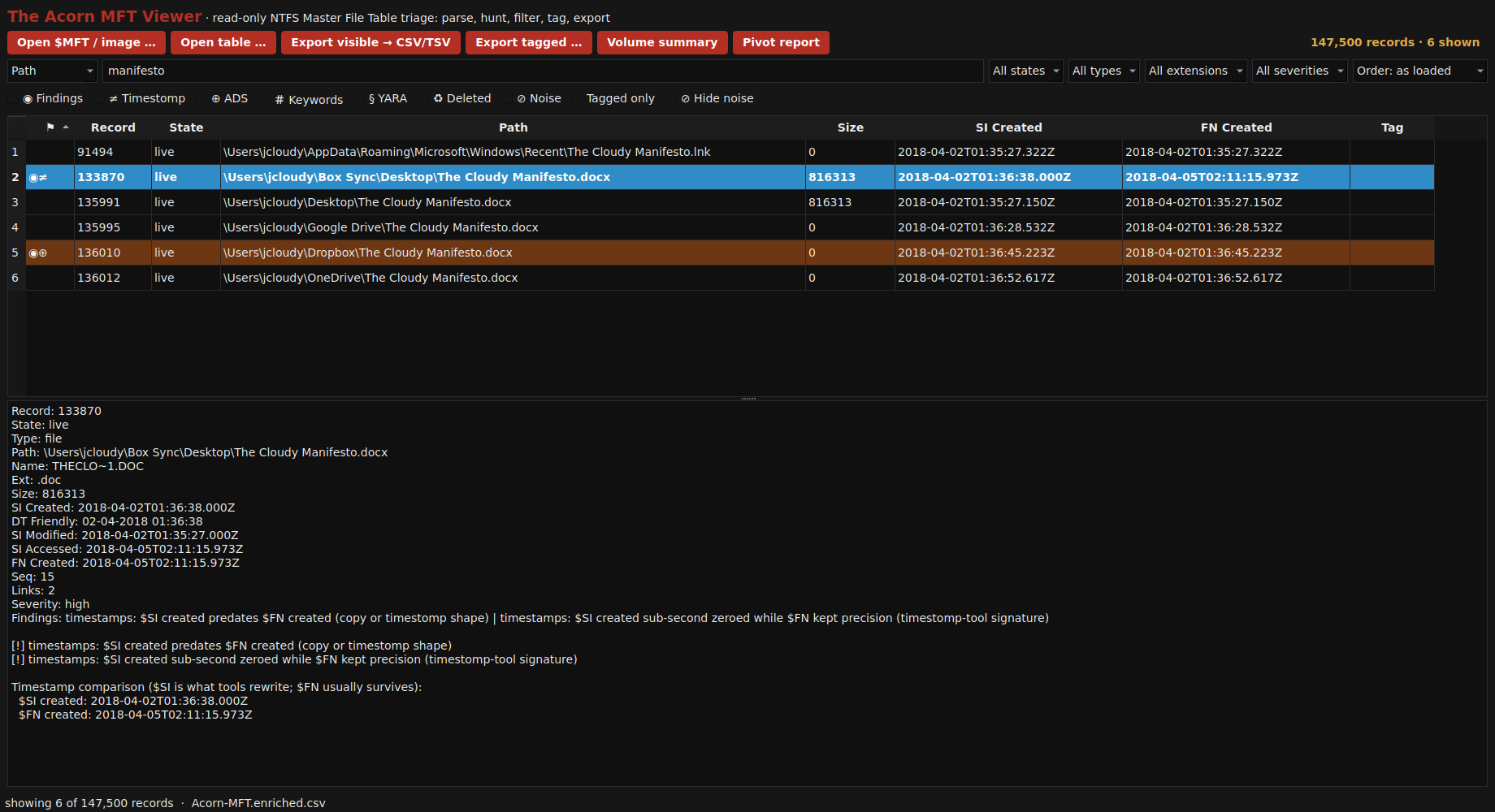
Six surviving MFT records place a manifesto-named document or shortcut on the desktop and in several cloud-sync folders. The selected Box Sync record exposes its two creation-time sets for comparison. View full screen
Six surviving MFT records place a manifesto-named document or shortcut on the desktop and in several cloud-sync folders. The selected Box Sync record exposes its two creation-time sets for comparison.
Explore MFT Viewer ↗
USN Journal ViewerDo journal records connect a temporary filename, a rename or a deletion to the same file reference?

Follow changes through the file reference when a name alone is no longer enough. USN records can help connect temporary names, renames and deletions, but a useful sequence still needs the associated file context and a clear account of what the journal covers.

Demonstrated on public training data

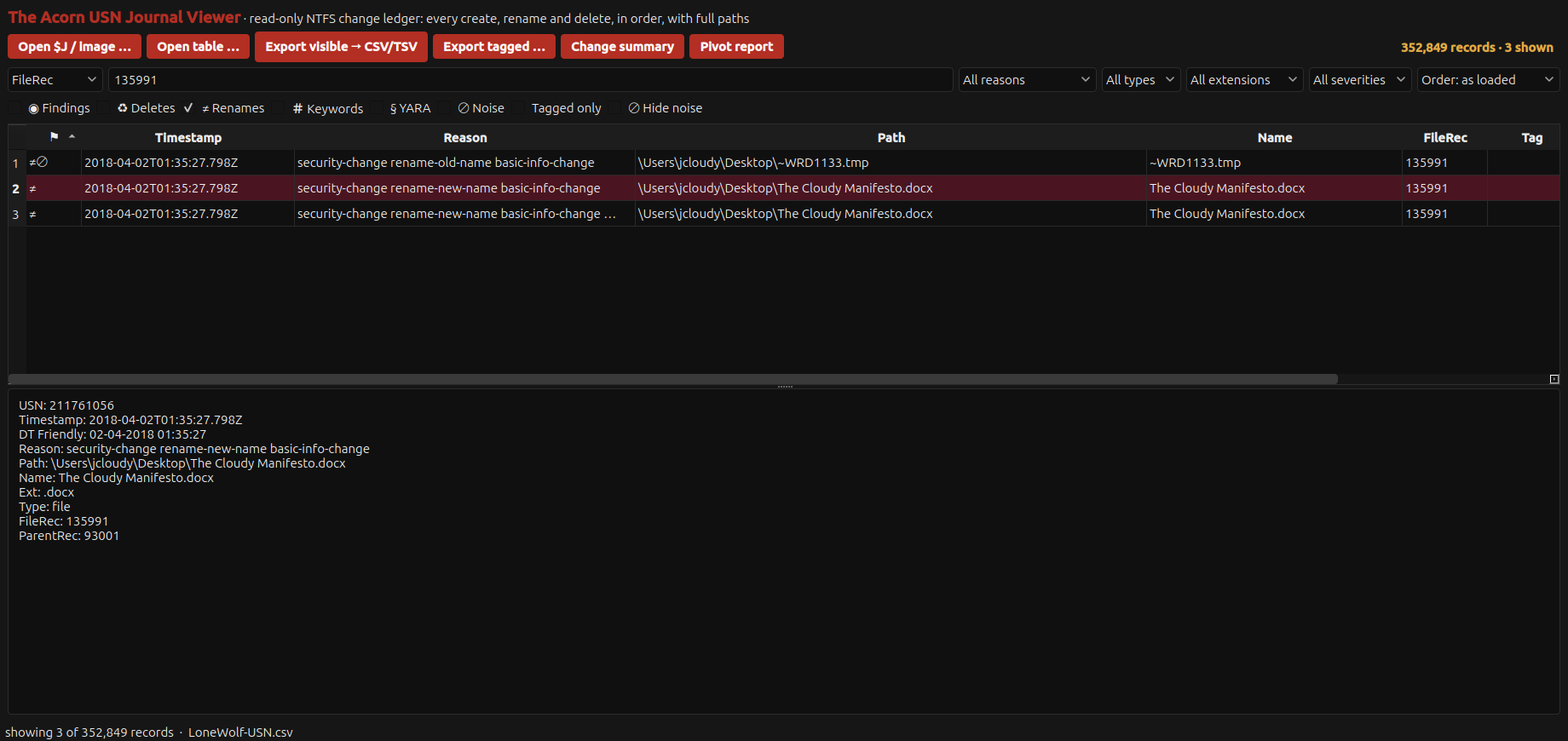
Three adjacent Lone Wolf journal records link ~WRD1133.tmp and The Cloudy Manifesto.docx through file reference 135991 at the same recorded time. The original and new names can help reconstruct a save sequence. The journal alone does not establish document contents, authorship or the identity of the person using the computer. View full screen
Three adjacent Lone Wolf journal records link ~WRD1133.tmp and The Cloudy Manifesto.docx through file reference 135991 at the same recorded time. The original and new names can help reconstruct a save sequence. The journal alone does not establish document contents, authorship or the identity of the person using the computer.
Explore USN Journal Viewer ↗
Event Log ViewerInspect Windows events and rule matches

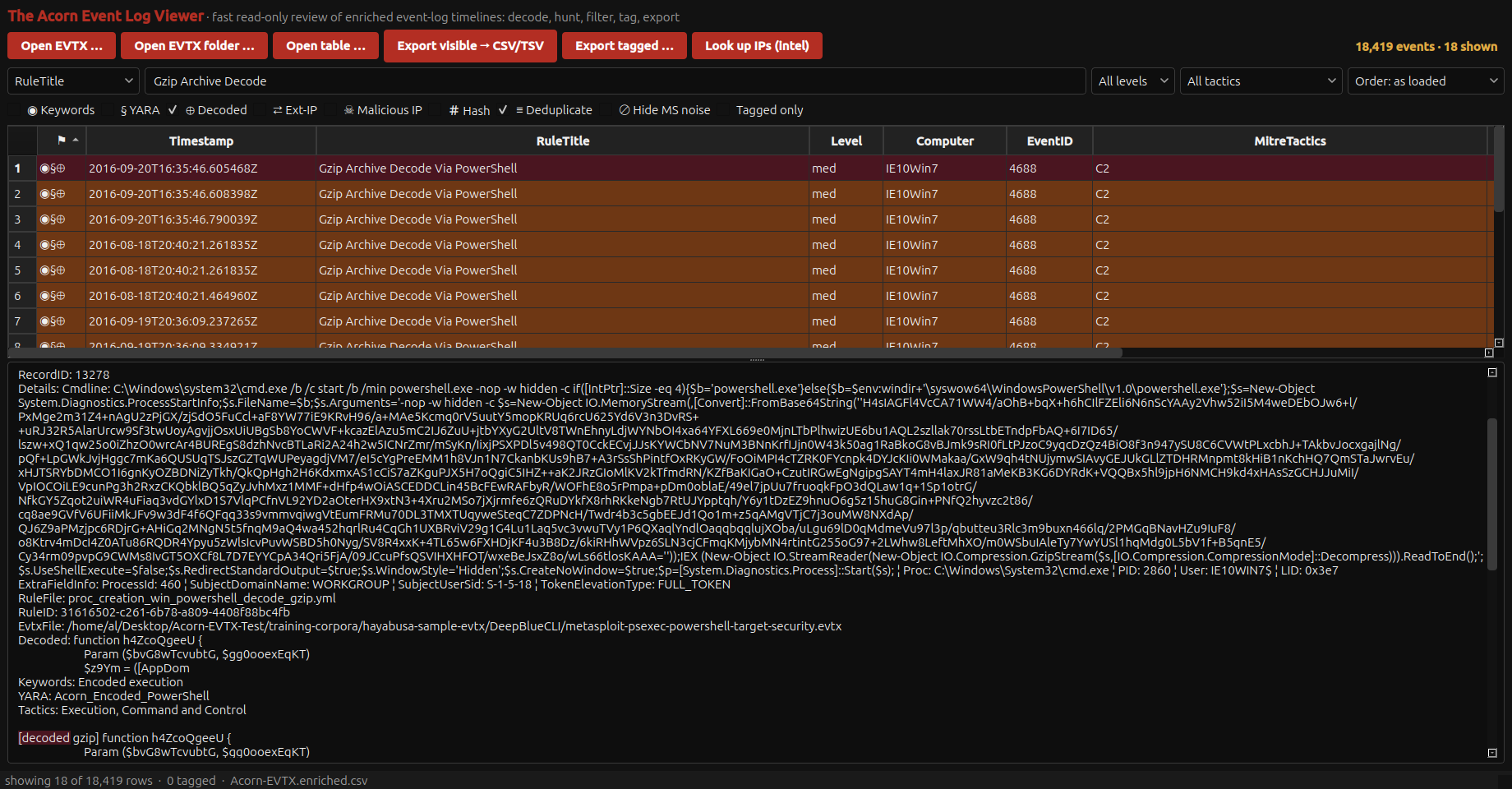
An event match is a place to start reading. Event Log Viewer keeps the underlying record and decoded command context close to the review, so an examiner can separate what was recorded from a proposed action, duplicated rule match or inferred outcome.

Demonstrated on public training data

Eighteen rule matches identify archive-decoding PowerShell command lines in public training logs. The selected record preserves the encoded command, source event and a decoded gzip script fragment. View full screen
Eighteen rule matches identify archive-decoding PowerShell command lines in public training logs. The selected record preserves the encoded command, source event and a decoded gzip script fragment.
Explore Event Log Viewer ↗
Registry AnalyserWhat software or application-path registration is recorded in this Windows profile?

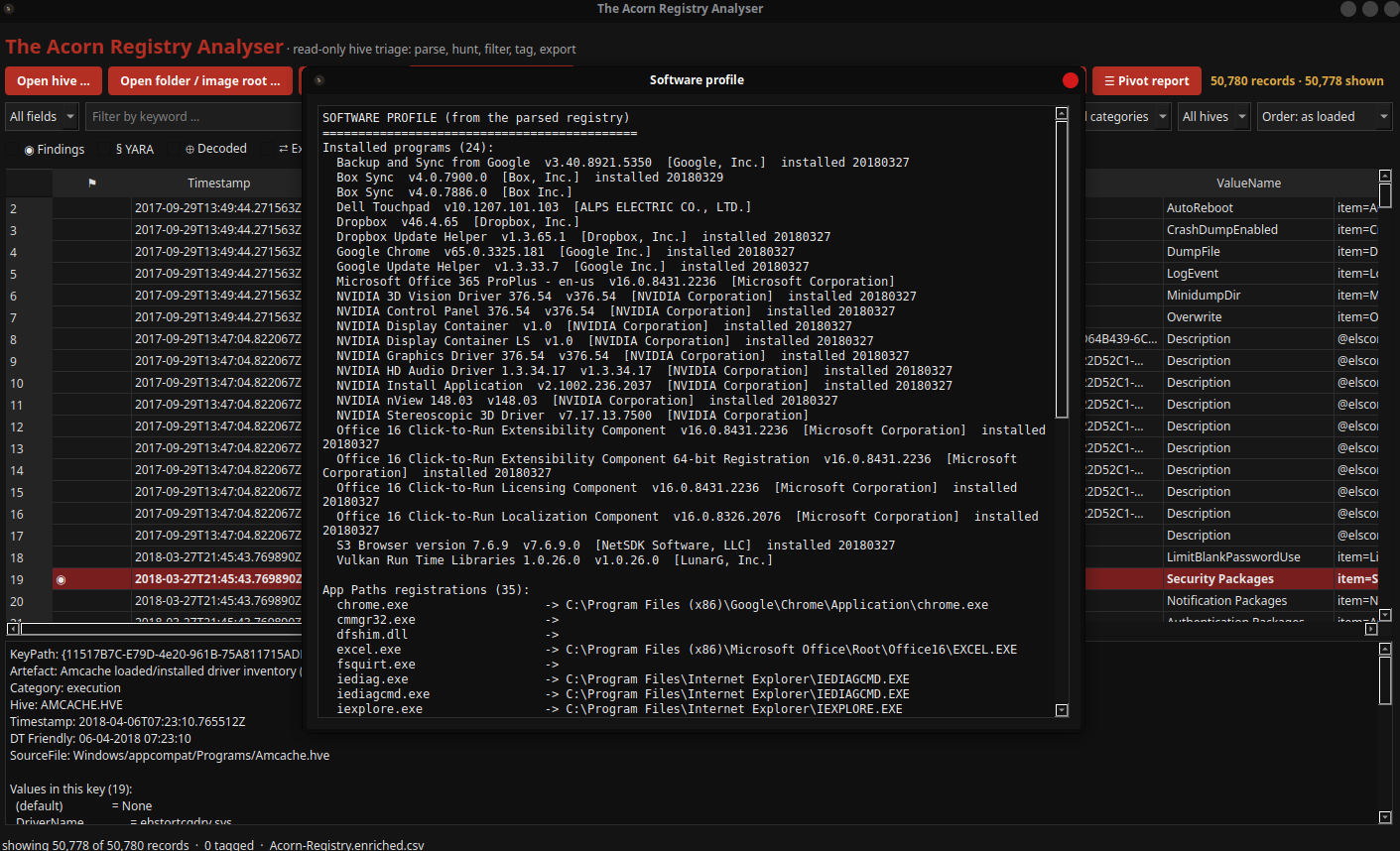
Registered software and application paths can help explain the state of a Windows system. Use that state to choose follow-up questions. A registration entry is not an execution history, and the significance of a value depends on its source and context.

Demonstrated on public training data

The public Lone Wolf scenario shows 24 registered programs and their available versions and installation dates, plus application-path registrations. These records guide follow-up work; registration alone does not prove a program was executed. View full screen
The public Lone Wolf scenario shows 24 registered programs and their available versions and installation dates, plus application-path registrations. These records guide follow-up work; registration alone does not prove a program was executed.
Explore Registry Analyser ↗
SRUM ViewerWhat network usage does Windows attribute to an application during the recorded period?

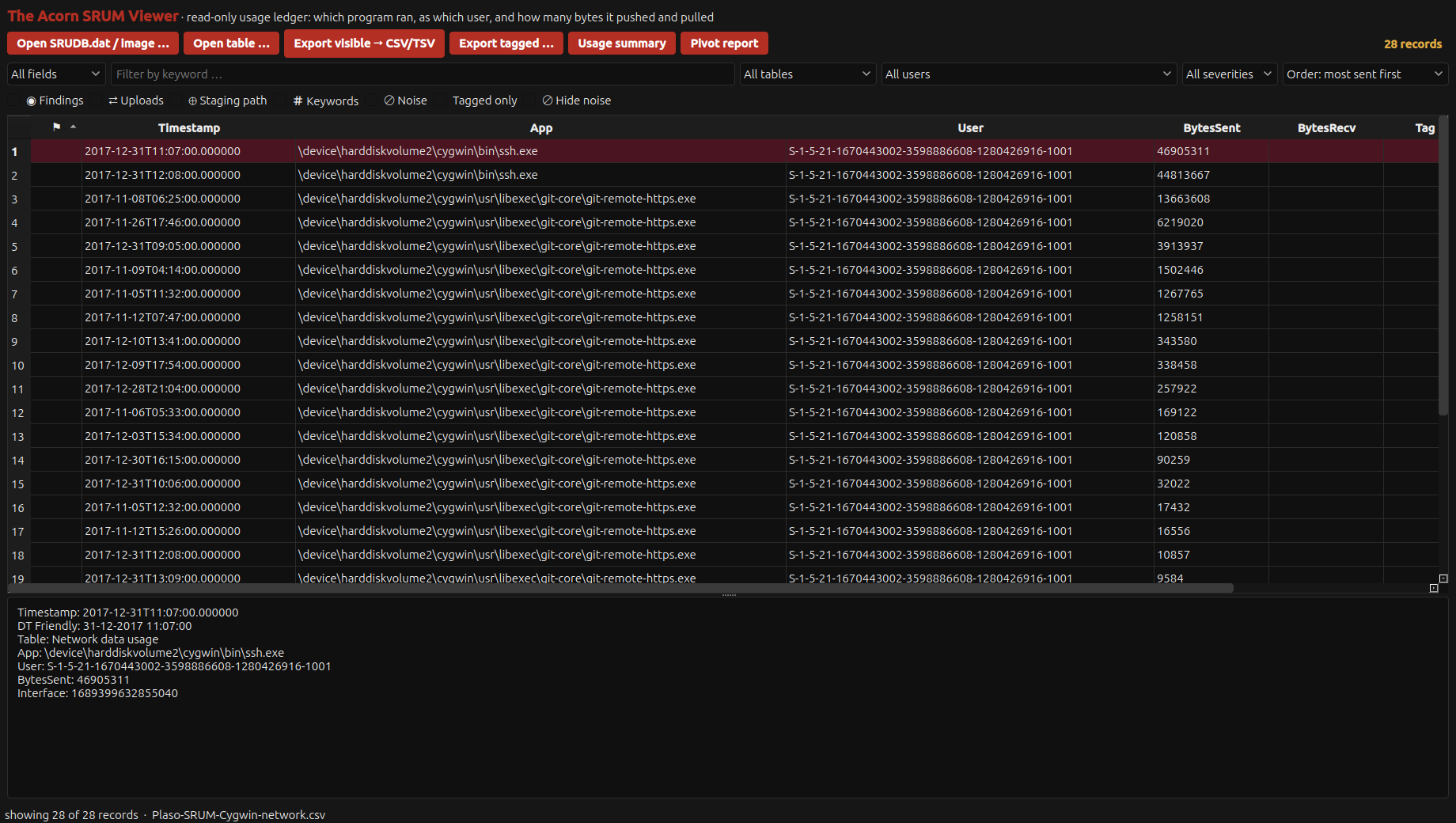
Application-level network counters can help decide where to investigate next. SRUM Viewer makes those recorded usage rows available for review, but identifying transferred files or explaining a transfer needs evidence beyond a byte count.

Demonstrated on public training data

Twenty-eight Cygwin network records from the public Plaso SRUM fixture were imported after date-field normalisation. The selected ssh.exe row records 46,905,311 bytes sent. Dates retain the source clock’s unknown time-zone basis. Counters show recorded application usage; they do not identify transferred files or prove exfiltration. View full screen
Twenty-eight Cygwin network records from the public Plaso SRUM fixture were imported after date-field normalisation. The selected ssh.exe row records 46,905,311 bytes sent. Dates retain the source clock’s unknown time-zone basis. Counters show recorded application usage; they do not identify transferred files or prove exfiltration.
Explore SRUM Viewer ↗
Shortcut ViewerWhat target, arguments and device information are stored inside this shortcut?

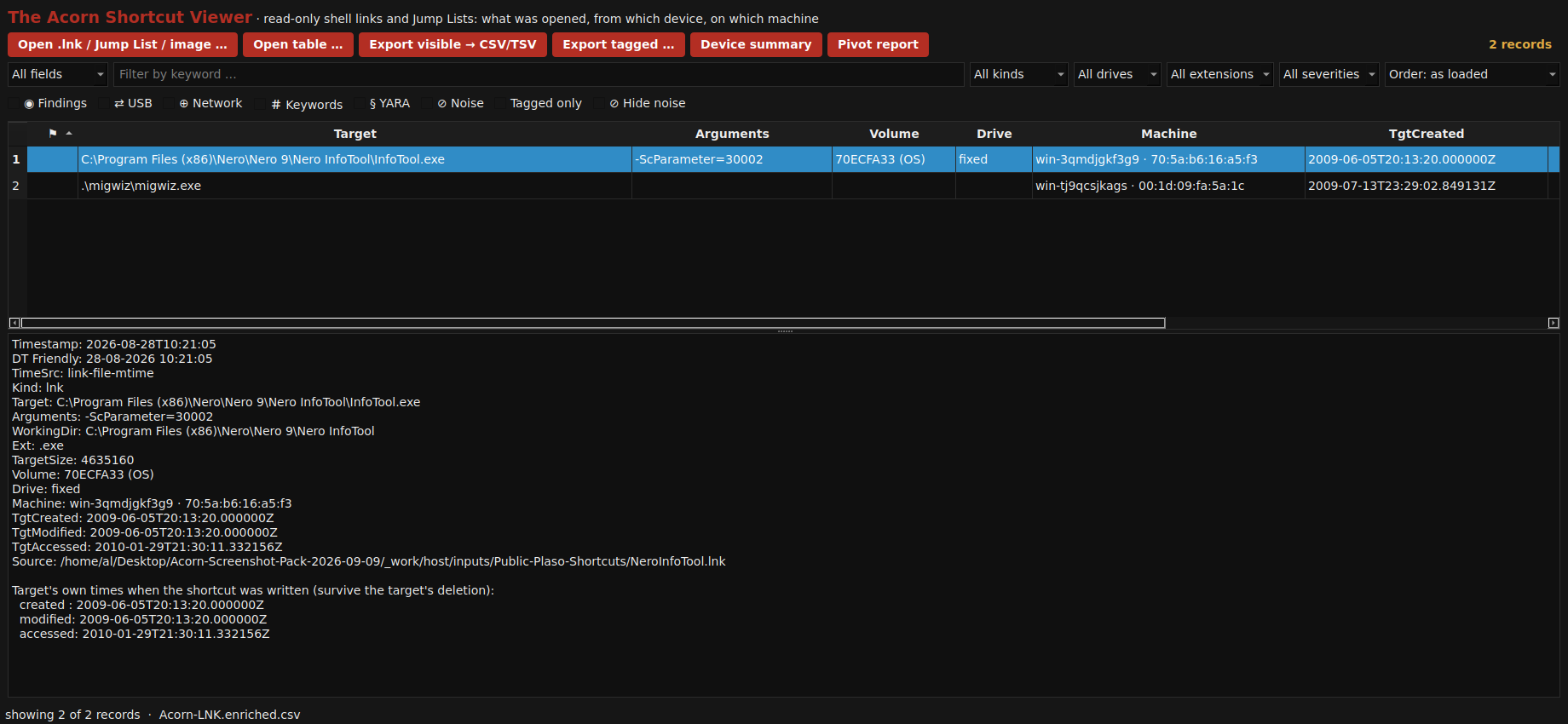
A shortcut can retain a target path, arguments and details of a volume or authoring system. Use those fields to guide a focused examination, while keeping the shortcut's own history separate from the target information stored inside it.

Demonstrated on public training data

Two parsed public shortcuts preserve target paths, command arguments and authoring-machine details. The selected Nero shortcut also carries a volume serial and the target timestamps stored inside the link. View full screen
Two parsed public shortcuts preserve target paths, command arguments and authoring-machine details. The selected Nero shortcut also carries a volume serial and the target timestamps stored inside the link.
Explore Shortcut Viewer ↗
Plist ViewerWhat action does a property list configure, and under what conditions?

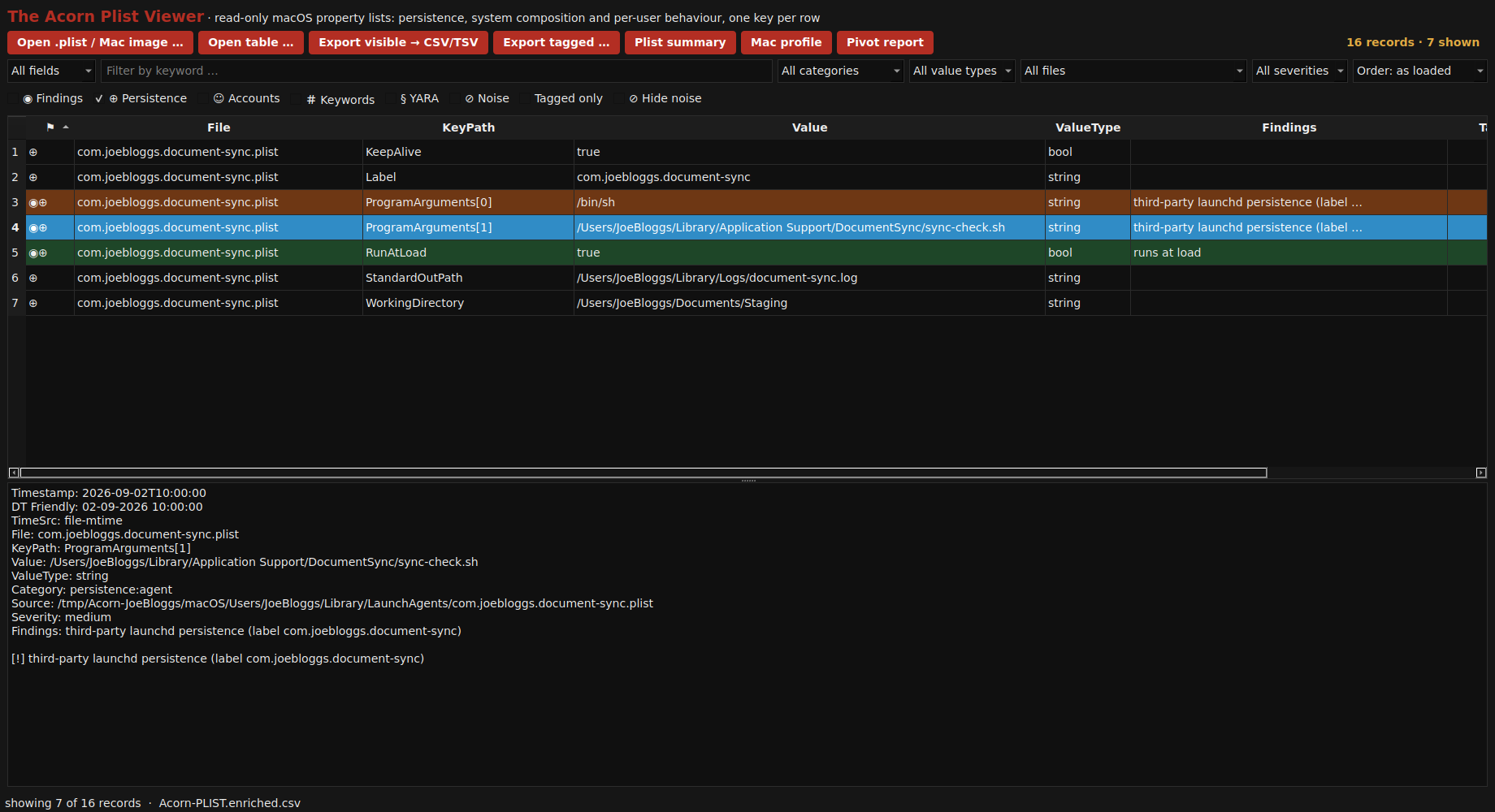
Configuration is evidence of a setting, not proof that its action completed. Read a LaunchAgent's arguments and conditions together before making that distinction.

Demonstrated on constructed training data

The native property-list parser expands a constructed LaunchAgent into individual keys: its label, program arguments, working folder and launch conditions can be reviewed together. View full screen
The native property-list parser expands a constructed LaunchAgent into individual keys: its label, program arguments, working folder and launch conditions can be reviewed together.
Explore Plist Viewer ↗
Timeline ViewerCompare events in date order

A chronology is useful when it explains why each row belongs in the account. Timeline Viewer supports focused review of recorded activity, while the examiner keeps timestamp kind, time basis and source context separate from the final interpretation.

Demonstrated on public training data

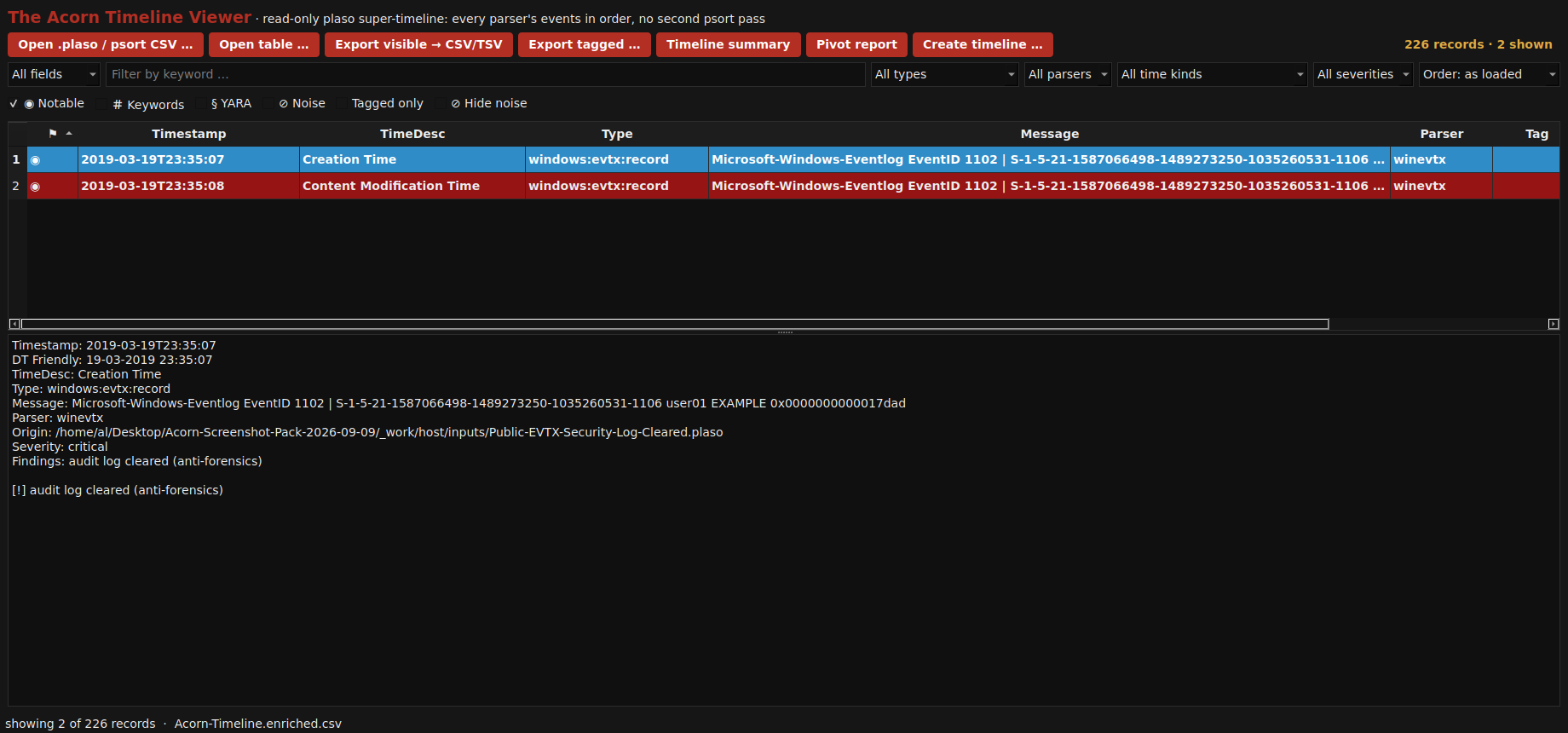
The native Timeline Viewer filters 226 public training timeline rows to two timestamp entries describing Windows Security Event 1102, an audit-log clearing event. The recorded account and SID remain visible in the event details. View full screen
The native Timeline Viewer filters 226 public training timeline rows to two timestamp entries describing Windows Security Event 1102, an audit-log clearing event. The recorded account and SID remain visible in the event details.
Explore Timeline Viewer ↗
Artifact LabWhat does a focused Windows artefact parser return for this specific source?

Choose the artefact that can address the question, then inspect what its parser actually returned. Artifact Lab's demonstrated task and Prefetch workflows support focused examination. A successful stage label is not a substitute for checking the output and its diagnostics.

Demonstrated on constructed training data

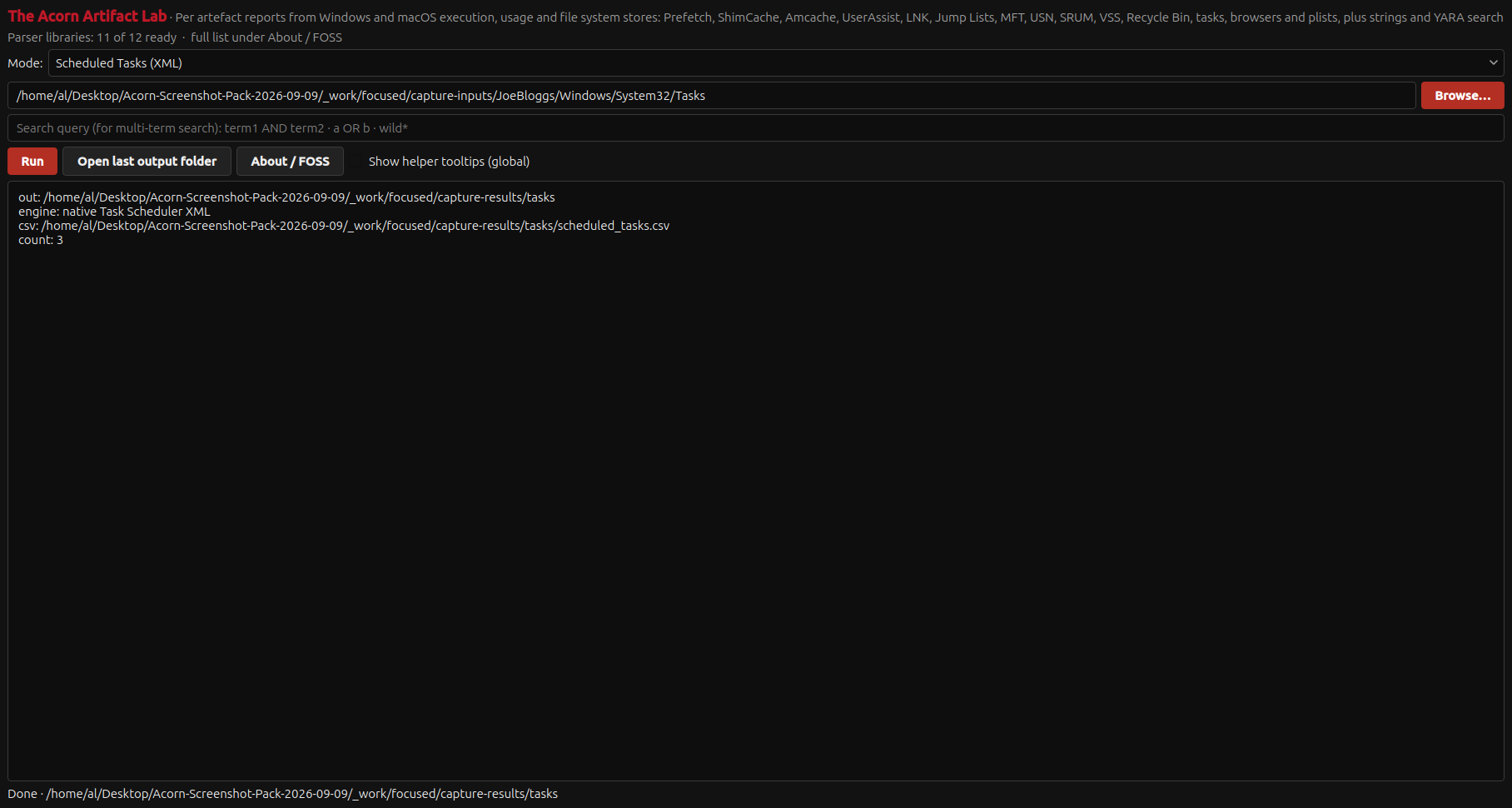
Artifact Lab parses three constructed Scheduled Task XML files and writes a per-artefact CSV. The files describe training actions; none was registered with Windows or executed. View full screen
Artifact Lab parses three constructed Scheduled Task XML files and writes a per-artefact CSV. The files describe training actions; none was registered with Windows or executed.
Explore Artifact Lab ↗
Artefact GuideWhich recorded sources might help answer this examination question?

The guide helps turn a broad question into a source checklist. It supports examination planning; it does not itself process the evidence.

Reference guide

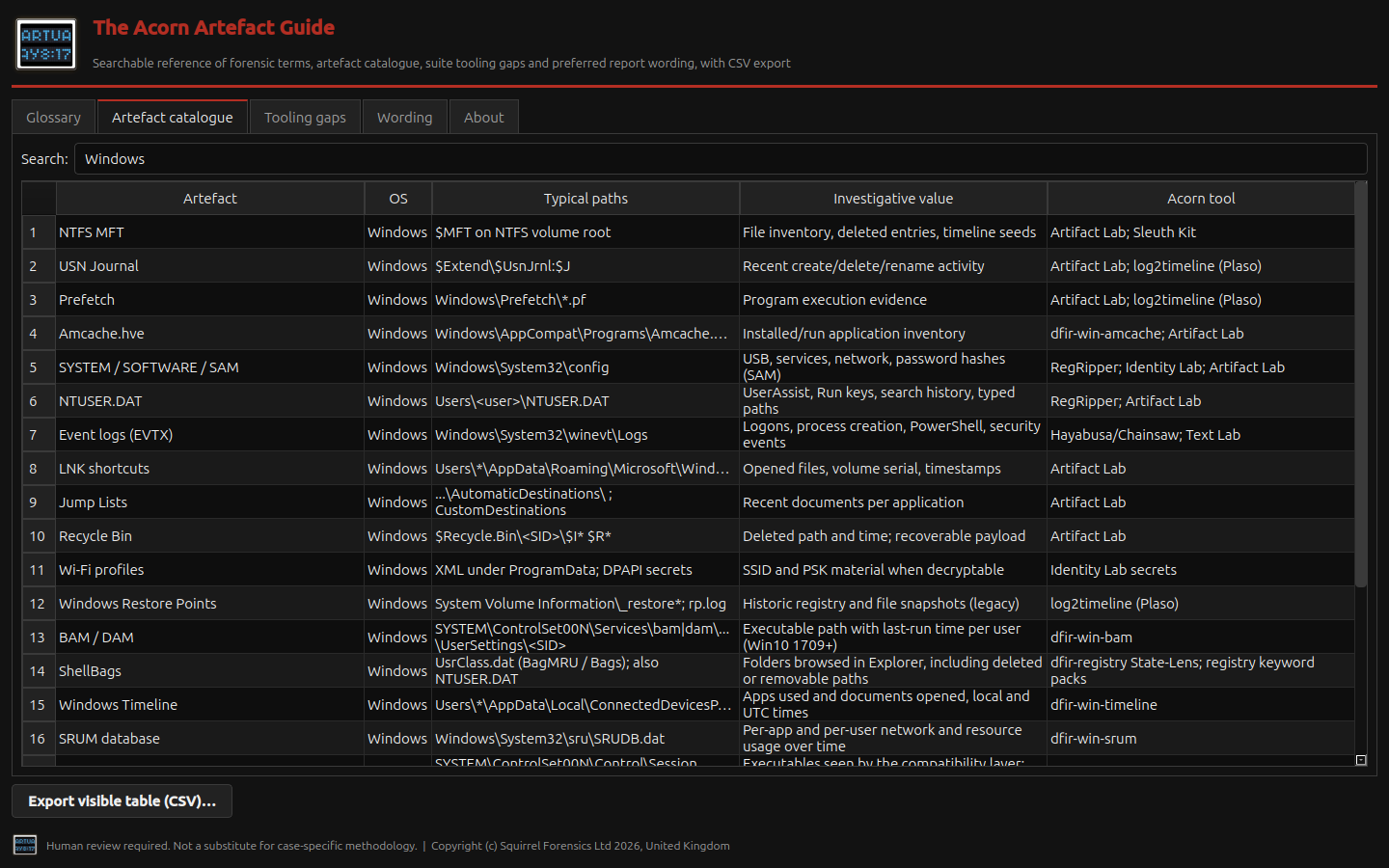
The artefact catalogue groups Windows sources with their locations, potential uses and linked tooling. It supports planning a focused examination. View full screen
The artefact catalogue groups Windows sources with their locations, potential uses and linked tooling. It supports planning a focused examination.
Explore Artefact Guide ↗
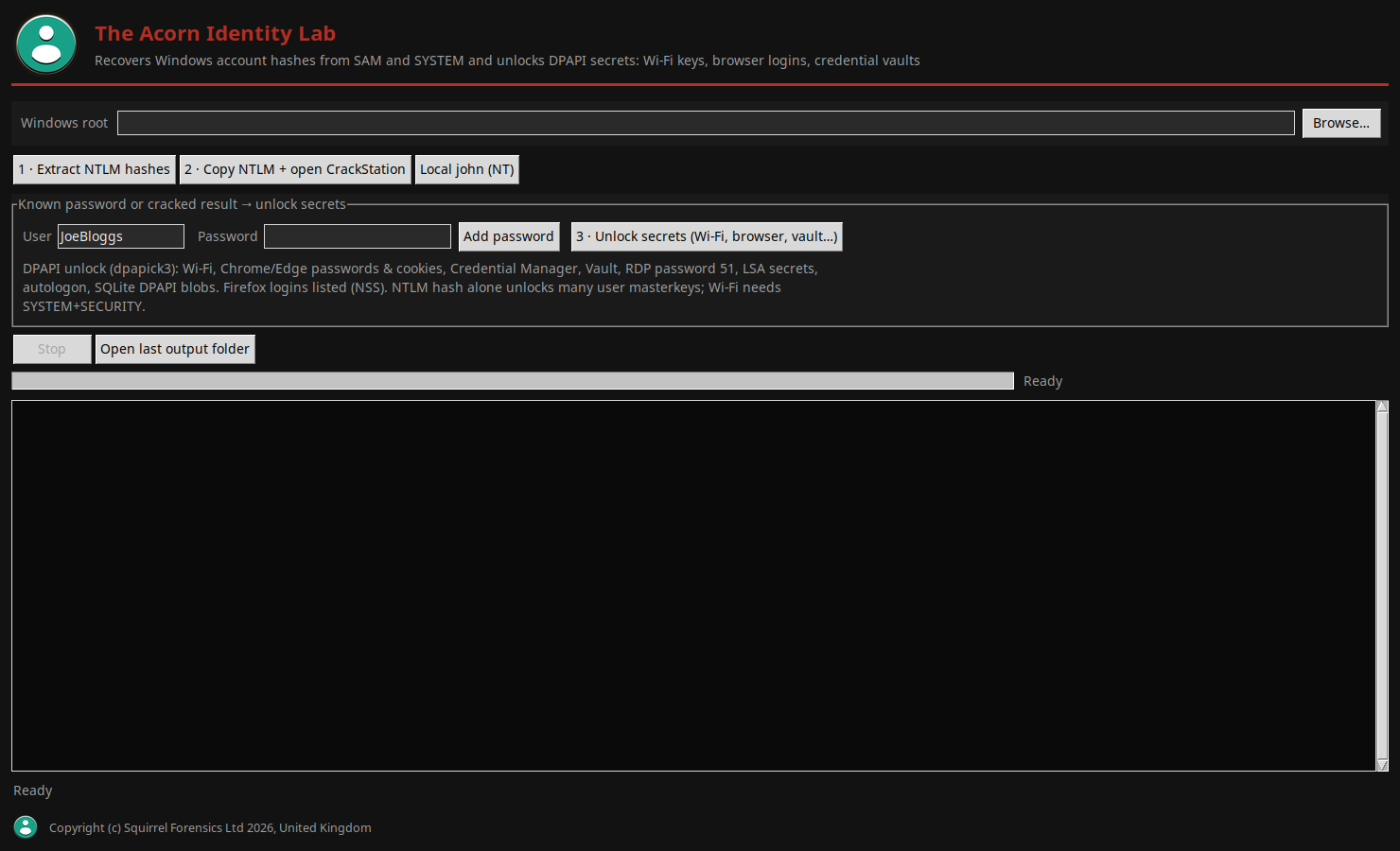
Identity LabWhat authority and source material would an account or protected-secret examination require?

Identity work needs a precise scope and appropriate source material. The illustrated interface distinguishes account records from workflows that depend on valid key material.

Reference interface

The native Identity Lab interface separates account-hash extraction from password-assisted secret unlocking, and exposes progress and stop controls. View full screen
The native Identity Lab interface separates account-hash extraction from password-assisted secret unlocking, and exposes progress and stop controls.
Explore Identity Lab ↗
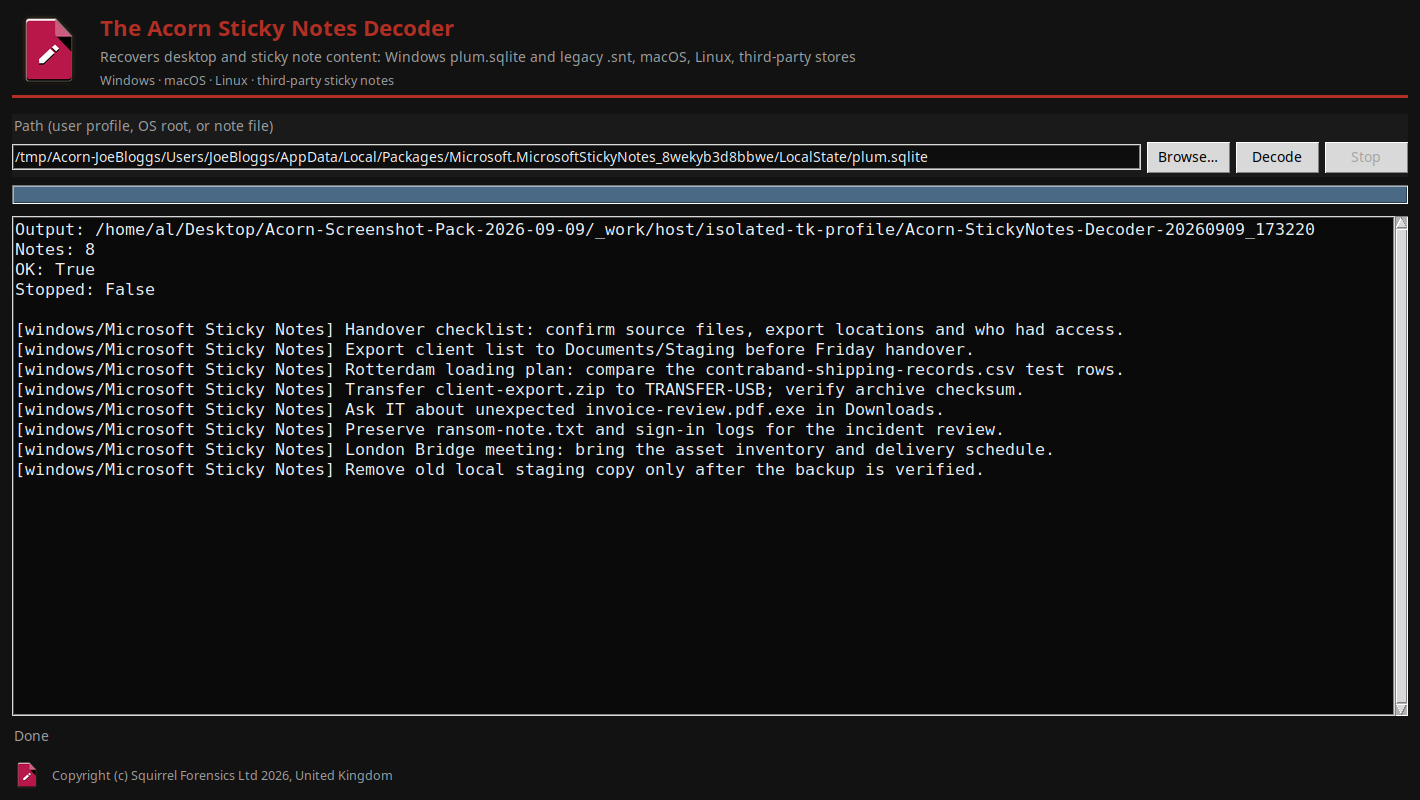
Sticky Notes DecoderWhat text and recorded timestamps remain in this Sticky Notes store?

A note may describe a plan, a reminder or a handover. The decoder makes the recorded text available for review without turning it into proof that the plan happened.

Demonstrated on constructed training data

The native Sticky Notes Decoder reads eight notes from a generated Windows plum.sqlite store, including handover, document staging, archive transfer and incident-review reminders. View full screen
The native Sticky Notes Decoder reads eight notes from a generated Windows plum.sqlite store, including handover, document staging, archive transfer and incident-review reminders.
Explore Sticky Notes Decoder ↗
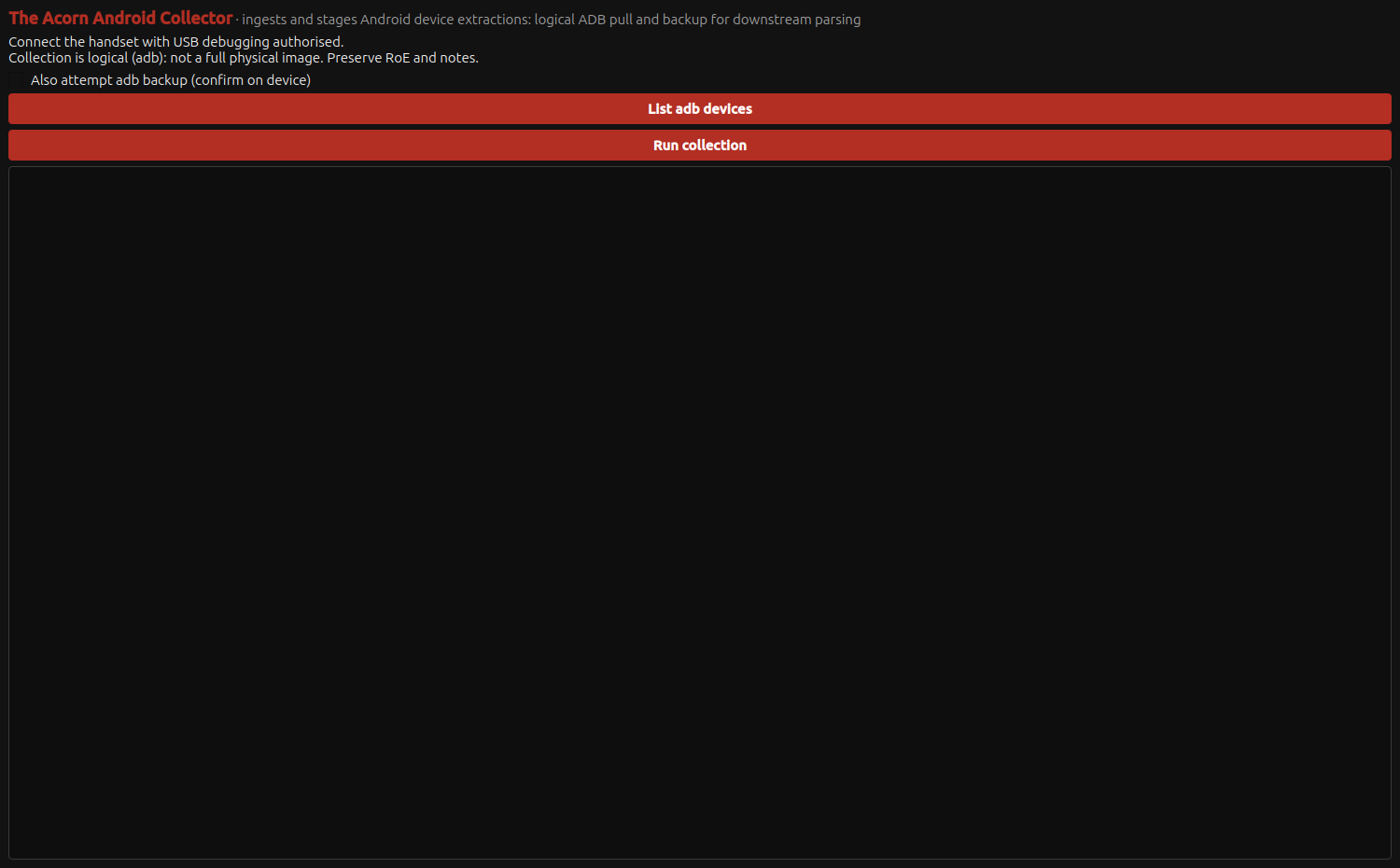
Android CollectorWhat authorised logical collection route is suitable for this Android device?

The Android collection interface presents an authorised logical-acquisition route. Device state, authorisation and operating-system version determine what can actually be collected.

Collection controls shown

The native Android Collector presents authorised ADB logical collection, device listing and optional legacy backup controls. View full screen
The native Android Collector presents authorised ADB logical collection, device listing and optional legacy backup controls.
Explore Android Collector ↗
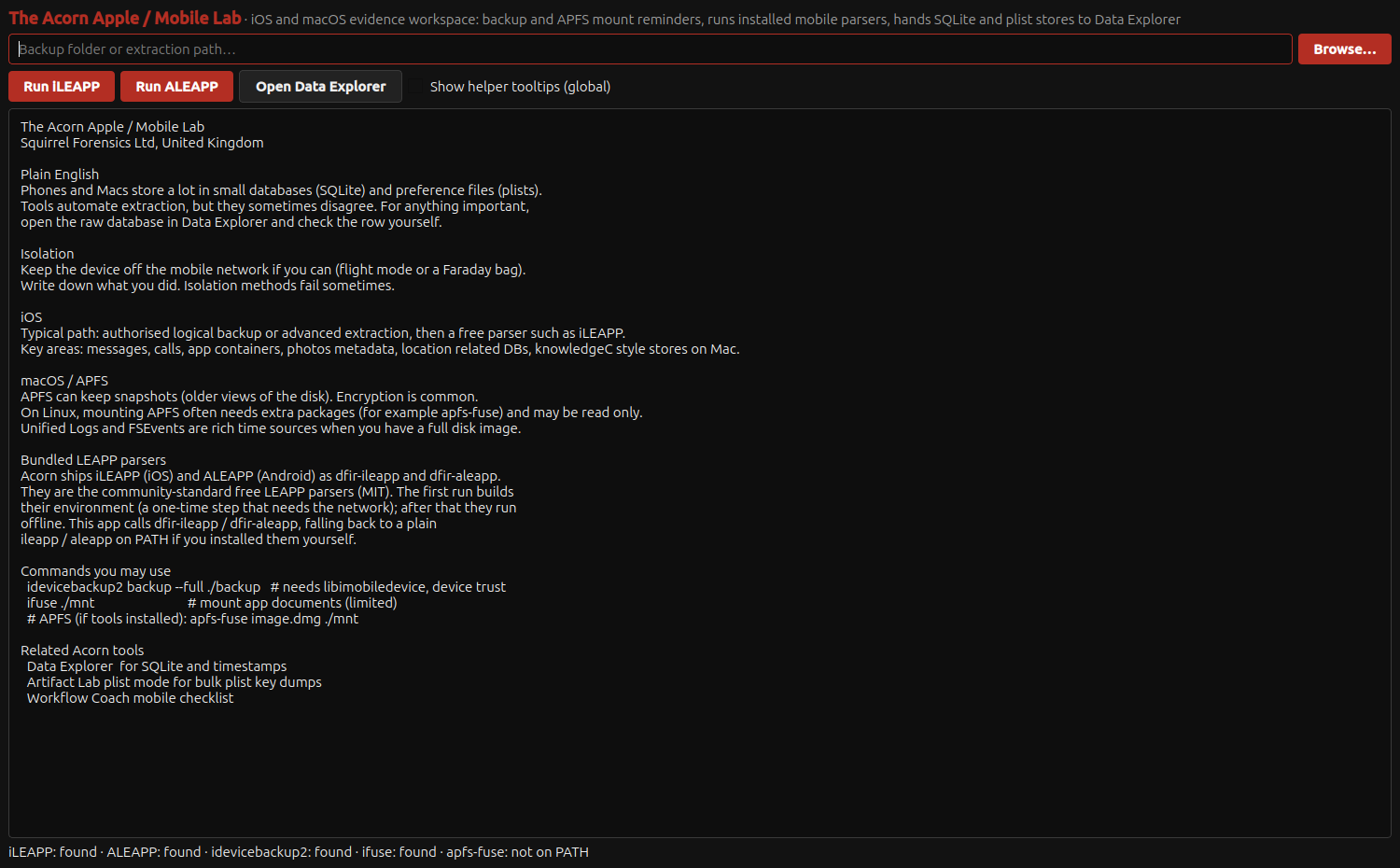
Apple Mobile LabWhat supplied mobile data and parser route would support this examination?

Keep acquisition separate from interpretation. Apple Mobile Lab's illustrated workflow starts with supplied material and a defined parsing route.

Input and parser controls shown

The native Apple Mobile Lab presents the input-folder and LEAPP parser workflow alongside acquisition and database-review guidance. View full screen
The native Apple Mobile Lab presents the input-folder and LEAPP parser workflow alongside acquisition and database-review guidance.
Explore Apple Mobile Lab ↗
Unified Log AnalyserDo sign-in, inbox-rule or download records support the incident account being proposed?

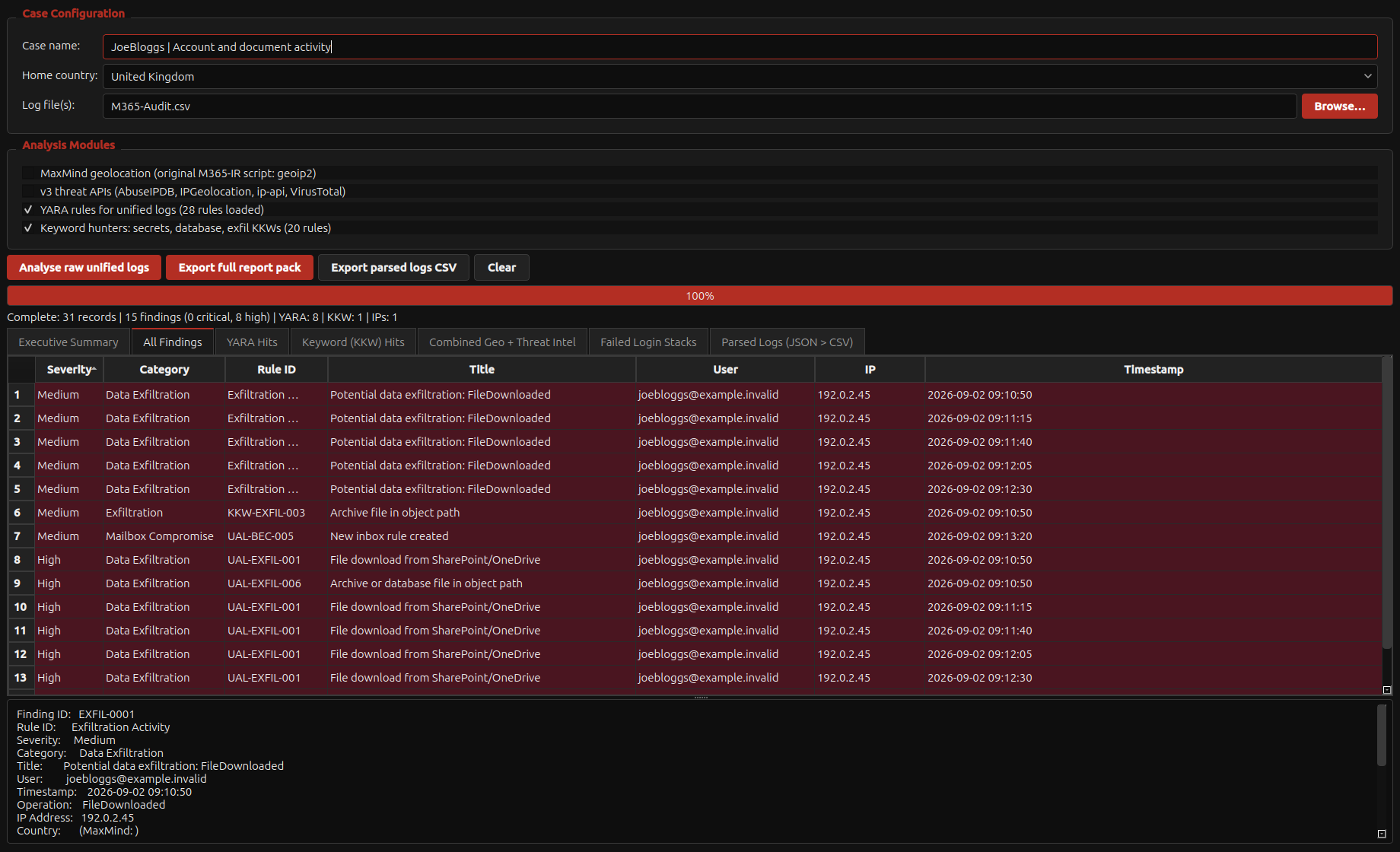
Account investigations benefit from connecting related audit events. The demonstrated workflow compares sign-ins, forwarding and downloads without treating a rule match as proof of compromise.

Demonstrated on constructed training data

The unchanged Unified Log Analyser parses 31 AuditData JSON records and presents its own detection results alongside the selected finding details. Offline analysis includes repeated failed sign-ins, file-download entries and an inbox-rule change. View full screen
The unchanged Unified Log Analyser parses 31 AuditData JSON records and presents its own detection results alongside the selected finding details. Offline analysis includes repeated failed sign-ins, file-download entries and an inbox-rule change.
Explore Unified Log Analyser ↗
Browsing HistoryReview visits, searches and downloads

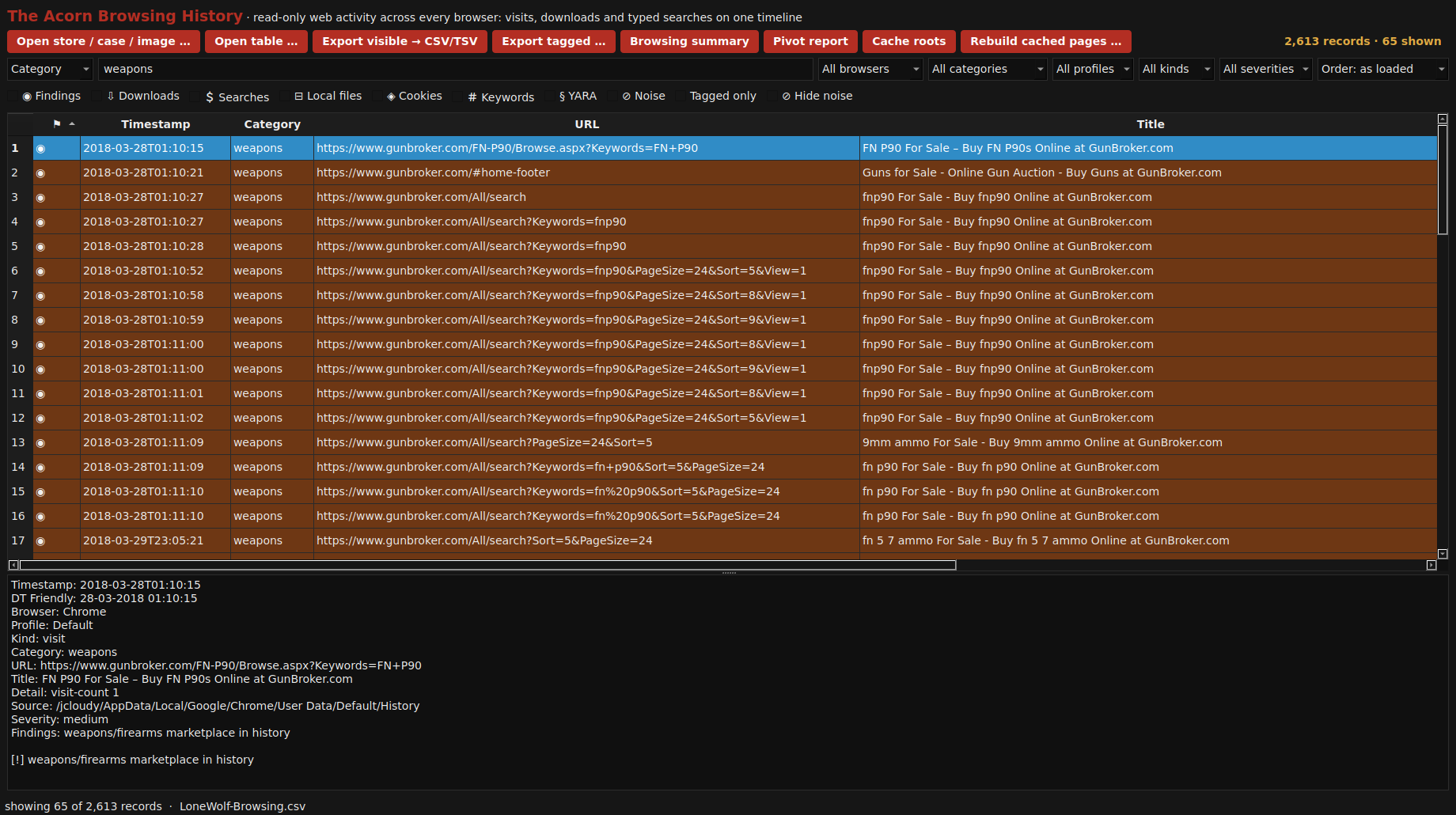
Browsing History brings recorded visits, searches and downloads into a reviewable view. Narrow the records by a relevant term or category, then inspect the page title, URL, time and source. The public Lone Wolf example makes that process visible with firearm-marketplace browsing records.

Demonstrated on public training data

A category filter shows 65 firearm-marketplace browsing records from 2,613 public Lone Wolf training records. Recorded times, page titles and source URLs stay together, with the selected entry expanded below. View full screen
A category filter shows 65 firearm-marketplace browsing records from 2,613 public Lone Wolf training records. Recorded times, page titles and source URLs stay together, with the selected entry expanded below.
Explore Browsing History ↗
File Recovery CarverRecover files without directory entries

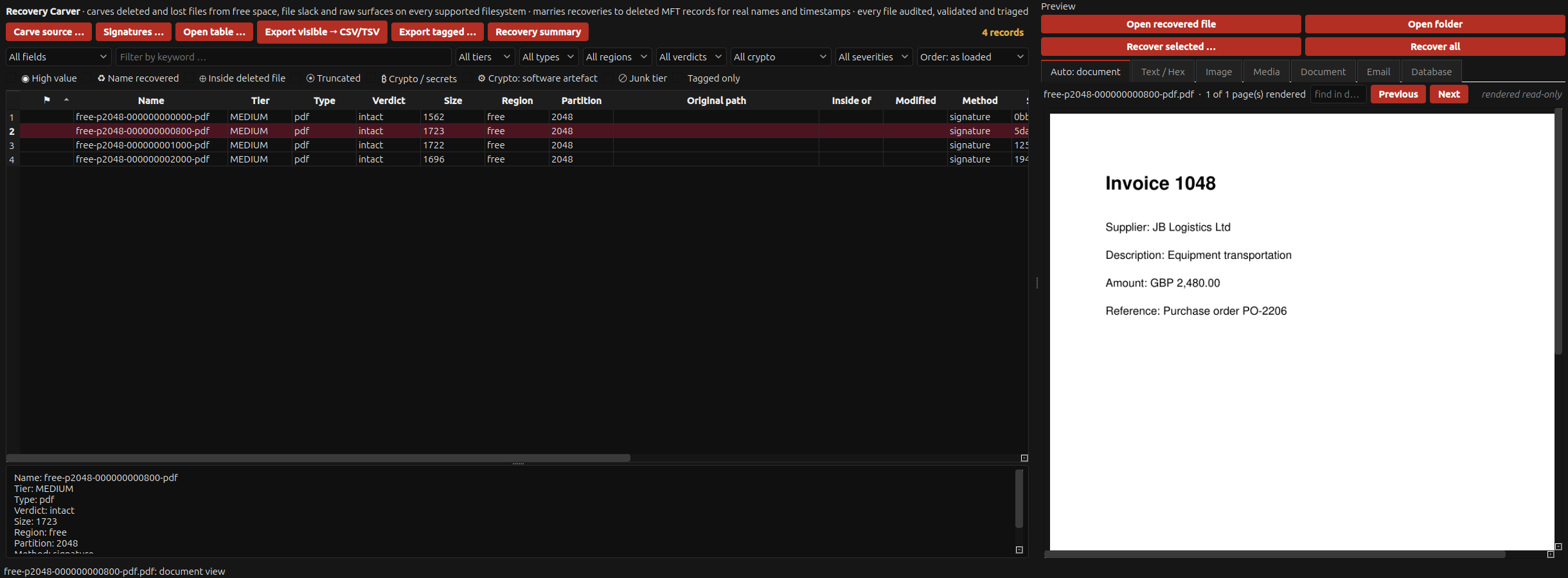
Deletion or quick formatting can leave file content behind. The demonstrated carver finds PDF structures, with explicit checks of where the recovered content ends.

Demonstrated on constructed training data

After an actual quick format of an owned FAT16 image copy, the native carver located four intact PDF structures in its free space. The selected invoice can be reviewed alongside the recovery audit fields. View full screen
After an actual quick format of an owned FAT16 image copy, the native carver located four intact PDF structures in its free space. The selected invoice can be reviewed alongside the recovery audit fields.
Explore File Recovery Carver ↗
Data ExplorerCan a read-only query clarify the records behind this application database?

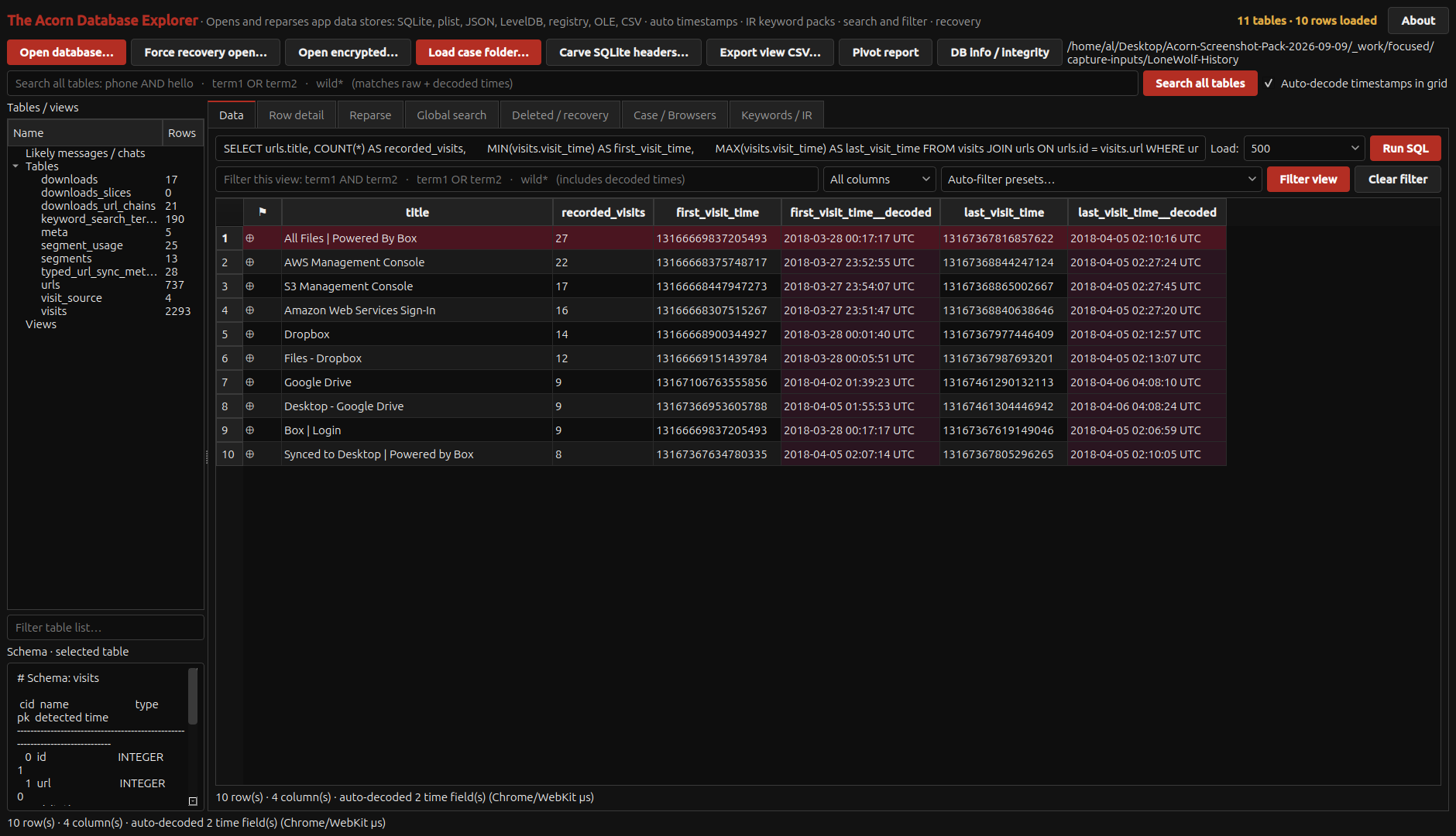
A small, explicit query can answer a question that is easy to lose in a large database. Data Explorer's demonstrated read-only SQLite view lets the examiner inspect tables and stored values while keeping query choices and timestamp interpretation open to review.

Demonstrated on public training data

A read-only SQL query groups recorded visits to selected cloud-service pages in the public Lone Wolf Chrome History database. The ten largest matching title groups retain visit counts and raw and decoded first/last times. Browser records alone do not establish account ownership or a completed upload. View full screen
A read-only SQL query groups recorded visits to selected cloud-service pages in the public Lone Wolf Chrome History database. The ten largest matching title groups retain visit counts and raw and decoded first/last times. Browser records alone do not establish account ownership or a completed upload.
Explore Data Explorer ↗
Text LabWhich log or CSV rows matter to this question, and can their source fields stay visible?

A focused table view can be the quickest route through a large output. Text Lab keeps the fields needed to check a lead beside the filtered records.

Demonstrated on public training data

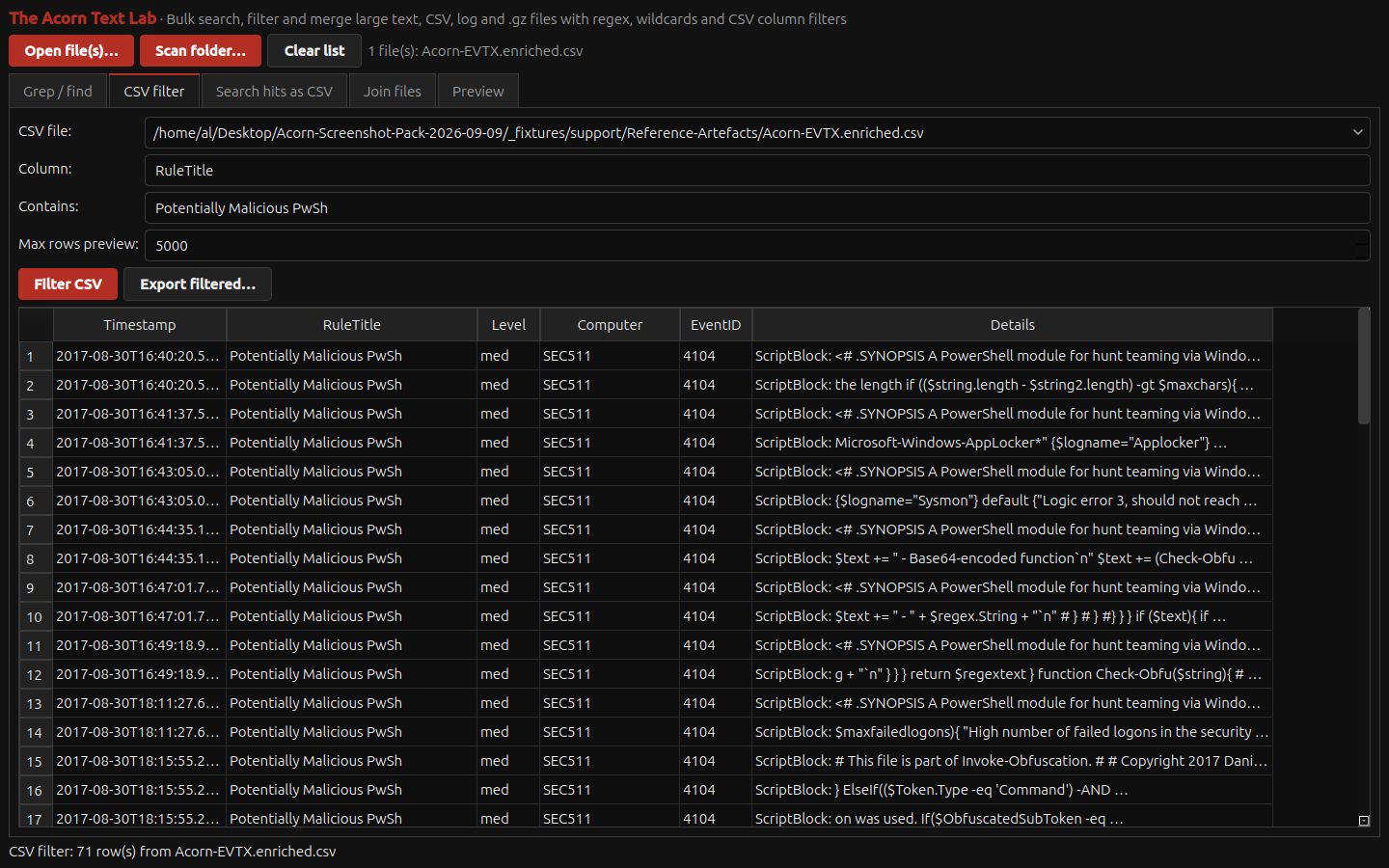
A native CSV filter isolates 71 Potentially Malicious PwSh rule matches from the public DeepBlueCLI event-log export. Recorded times, computer, event ID and command details remain alongside each rule label. View full screen
A native CSV filter isolates 71 Potentially Malicious PwSh rule matches from the public DeepBlueCLI event-log export. Recorded times, computer, event ID and command details remain alongside each rule label.
Explore Text Lab ↗
PCAP AnalyserWhat cleartext protocol information and timing leads are present in this offline capture?

Review the detail behind a network lead. The supplied example separates readable HTTP material and TLS names from encrypted content the capture does not disclose.

Demonstrated on constructed training data

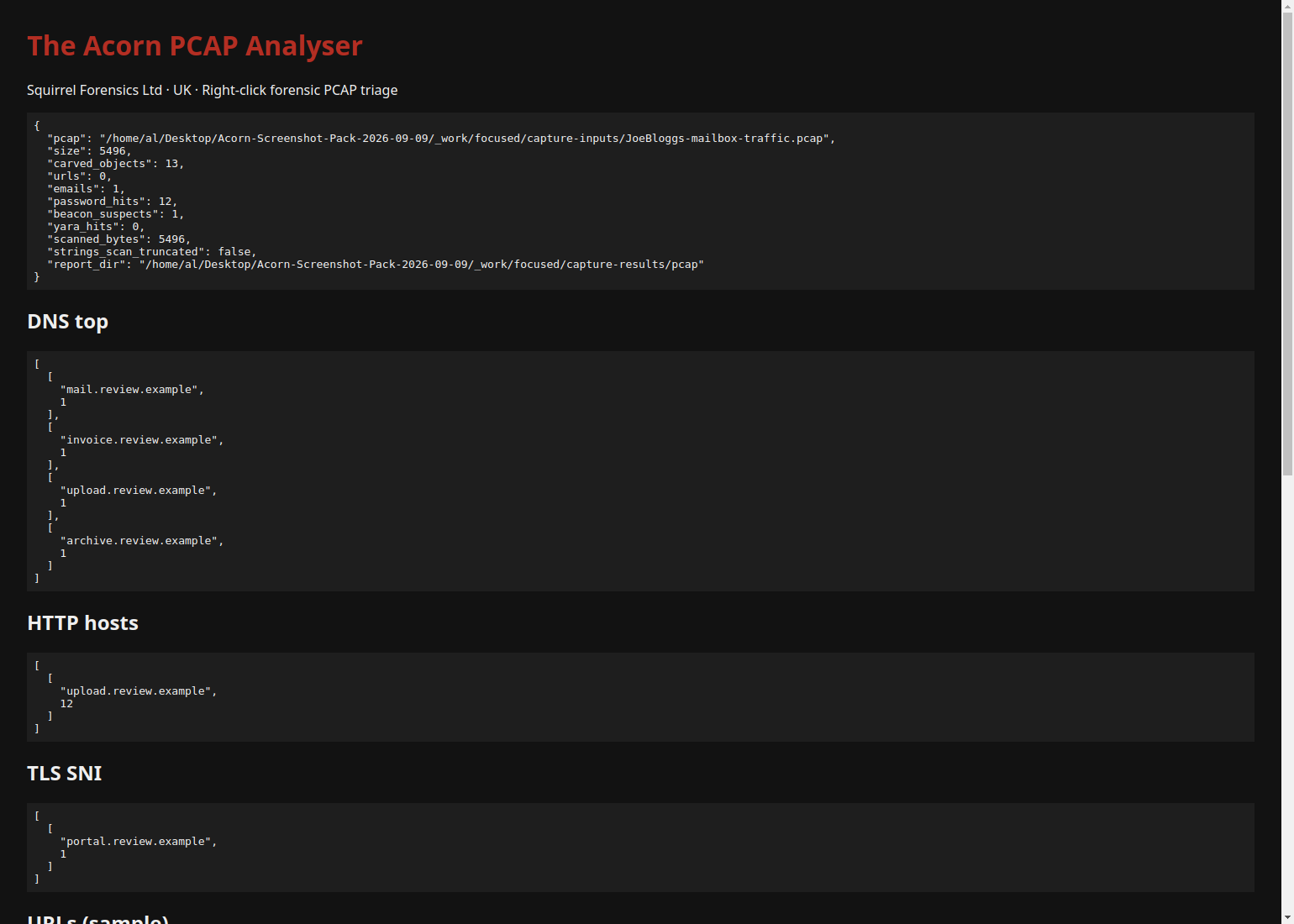
The unchanged PCAP Analyser report records 23 constructed packets, 13 exported HTTP objects, 12 password-adjacent strings and one timing-based beaconing candidate. These outputs are investigative leads from an offline training capture. View full screen
The unchanged PCAP Analyser report records 23 constructed packets, 13 exported HTTP objects, 12 password-adjacent strings and one timing-based beaconing candidate. These outputs are investigative leads from an offline training capture.
Explore PCAP Analyser ↗
Hash & Keyword ManagerDoes this file match a supplied reference, and what does that reference actually classify?

A reference match is most useful when the algorithm, list and classification remain clear. The demonstrated hash workflow identifies a match to supplied reference material. The examiner must still decide what that identity means for the question being investigated.

Demonstrated on public training data

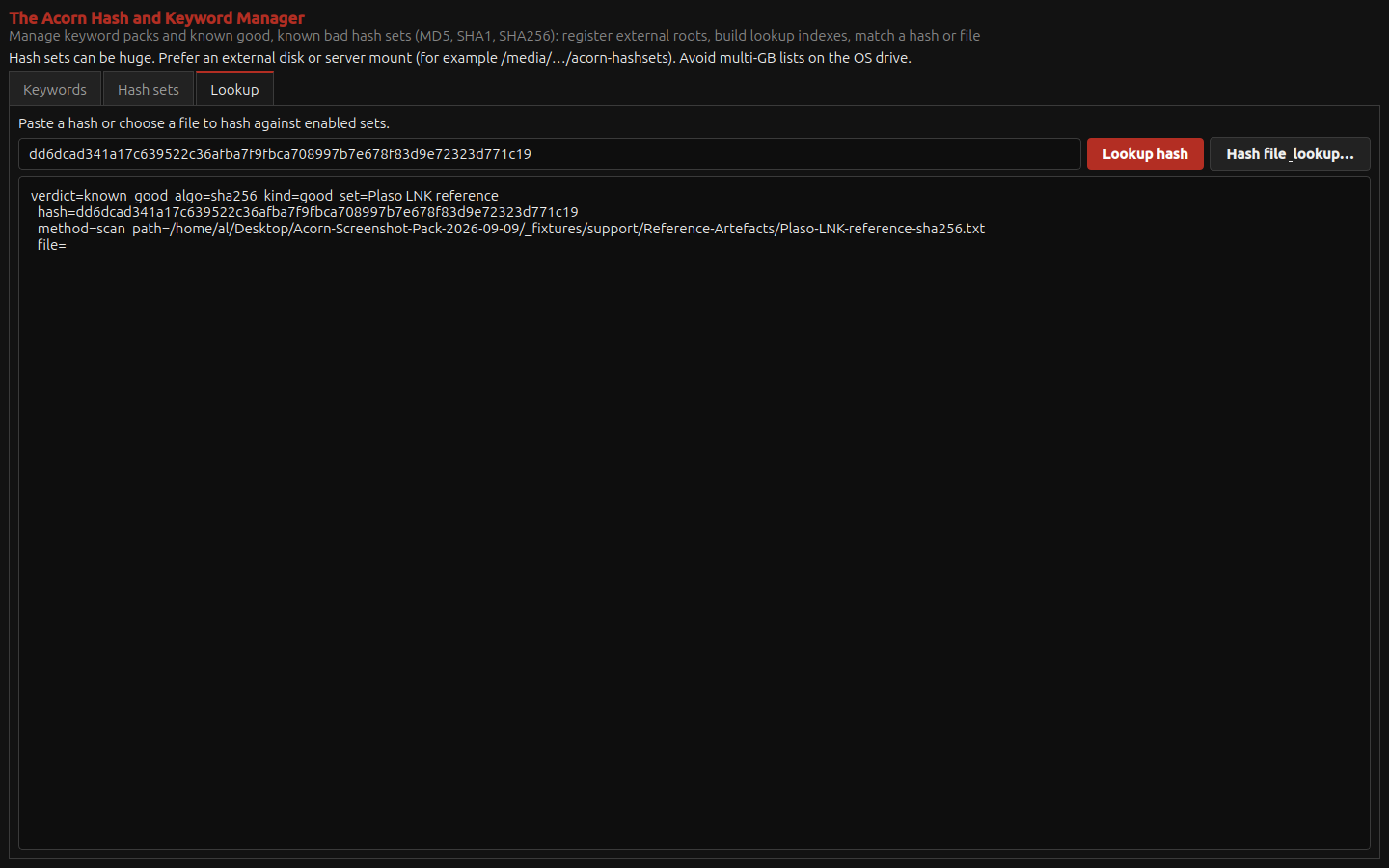
A real SHA-256 lookup matches the public Plaso example shortcut against a registered reference list. The native output identifies the algorithm, set, hash and lookup method. View full screen
A real SHA-256 lookup matches the public Plaso example shortcut against a registered reference list. The native output identifies the algorithm, set, hash and lookup method.
Explore Hash & Keyword Manager ↗
Forensic BrowserWhat does the browser's focused Prefetch action produce for known test files?

Run a focused artefact action and inspect its output within the evidence workspace. This example uses three public Prefetch fixtures.

Demonstrated on public training data

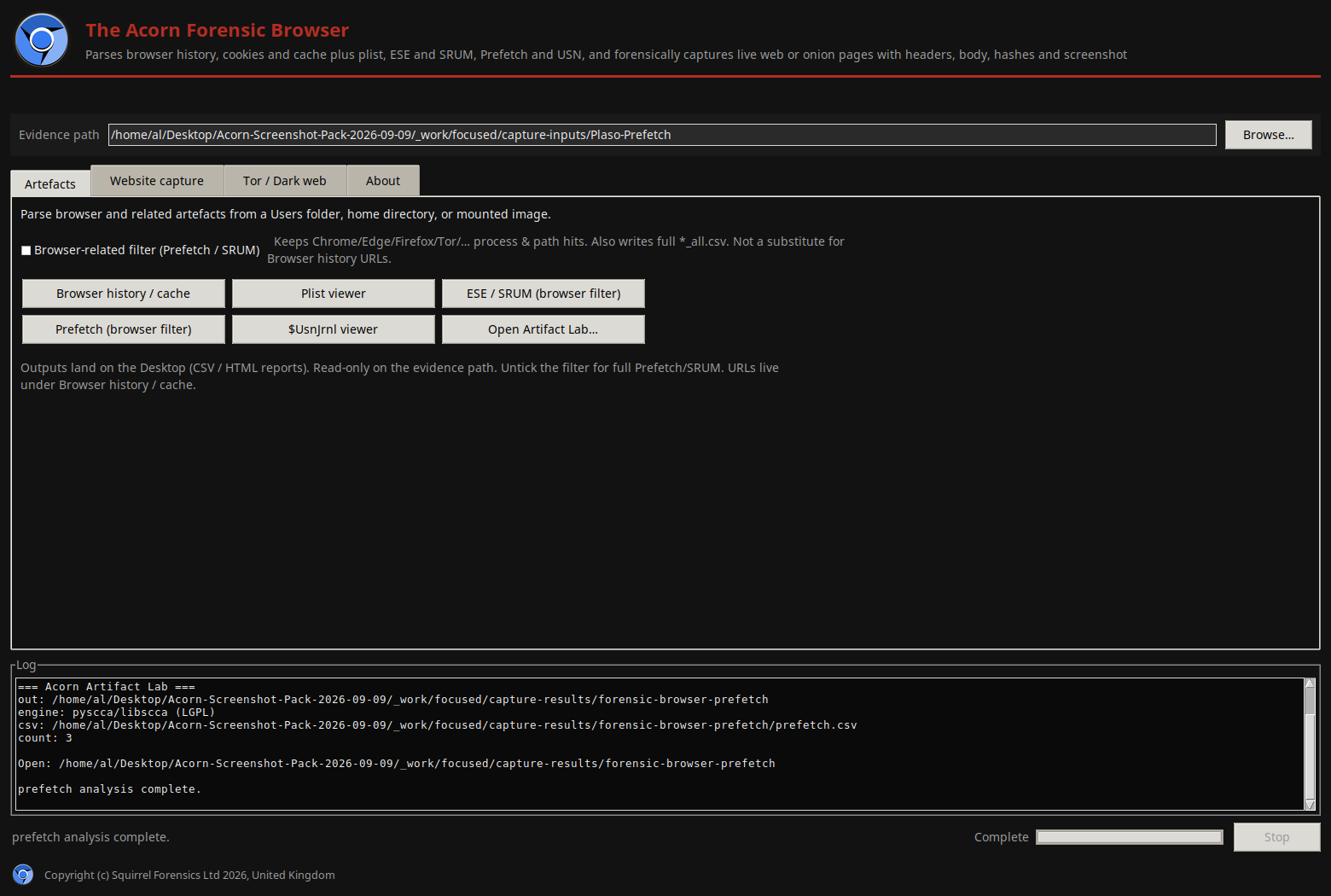
Forensic Browser runs its native Prefetch action against three unmodified public Plaso fixtures. The completed parser output names the CSV and record count. View full screen
Forensic Browser runs its native Prefetch action against three unmodified public Plaso fixtures. The completed parser output names the CSV and record count.
Explore Forensic Browser ↗
AV Quarantine LabCan this selected container be decoded, and do the resulting bytes match the expected sample?

Review a decoding result before making assumptions about the file it contains. The verified example is a generic container test, not a claim of universal antivirus-format support.

Demonstrated on constructed training data

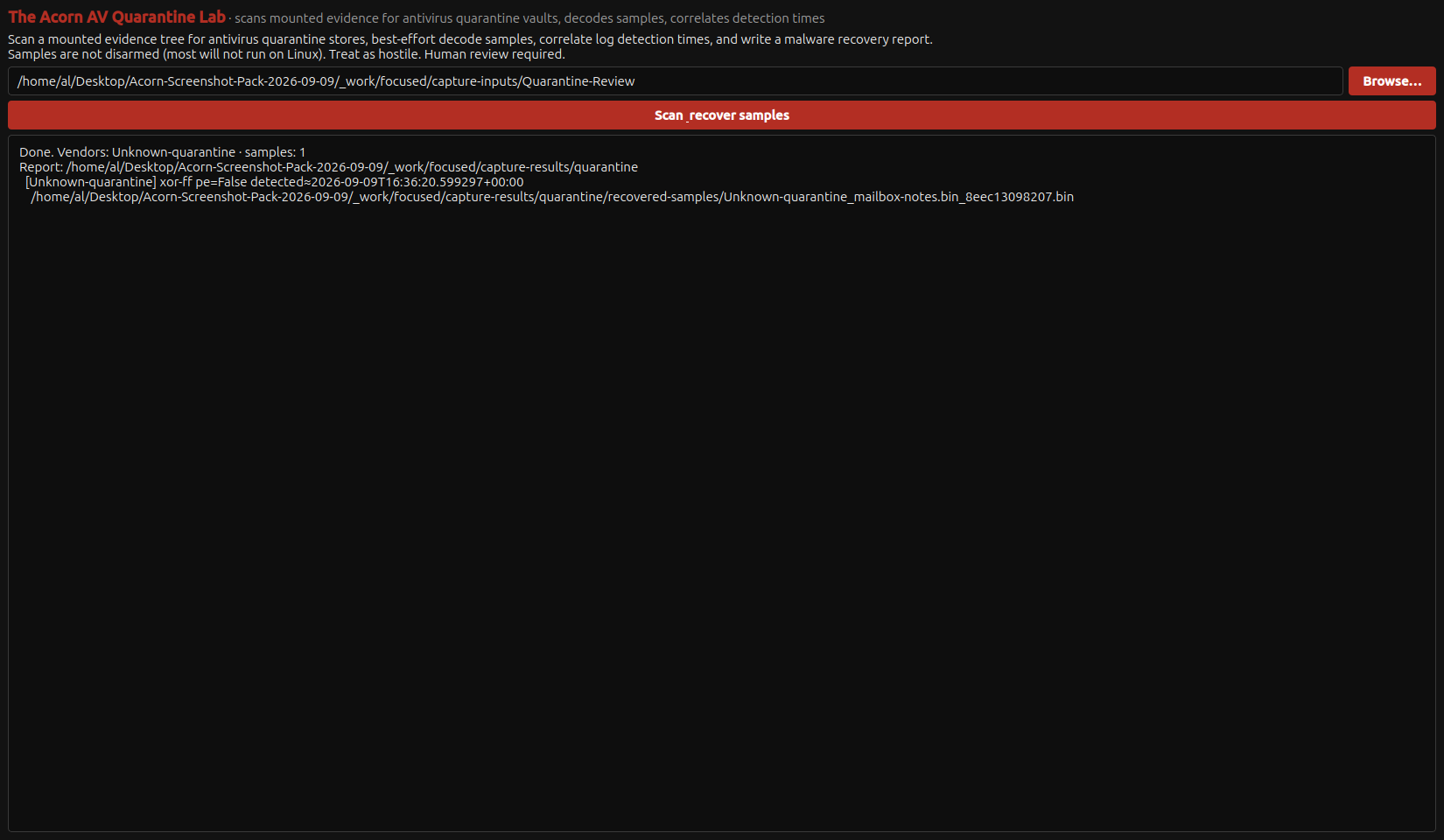
The native AV Quarantine window reports one generic XOR-FF decoding result and its recovered output path. The generated output retains original and derived hashes. The input is constructed inert data, not a real vendor detection. View full screen
The native AV Quarantine window reports one generic XOR-FF decoding result and its recovered output path. The generated output retains original and derived hashes. The input is constructed inert data, not a real vendor detection.
Explore AV Quarantine Lab ↗
Malware TriageWhat static observations can be made without executing the selected file?

A useful triage report keeps the source file, hashes and review leads together. This native report comes from an inert training file examined without executing its contents, so each observation can be checked against a known input.

Demonstrated on constructed training data

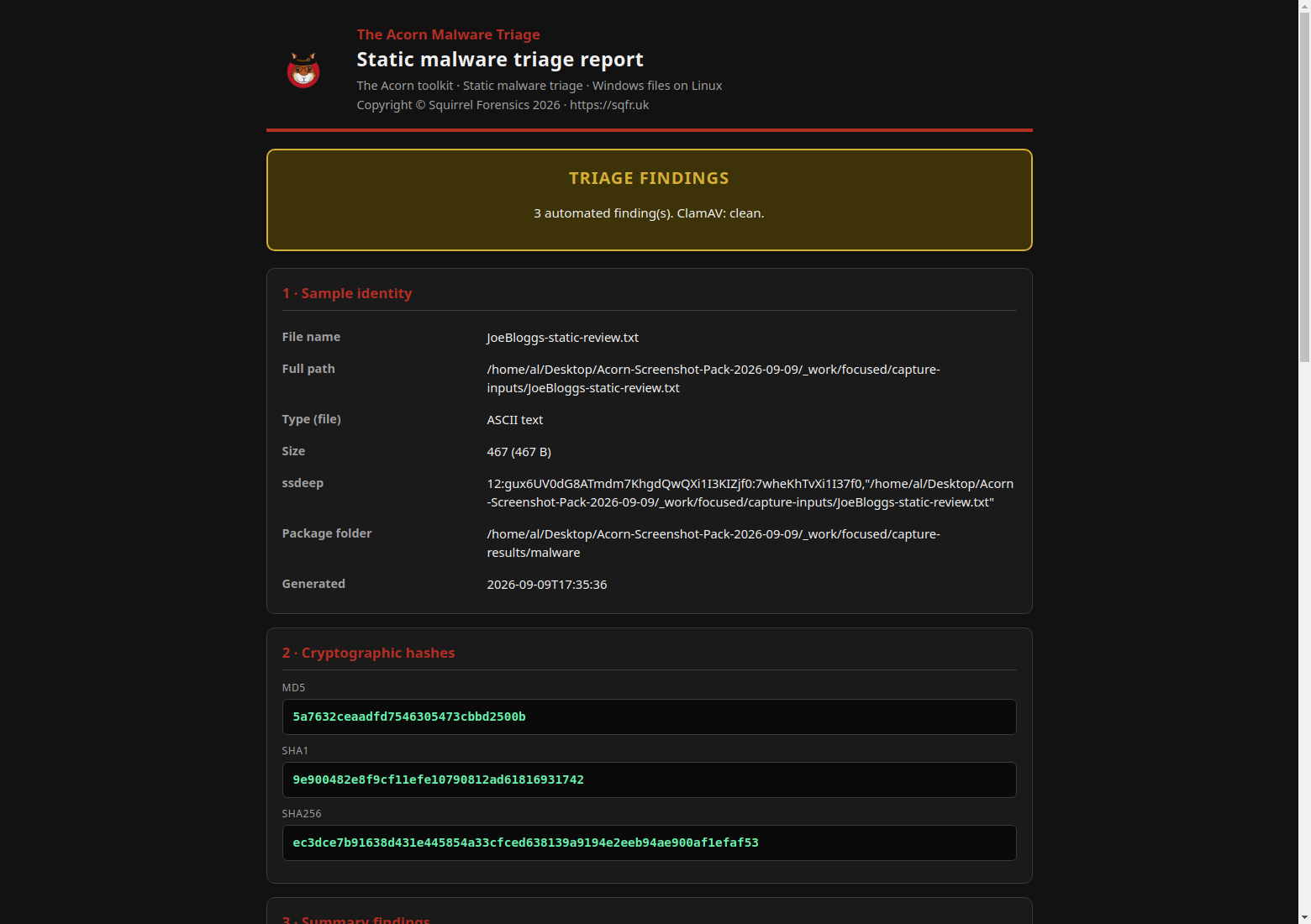
The native static-triage report keeps the training file's identity, hashes and three automated leads together. The antivirus scan found no signature match; a local test rule matched deliberately included review markers. This view shows the report's opening section. View full screen
The native static-triage report keeps the training file's identity, hashes and three automated leads together. The antivirus scan found no signature match; a local test rule matched deliberately included review markers. This view shows the report's opening section.
Explore Malware Triage ↗
Document Threat LabWhat does the document's structure reveal before it is opened in an office application?

A document can contain ordinary links and metadata as well as material worth investigating. This workflow starts with structure, not an assumption that every extracted string is a threat.

Demonstrated on constructed training data

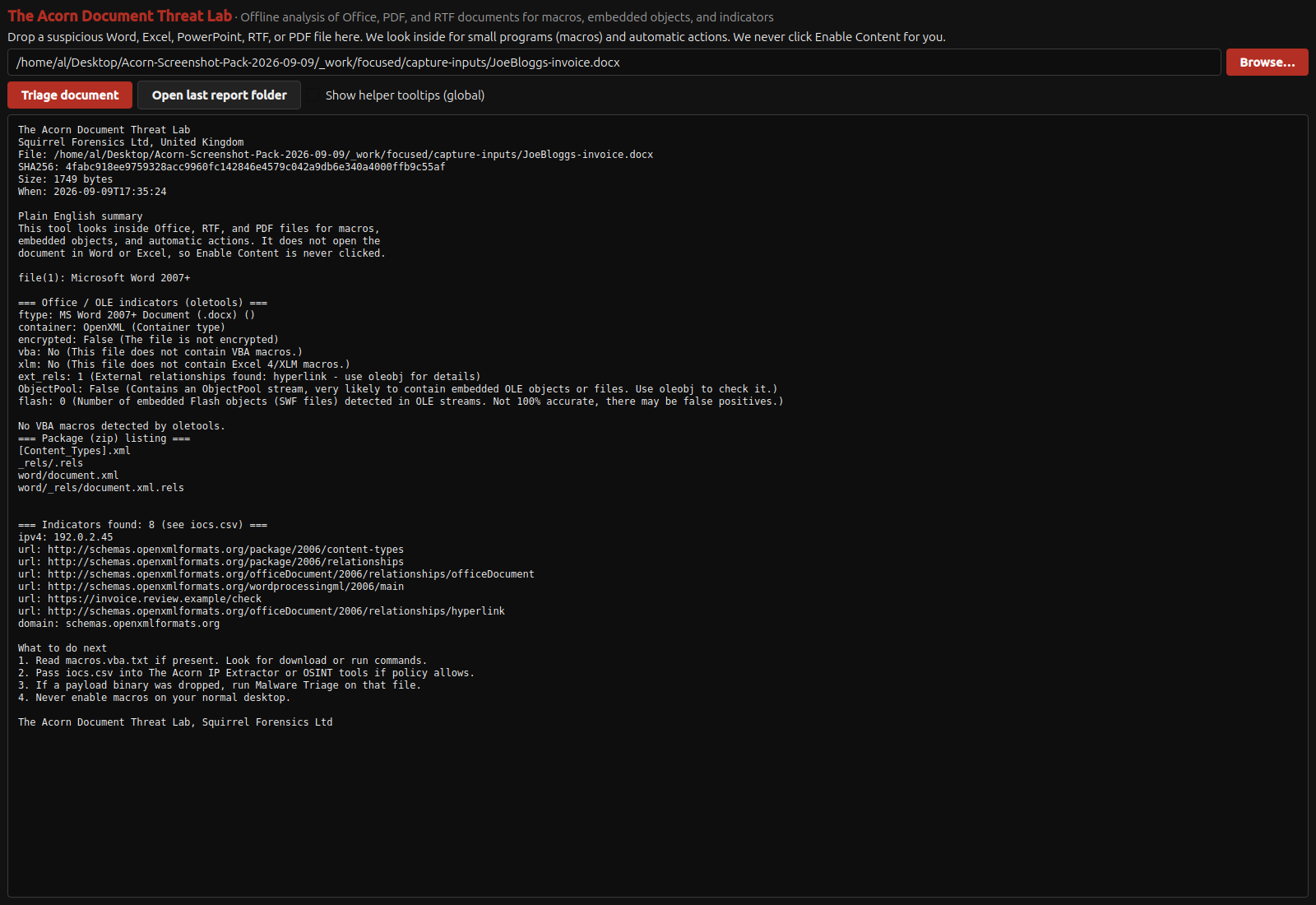
Static examination of an invented DOCX invoice identifies its OpenXML container, one external hyperlink and no VBA macros. The source hash and package paths remain visible; the document was not opened in Office. View full screen
Static examination of an invented DOCX invoice identifies its OpenXML container, one external hyperlink and no VBA macros. The source hash and package paths remain visible; the document was not opened in Office.
Explore Document Threat Lab ↗
Filth FinderDo filenames or stored text contain leads requiring a properly authorised content review?

Use text matches to prioritise a lawful examination, not to classify unseen image content. The demonstrated workflow makes no visual-content verdict.

Demonstrated on constructed training data

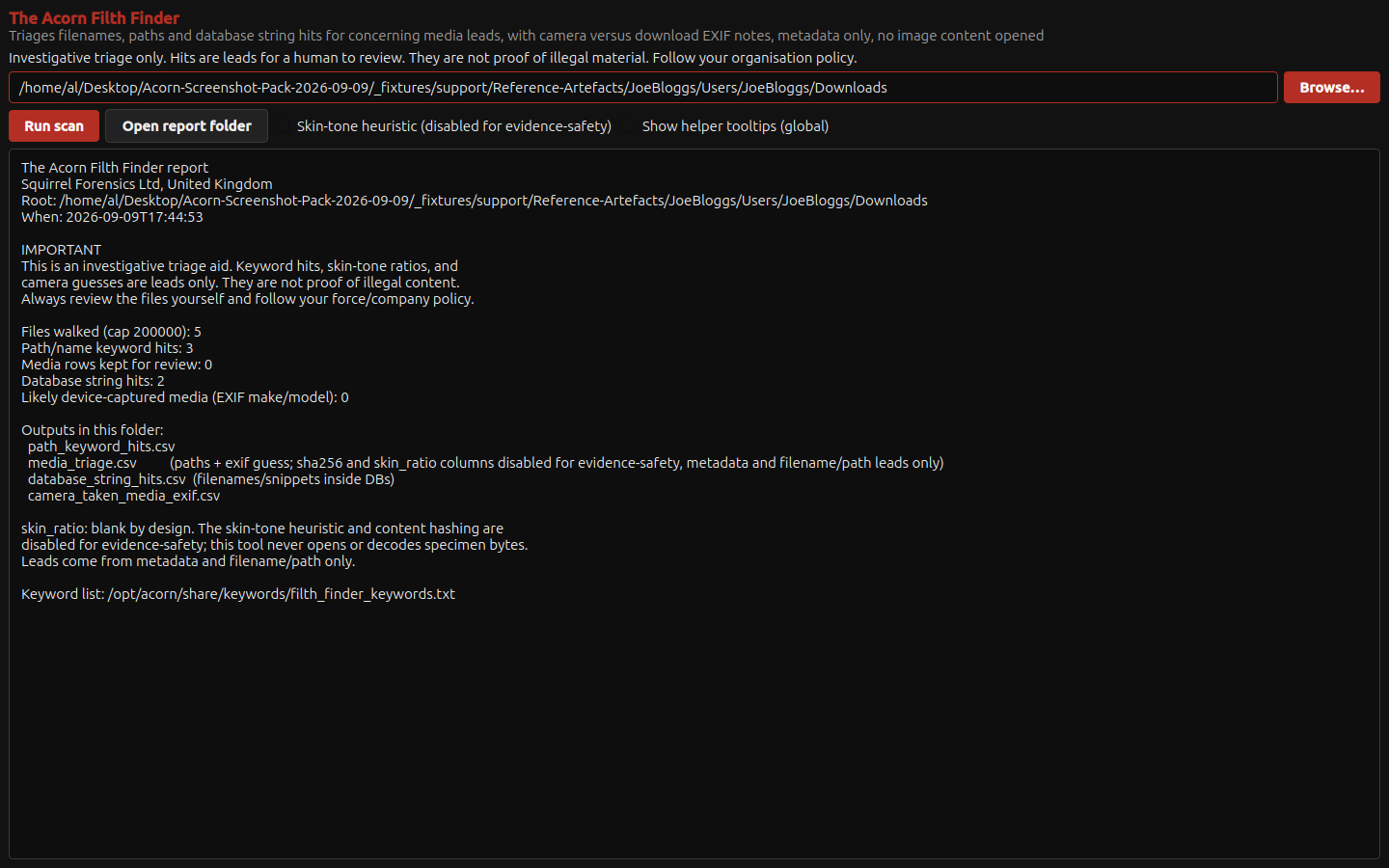
The native scanner reports three filename keyword hits and two database string hits, with CSV exports for review. Content hashing and skin-tone scoring are visibly disabled. View full screen
The native scanner reports three filename keyword hits and two database string hits, with CSV exports for review. Content hashing and skin-tone scoring are visibly disabled.
Explore Filth Finder ↗
Memory WorkbenchWhat image and analysis route would be needed for a scoped memory examination?

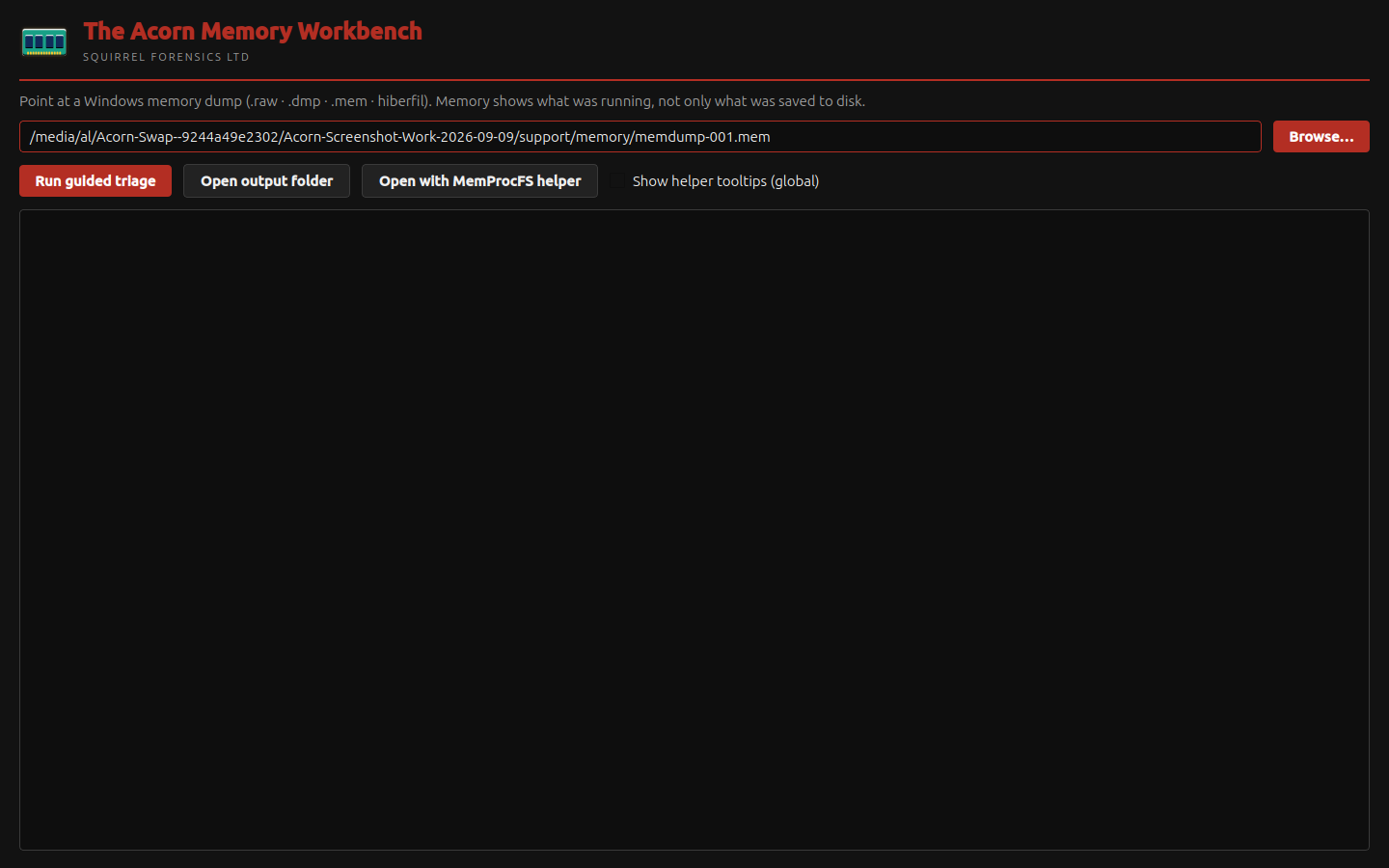
Memory examination depends on suitable source material and a compatible method. The supplied screen shows preparation, not recovered processes or completed analysis.

Memory analysis setup shown

The native workbench is configured with the public Magnet CTF Windows memory dump. Guided triage and the separate MemProcFS handoff remain available as distinct controls. View full screen
The native workbench is configured with the public Magnet CTF Windows memory dump. Guided triage and the separate MemProcFS handoff remain available as distinct controls.
Explore Memory Workbench ↗
Network WorkbenchWhich endpoints and conversations deserve a closer look in this packet capture?

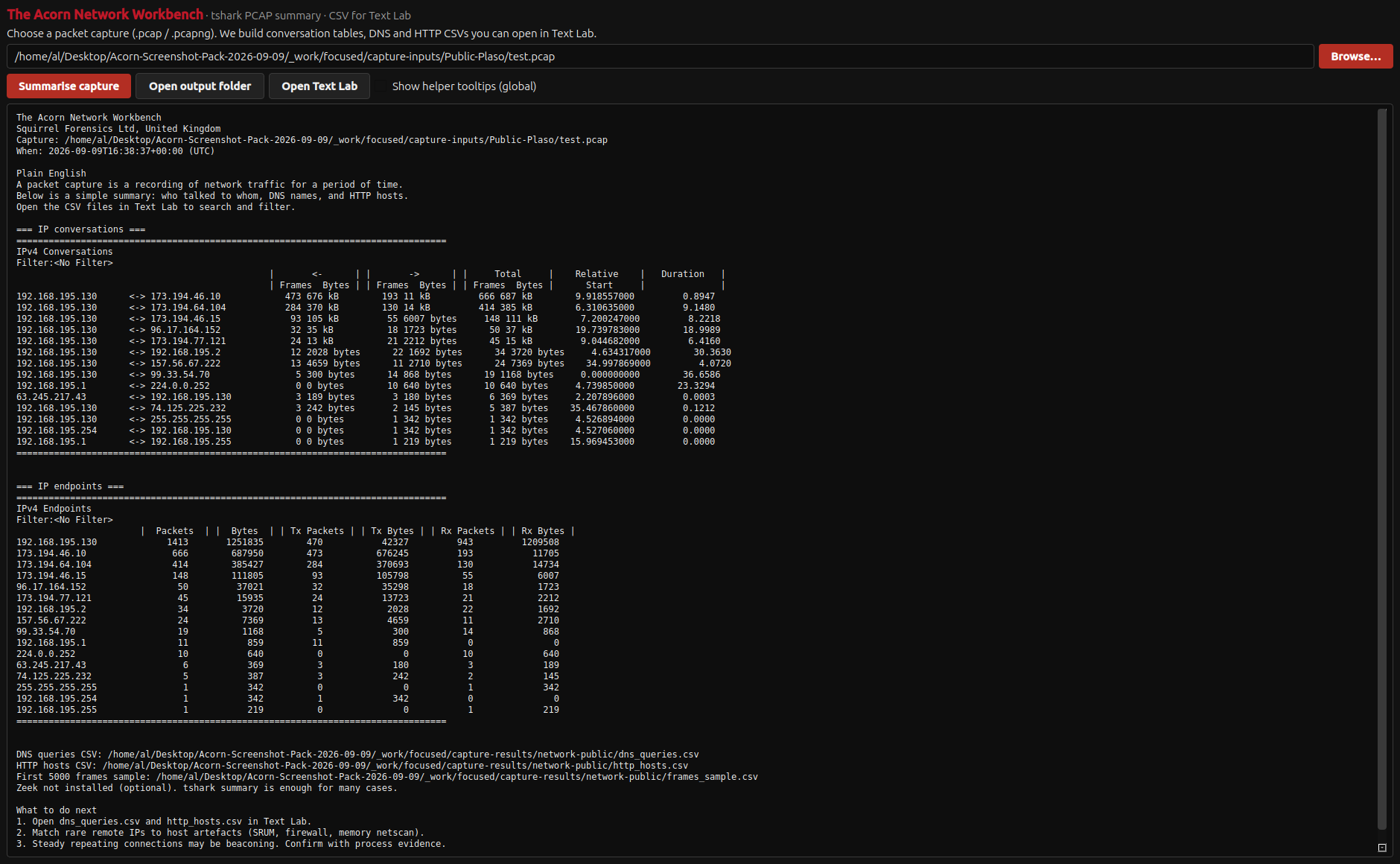
Start with the shape of the traffic, then follow the detail. Network Workbench's supplied example summarises a public historical capture rather than live network activity.

Demonstrated on public training data

Network Workbench summarises an unmodified public Plaso capture containing 1,434 packets. The native report shows 14 IPv4 conversations and 16 endpoints; the capture dates from July 2013. The addresses are historical observations, not an allegation of malicious activity. View full screen
Network Workbench summarises an unmodified public Plaso capture containing 1,434 packets. The native report shows 14 IPv4 conversations and 16 endpoints; the capture dates from July 2013. The addresses are historical observations, not an allegation of malicious activity.
Explore Network Workbench ↗
Net SentinelWhat hosts, names and extracted-object leads can be reviewed from this offline capture?

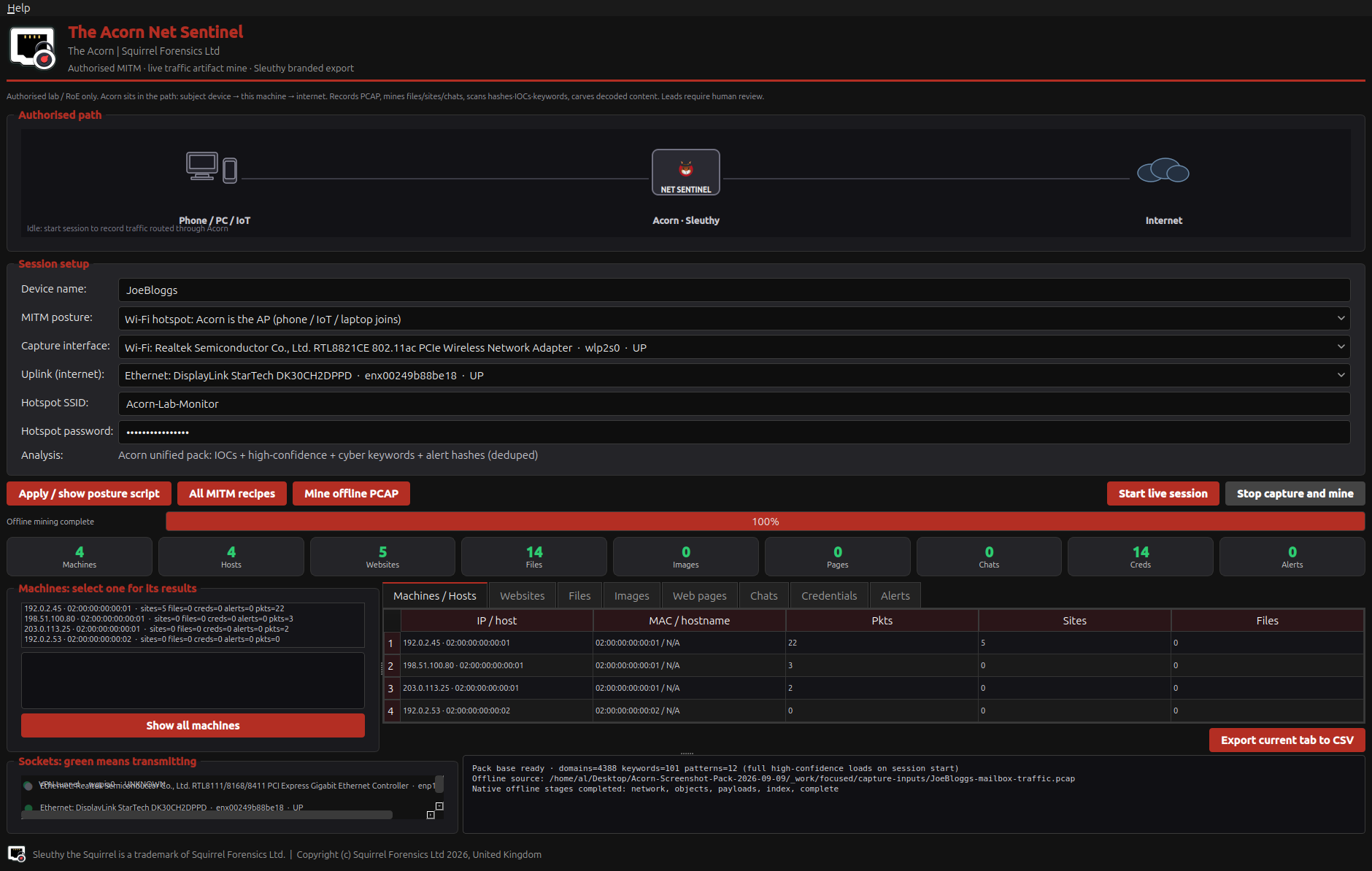
The offline example brings network observations into native review tables. It does not establish live interception or every automatic processing path.

Demonstrated on constructed training data

Net Sentinel’s native tables display hosts and sites parsed from the constructed PCAP. The file was processed offline; no live capture or interception was started. View full screen
Net Sentinel’s native tables display hosts and sites parsed from the constructed PCAP. The file was processed offline; no live capture or interception was started.
Explore Net Sentinel ↗
GeoExif MapperWhat location and time metadata does the image itself contain?

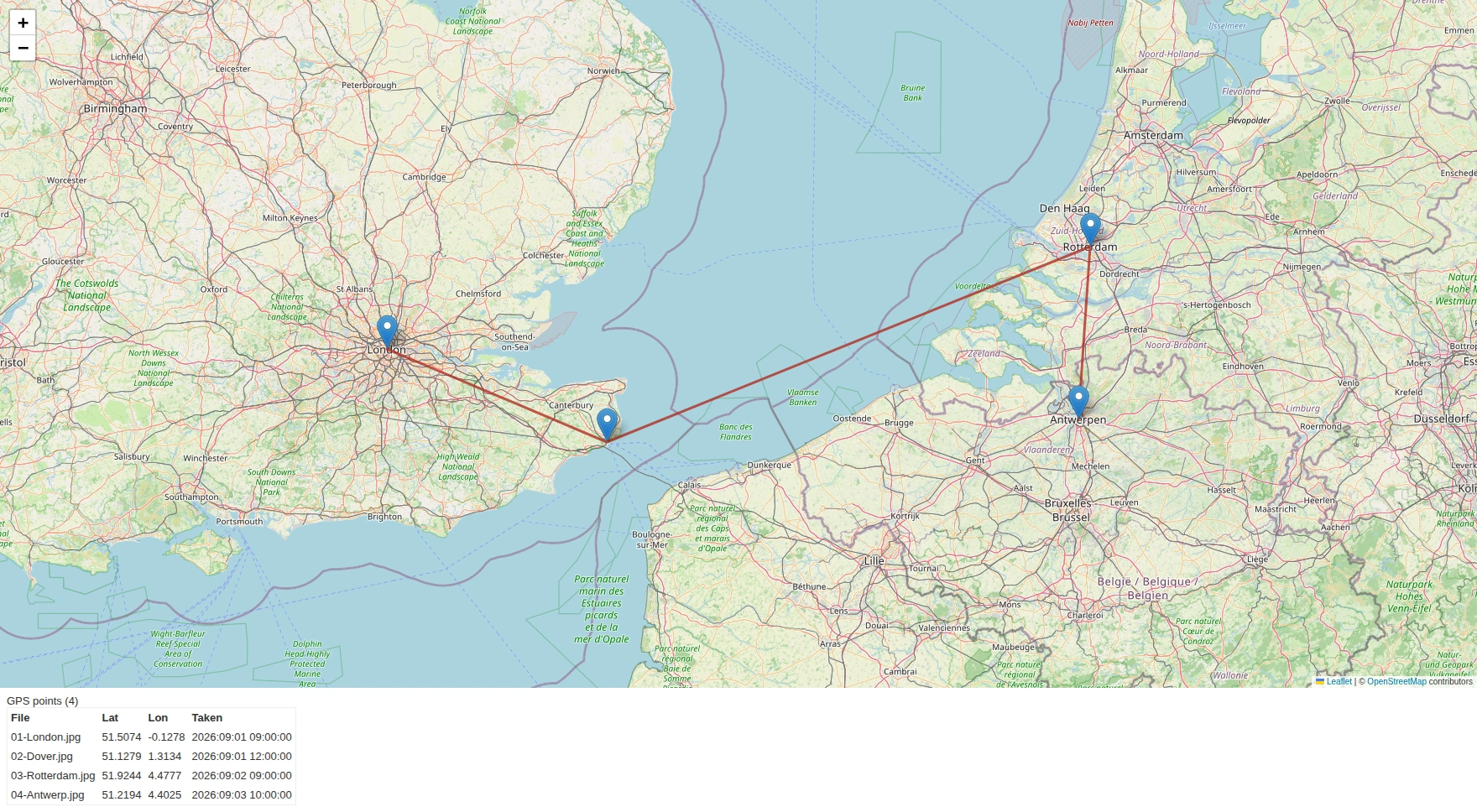
Put available photo coordinates and recorded times side by side before interpreting them. The map and source table make that comparison visible, but the metadata does not independently establish who took the images or travelled between the points.

Demonstrated on constructed training data

Compare four assigned GPS positions extracted from training photographs. The map links the points in recorded time order; it does not reconstruct a person's journey. The locations are real and the activity is invented. Map data: OpenStreetMap contributors. View full screen
Compare four assigned GPS positions extracted from training photographs. The map links the points in recorded time order; it does not reconstruct a person's journey. The locations are real and the activity is invented. Map data: OpenStreetMap contributors.
Explore GeoExif Mapper ↗
Cell Site AnalyserWhat chronology do these call records describe, and what are the limits of the location information?

Read the records before interpreting the map. The supplied example demonstrates a chronology using fictional data, not a coverage survey or reconstructed personal journey.

Demonstrated on constructed training data

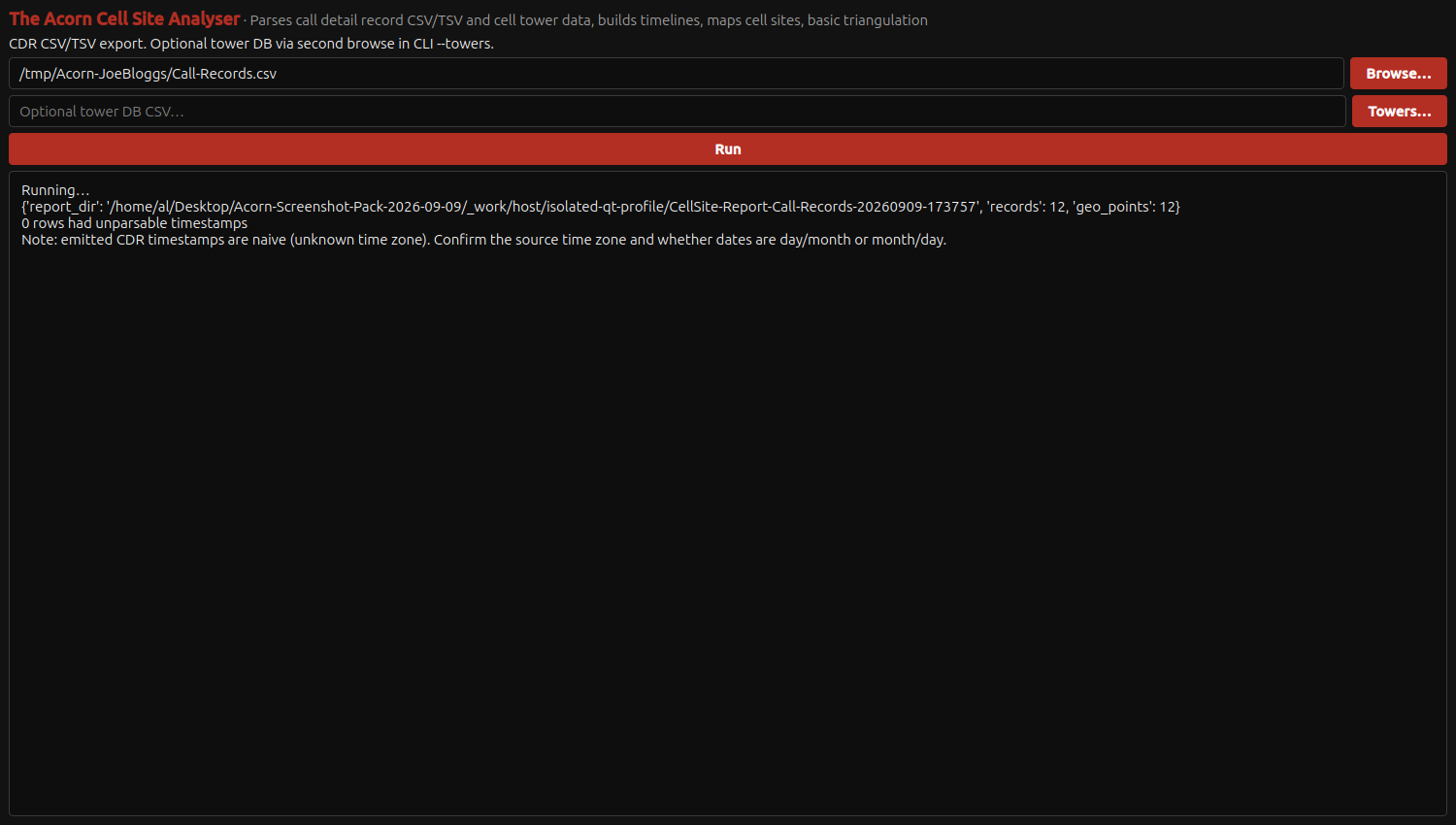
The native Cell Site Analyser completes a 12-record CDR import and produces its timeline/map report, retaining its warning about unknown source time zones. View full screen
The native Cell Site Analyser completes a 12-record CDR import and produces its timeline/map report, retaining its warning about unknown source time zones.
Explore Cell Site Analyser ↗
AV AnalyserWhat do the recording's metadata and measured sound patterns show?

A spectrogram lets an examiner compare sound frequency and timing with the source recording. This known-input example shows two tones separated by silence, making the measured output easy to check without turning a visual pattern into an authenticity verdict.

Demonstrated on constructed training data

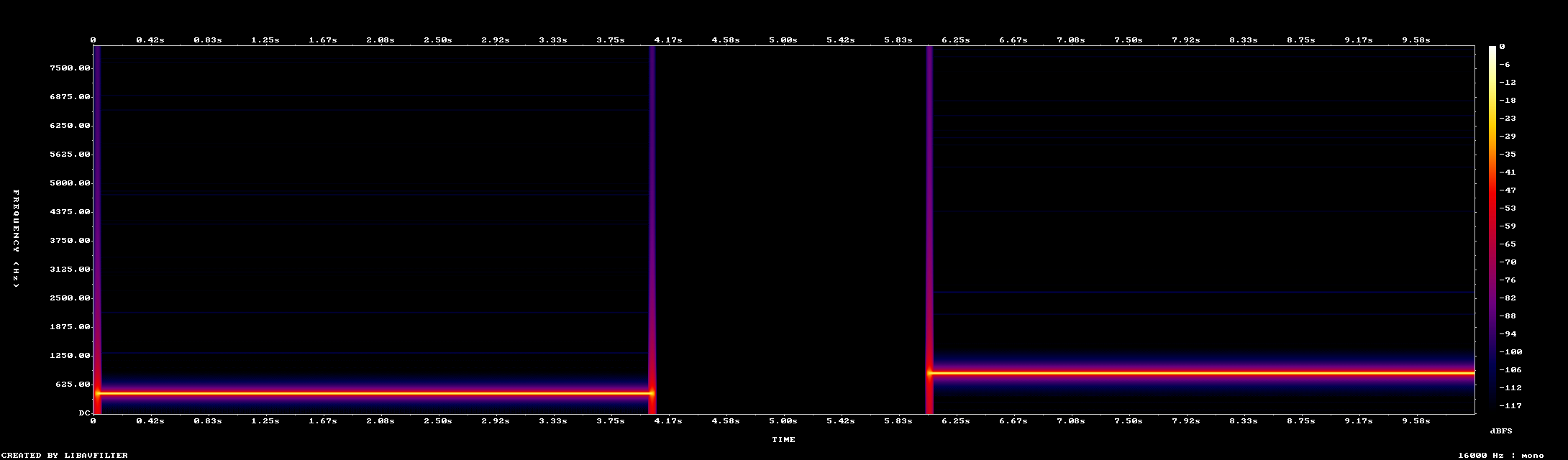
This actual spectrogram output shows two generated tones separated by a known two-second silence in a ten-second recording. The frequency, time and level scales allow comparison with the test input; a gap alone is not proof of editing. View full screen
This actual spectrogram output shows two generated tones separated by a known two-second silence in a ten-second recording. The frequency, time and level scales allow comparison with the test input; a gap alone is not proof of editing.
Explore AV Analyser ↗
OSINT SearcherDoes the local query example match the supplied terms, and which online functions still need validation?

The supplied example is deliberately local. It shows query handling, not search-engine coverage, dark-web discovery or evidence that an individual appears in leaked data.

Demonstrated on constructed training data

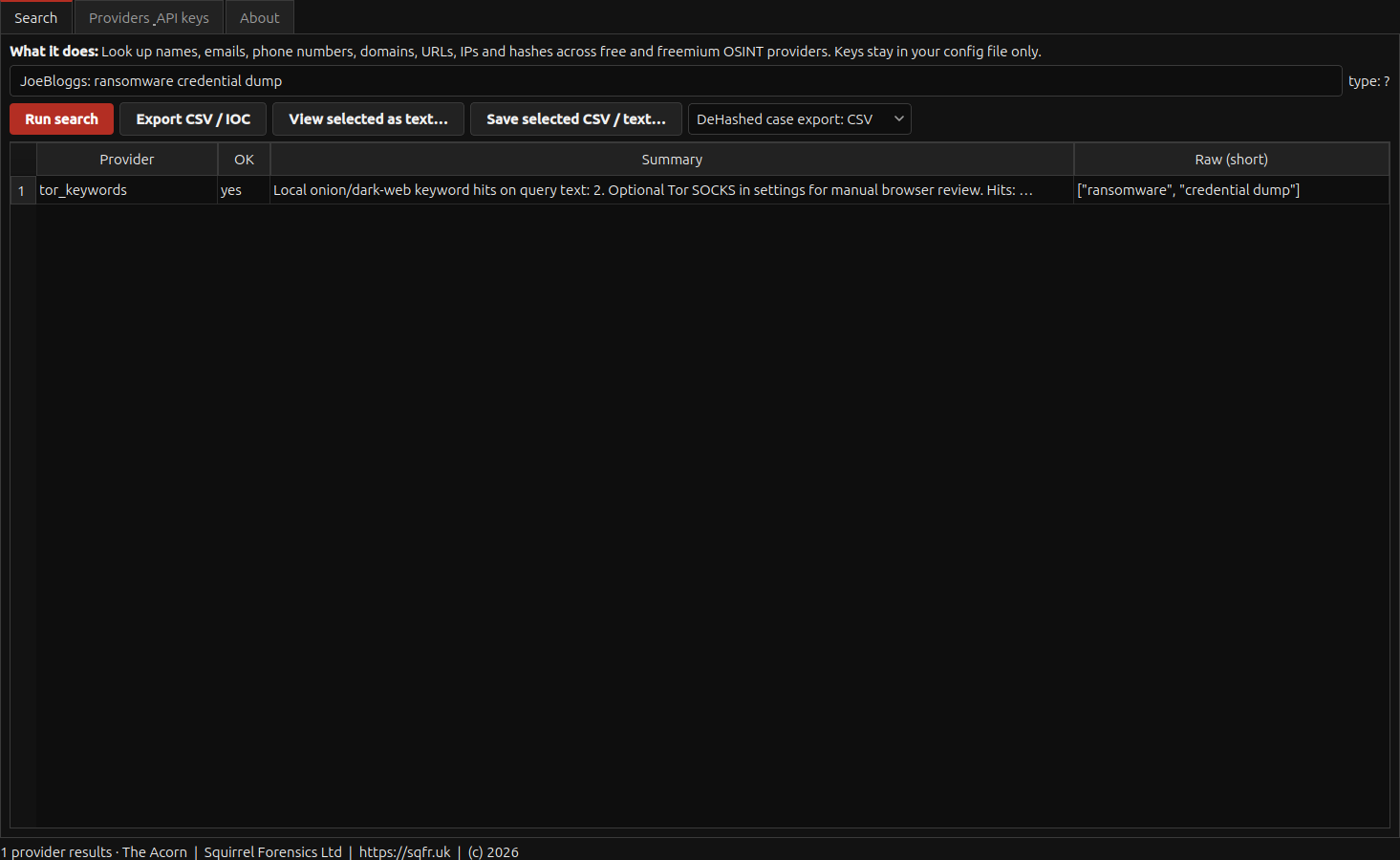
The local keyword provider finds two supplied terms in the entered query. All external providers are disabled. The result identifies itself as a local query-text check. View full screen
The local keyword provider finds two supplied terms in the entered query. All external providers are disabled. The result identifies itself as a local query-text check.
Explore OSINT Searcher ↗
IP ExtractorWhich IP-address indicators can be pulled from this local material for further review?

Extraction is a useful first step, but it does not establish current maliciousness. Keep an indicator's source and date beside the address.

Demonstrated in the recorded development build
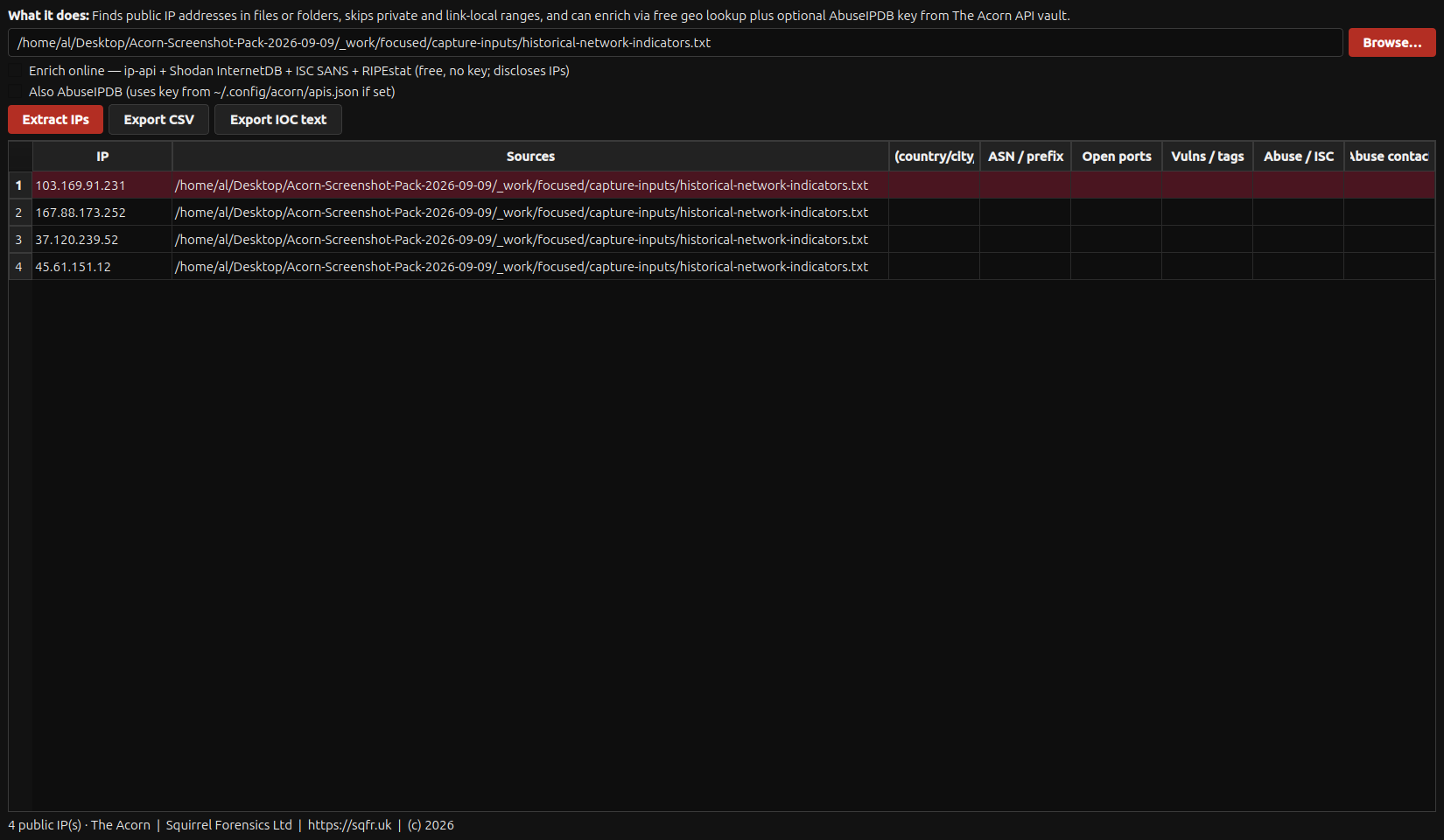
IP Extractor parses four historical indicators transcribed from the joint NSA/CISA/NCSC advisory, version 1.1 of September 2025, table 3. Online enrichment is off. View full screen
IP Extractor parses four historical indicators transcribed from the joint NSA/CISA/NCSC advisory, version 1.1 of September 2025, table 3. Online enrichment is off.
Explore IP Extractor ↗
Endpoint Collector SetupWhat components and configuration would a controlled endpoint-collector deployment require?

Home labels this route Velociraptor Setup; the current interface is Endpoint Collector Setup. It exposes deployment preparation without implying that a collector is already running.

Deployment setup shown

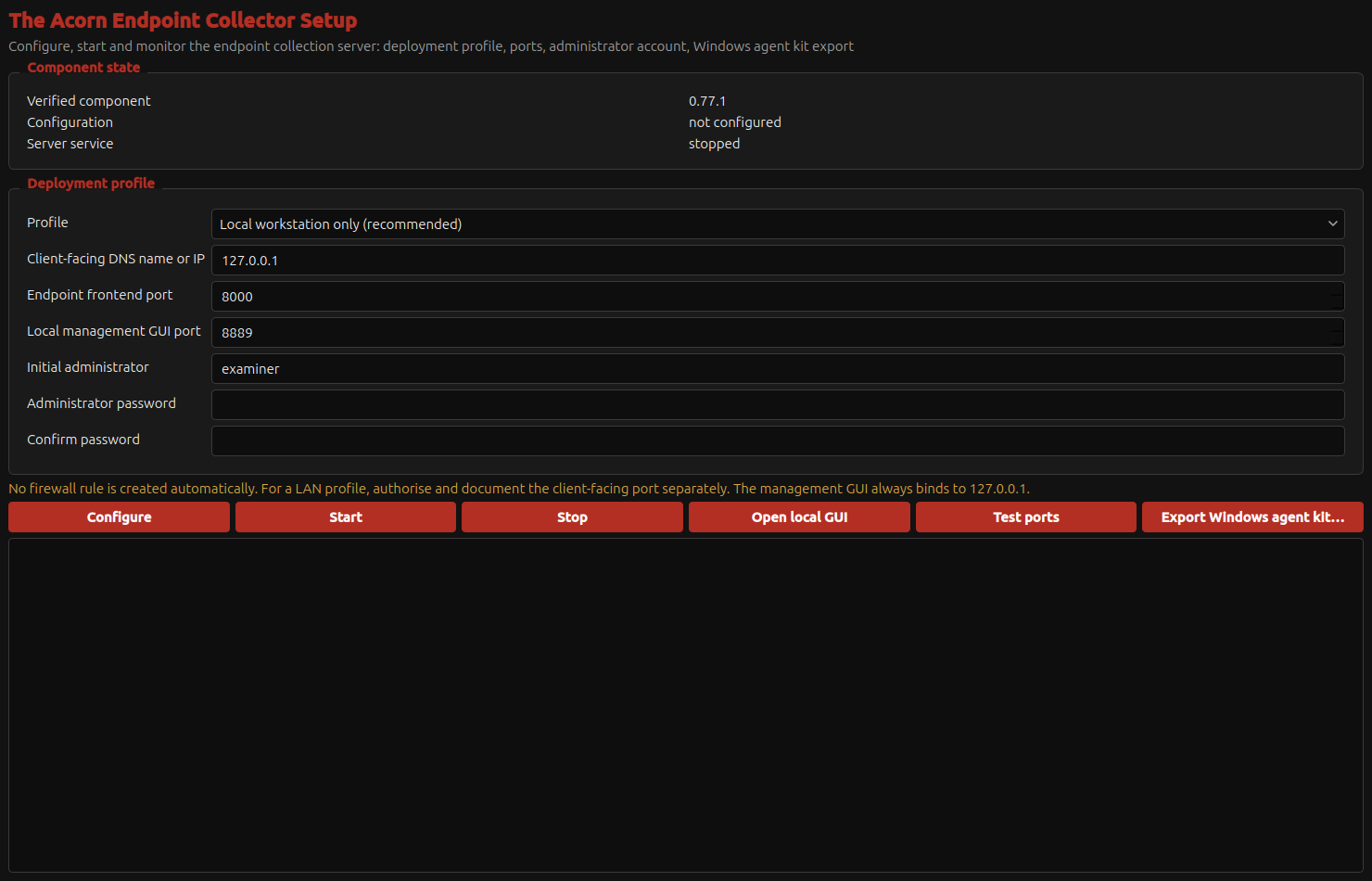
The current Endpoint Collector Setup screen shows component and service state, deployment profile, ports and administrator fields. This is setup only: no service was configured or started and no agent was exported. View full screen
The current Endpoint Collector Setup screen shows component and service state, deployment profile, ports and administrator fields. This is setup only: no service was configured or started and no agent was exported.
Explore Endpoint Collector Setup ↗
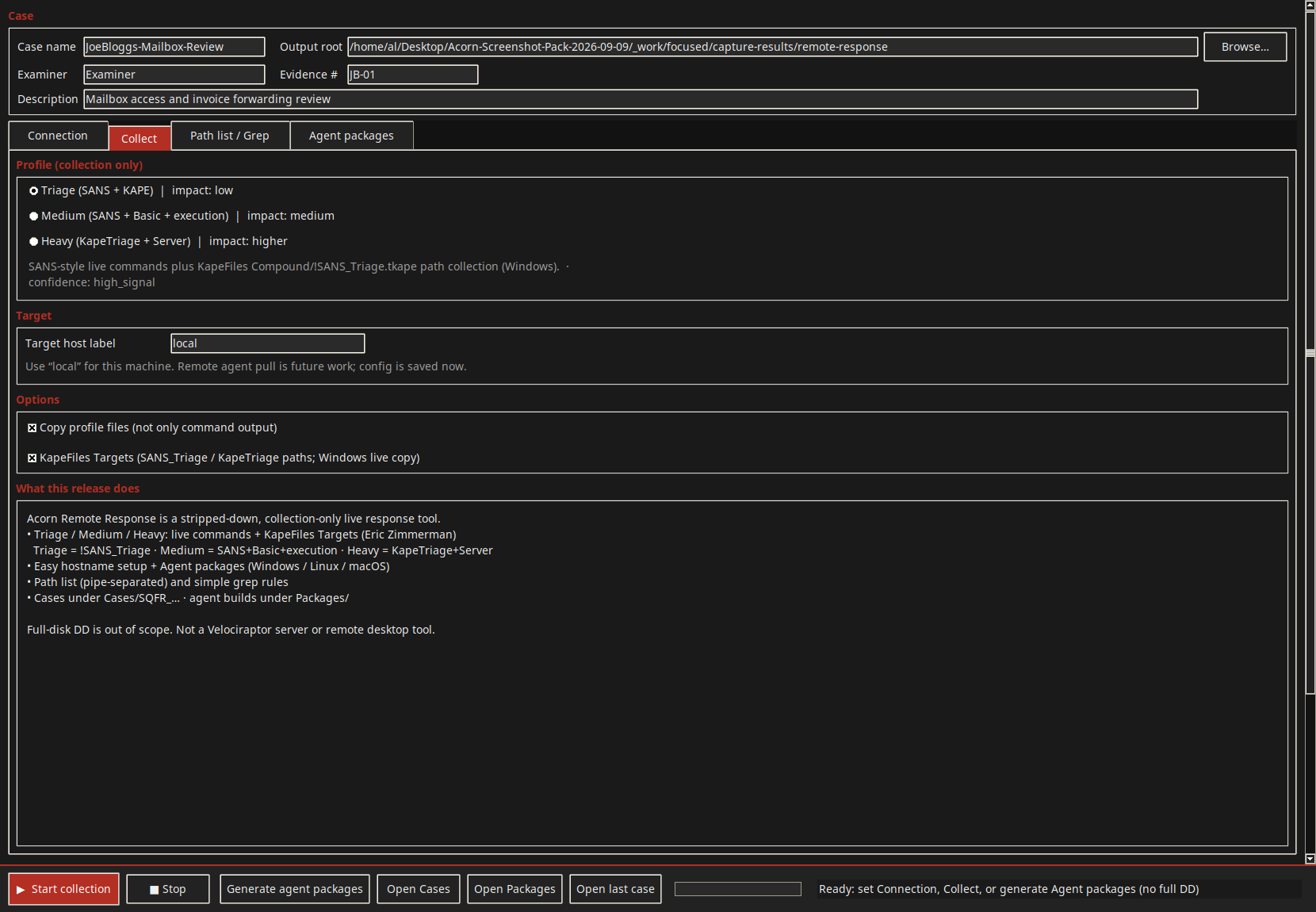
Remote ResponseWhat collection profile and case scope should be agreed before any connection or package is attempted?

A response workflow needs authority and a clear collection plan. The current examples show the setup decisions before execution.

Collection setup shown

The native collection tab shows available profiles and collection controls for the entered case. View full screen
The native collection tab shows available profiles and collection controls for the entered case.
Explore Remote Response ↗
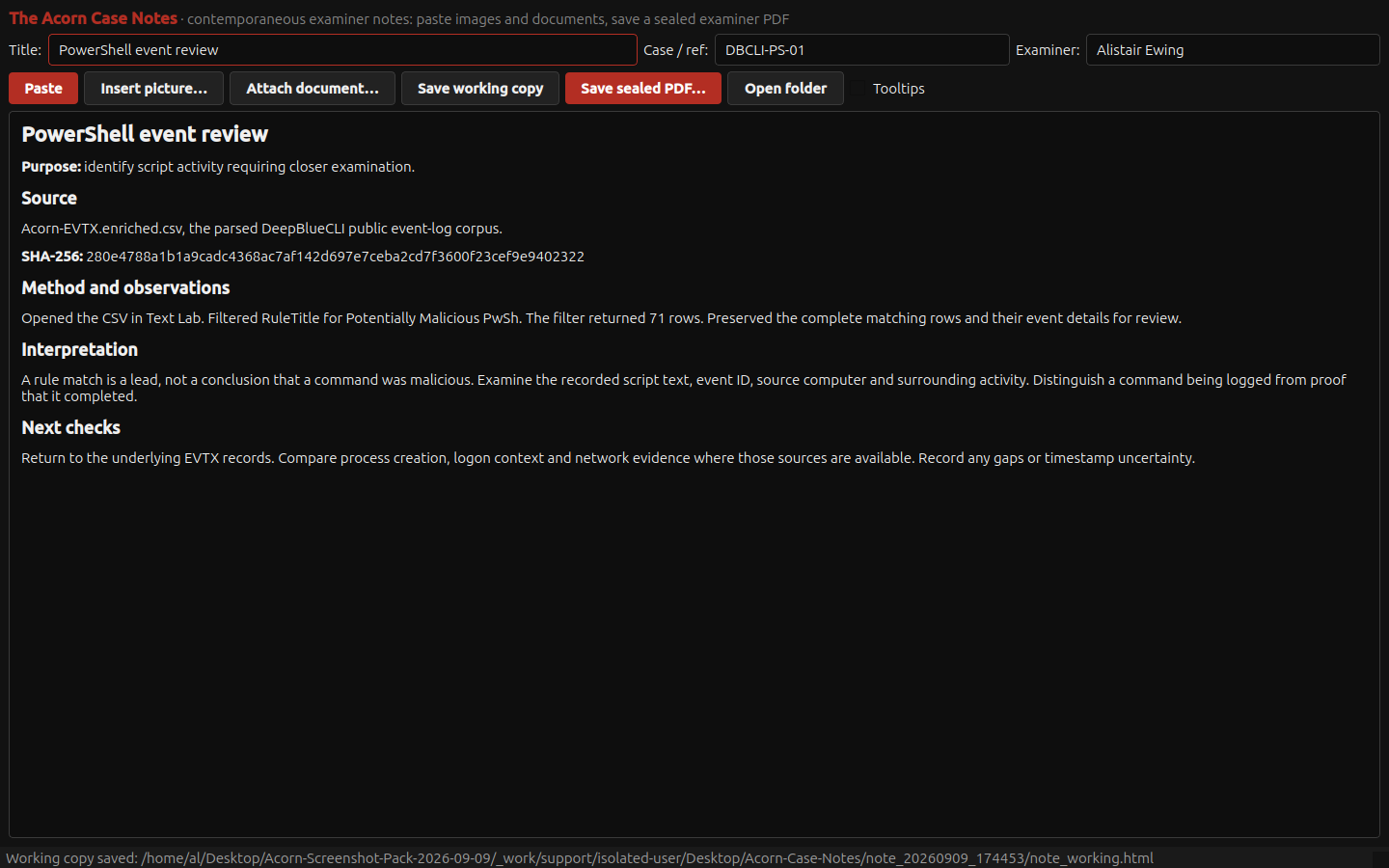
Case NotesCan another examiner follow the recorded method and see how the conclusion was reached?

A useful case note connects the question, the source, the work carried out and the reasoning. Case Notes supports that account alongside the examination, with a demonstrated native PDF export. A hash can identify an export; it cannot certify its conclusions.

Demonstrated on public training data

The saved note records the event export hash, the 71-row PowerShell filter result, and checks required before interpreting those rule matches. A PDF was exported through the native Case Notes export function. View full screen
The saved note records the event export hash, the 71-row PowerShell filter result, and checks required before interpreting those rule matches. A PDF was exported through the native Case Notes export function.
Explore Case Notes ↗
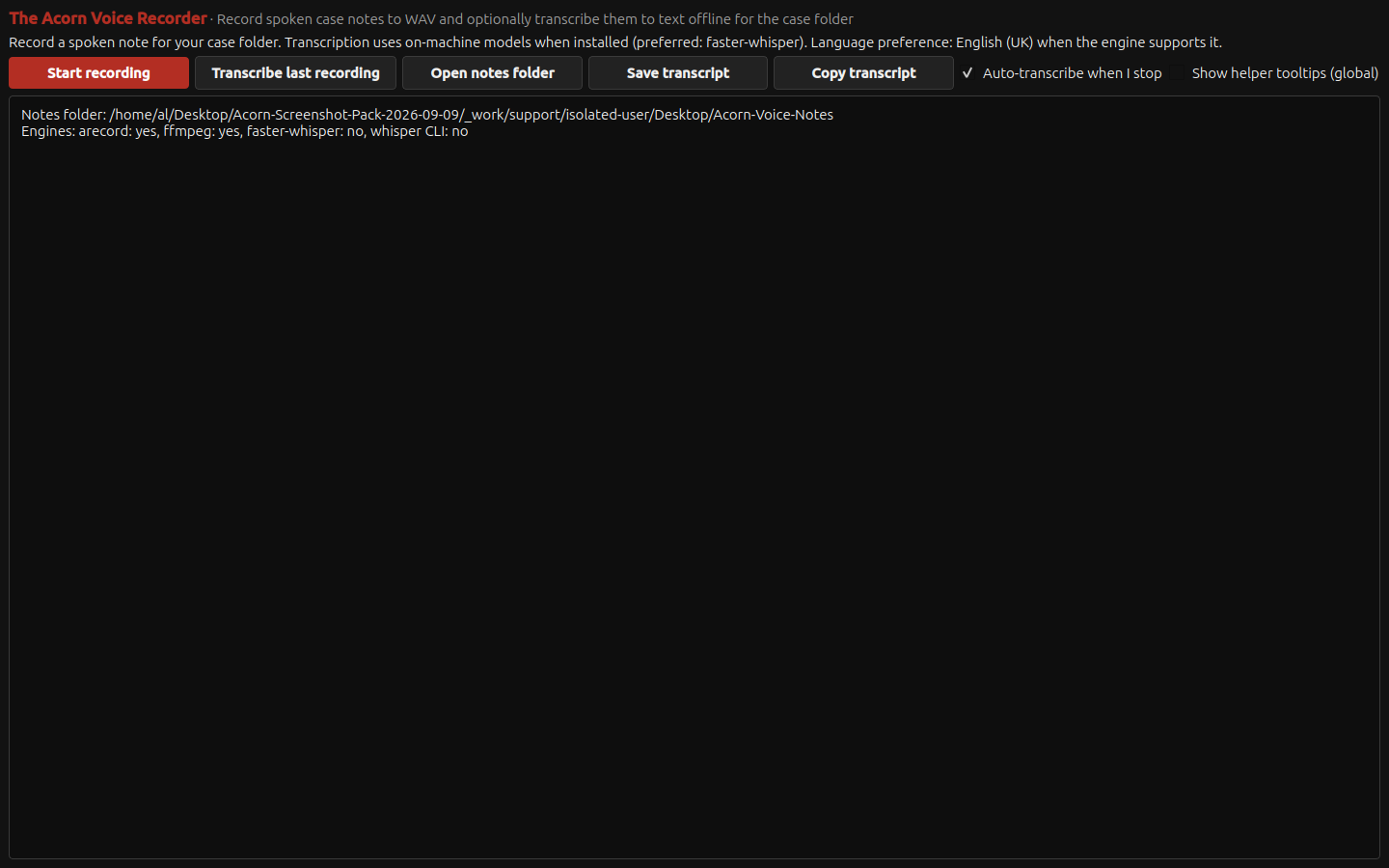
Voice RecorderWhat controls are available for a case audio note and optional local transcription?

An audio note may support the working record when its purpose and handling are clear. The supplied screen shows the available controls rather than a completed recording.

Recording controls shown

The recorder presents WAV recording and optional local transcription controls, alongside the transcription-engine availability reported by this installation. View full screen
The recorder presents WAV recording and optional local transcription controls, alongside the transcription-engine availability reported by this installation.
Explore Voice Recorder ↗
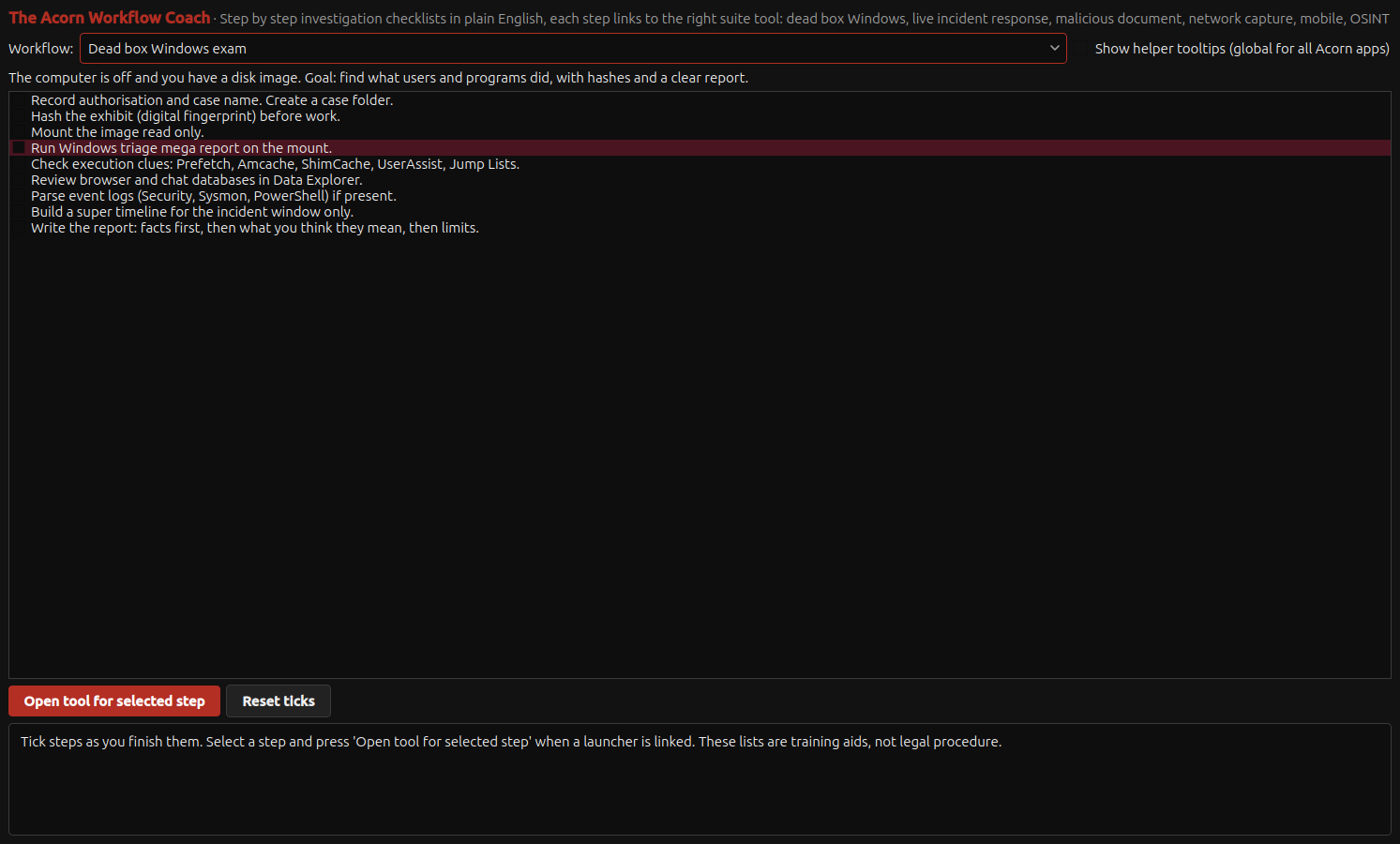
Workflow CoachWhich preservation and review steps should a trainee consider before moving to a conclusion?

A checklist can prompt useful questions at the right stage. Workflow Coach supports a reasoned examination rather than replacing the examiner's method.

Teaching checklist

The built-in Windows examination checklist sets out preservation, hashing, triage and reporting steps. An examiner can select a step and open its linked tool where available. View full screen
The built-in Windows examination checklist sets out preservation, hashing, triage and reporting steps. An examiner can select a step and open its linked tool where available.
Explore Workflow Coach ↗

Check each guide’s example and the technical support guide for the relevant build, inputs and limits.

A working context

From a tool choice to an examination.

A useful question narrows the next step: recover a deleted file, inspect a browser record, review an event or compare a time sequence. Keep observations separate from conclusions.

Follow the example workflow ↗

Read a co-founder’s practitioner perspective.

Compute Forensics explains how Acorn’s collection and review tools fit into evidence-led examination. SQFR handles Acorn product demonstrations, software and workstation enquiries.

Acorn at Compute Forensics ↗

Discuss your Acorn requirements ↗

About the screenshots and illustrations

Application screens are selected from the September 2026 Acorn screenshot pack. Captions distinguish native setup views, constructed training records and public-corpus results. They are not private client cases, and a displayed control does not establish that every operation was completed.

Relevant public sources include DeepBlueCLI training event logs and Plaso test data. Check the relevant source terms before redistributing an underlying dataset.

Workspace scenes and sector mascot variants are generated illustrations. They do not show actual police, judicial, military or university deployments or endorsements. The original Squirrel Forensics identity is retained.

Zoom in, then scroll to inspect the detail.

Open full-resolution image ↗

A useful first conversation

Let’s look at your workflow.

Tell us what you examine, where you work and what you need to deliver.

Use the enquiry form to outline your role, intended use and potential order quantity. Do not send case material through a general enquiry.

Your enquiry goes to the SQFR team. Please do not include passwords or case evidence.