
The Acorn application guide
Data Explorer
A read-only SQL query groups visits in the public Lone Wolf Chrome History database. Compare the ten largest matching title groups and their recorded times. A browser visit does not prove account ownership or a completed upload.
Public training example
Query recorded visits to cloud-service pages
Example input
- A public Chrome History SQLite database; separate examples demonstrate supported structured-data views.
Result or controls shown
- Read-only SQLite table/query views and timestamp interpretation.
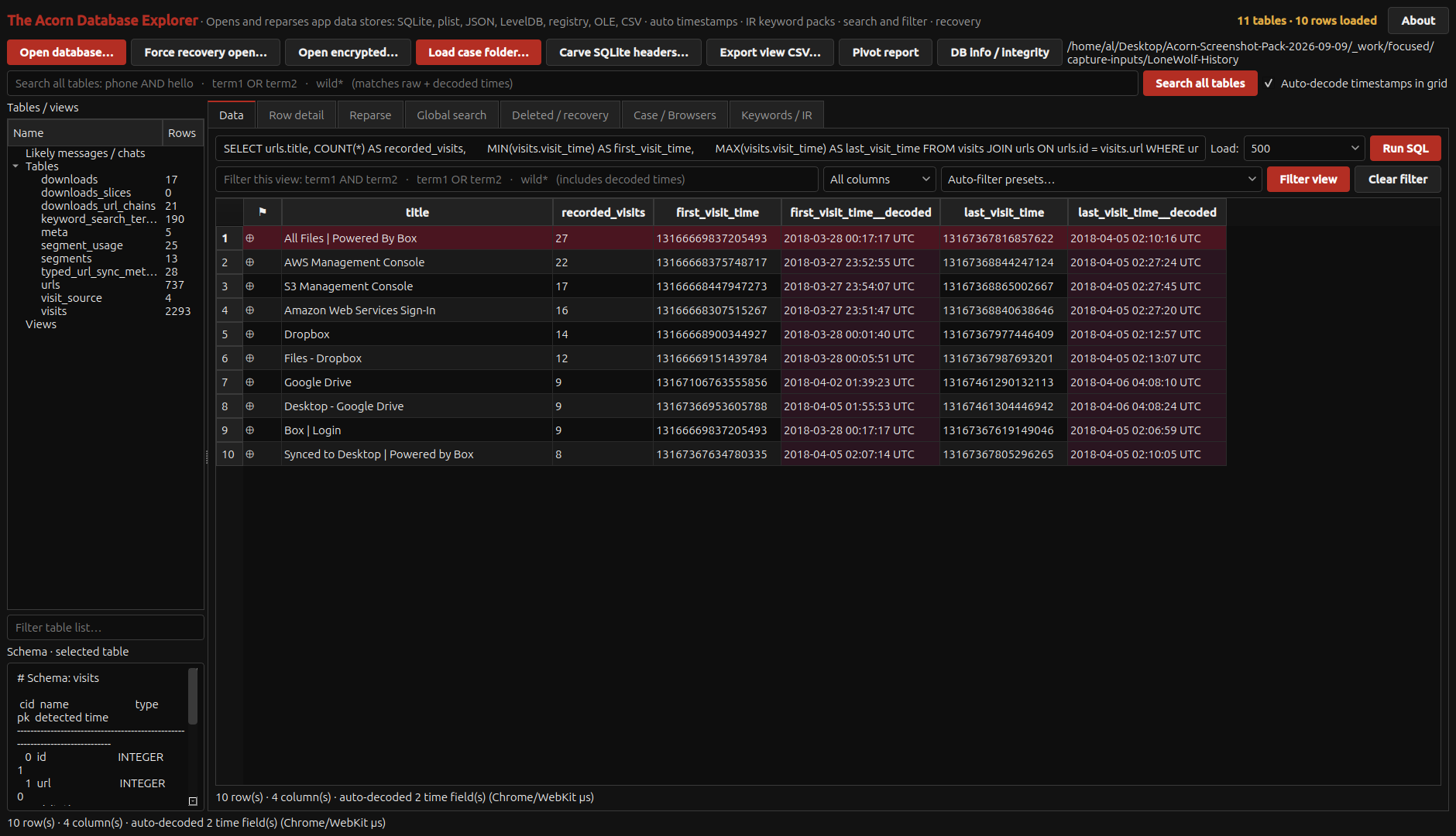 View full screen
Enlarge the screenshot to read the source records.
Examination steps
Steps to review in your evaluation
-
Open a working copy through the read-only route and identify the source database and relevant tables.
-
Use a query that expresses the examination question. Retain the query and compare raw values with any displayed timestamp interpretation.
-
Check a material result against the underlying rows or a separate read-only SQLite method. Explain how filtering or grouping affects what the result does and does not show.
Evaluate the workflow
Questions worth bringing to a demonstration
- Can the query and source database be retained so another examiner can repeat the selection?
- Are stored values distinguishable from decoded timestamps or grouped summaries?
- Does a separate read-only check return the same material rows for the same question?
Related application guides
Start with your requirements
Request an application demo
Tell us the source type and task you want to examine. We can plan a demo using suitable training material. Do not send confidential evidence.