
The Acorn application guide
Registry Analyser
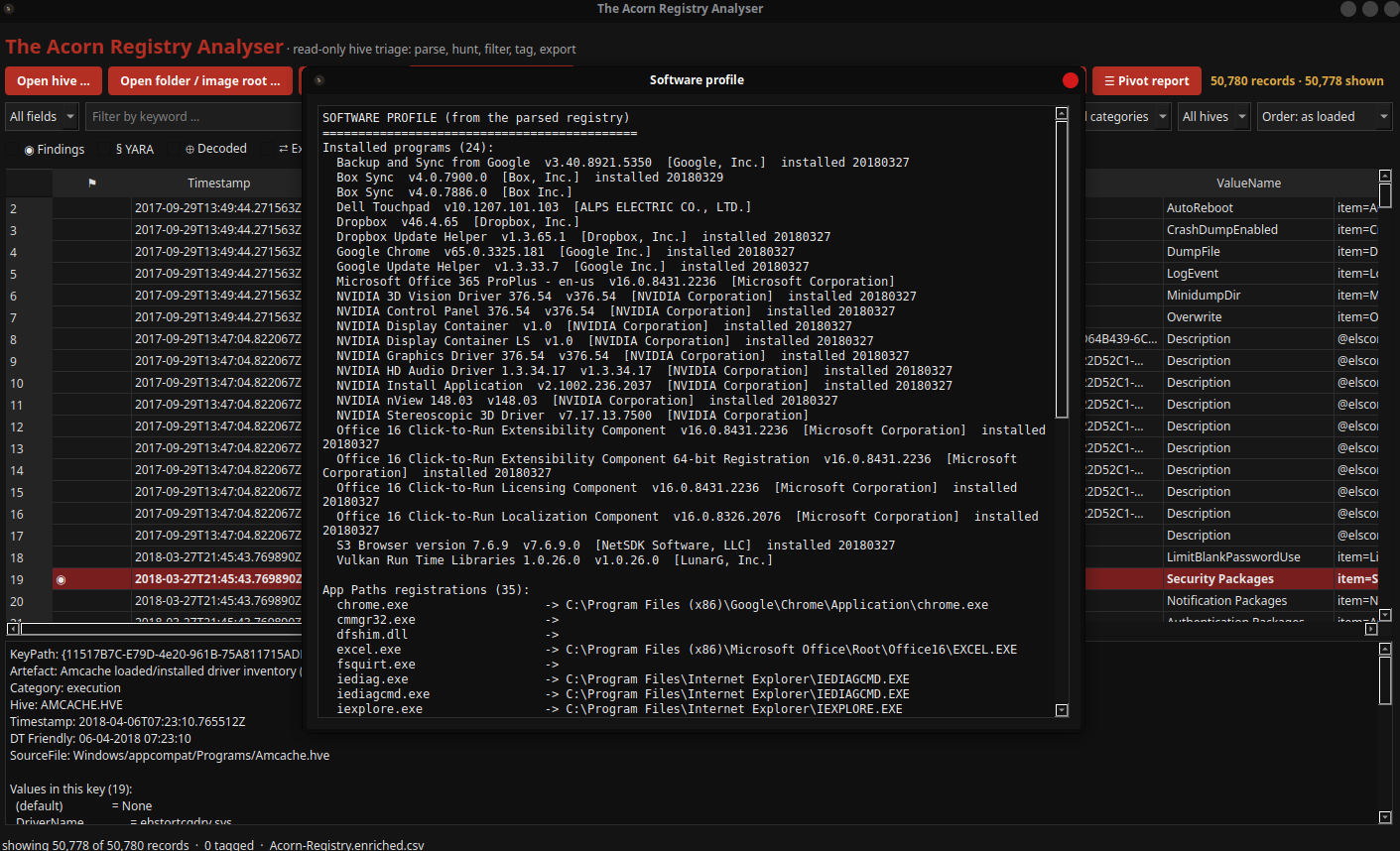
The public Lone Wolf example lists 24 registered programs, with available versions and installation dates. Application-path entries add context. These records can guide further checks, but registration alone does not prove that software ran.
Public training example
Review registered software and application paths
Example input
- Registry data from the public Lone Wolf training scenario.
Result or controls shown
- Registered-program and application-path review tables.
 View full screen
Enlarge the screenshot to read the source records.
Examination steps
Steps to review in your evaluation
-
Identify the Registry source being examined and the profile or system context it represents.
-
Review relevant software registrations, available dates, versions and application paths. Retain the source context needed to locate material entries again.
-
Check an important entry in the underlying source with a suitable independent method. Use other artefacts when the question concerns execution, user activity or a sequence of events.
Evaluate the workflow
Questions worth bringing to a demonstration
- Which hive and record support the displayed software or application-path entry?
- Is a displayed date explained in context, rather than being treated as the time an application ran?
- What separate artefact would help test an execution claim suggested by this registration information?
Related application guides
Start with your requirements
Request an application demo
Tell us the source type and task you want to examine. We can plan a demo using suitable training material. Do not send confidential evidence.