
The Acorn application guide
Browsing History
A category filter picks out 65 firearm-marketplace records from the public Lone Wolf training data. Review the page titles, recorded times and source URLs together. A visit alone does not show a purchase or identify the user.
Public training example
Review recorded visits to firearm marketplaces
Example input
- Browser-history material from a public training scenario, including recorded downloads.
Result or controls shown
- Visit and download review records with available path, time and size context.
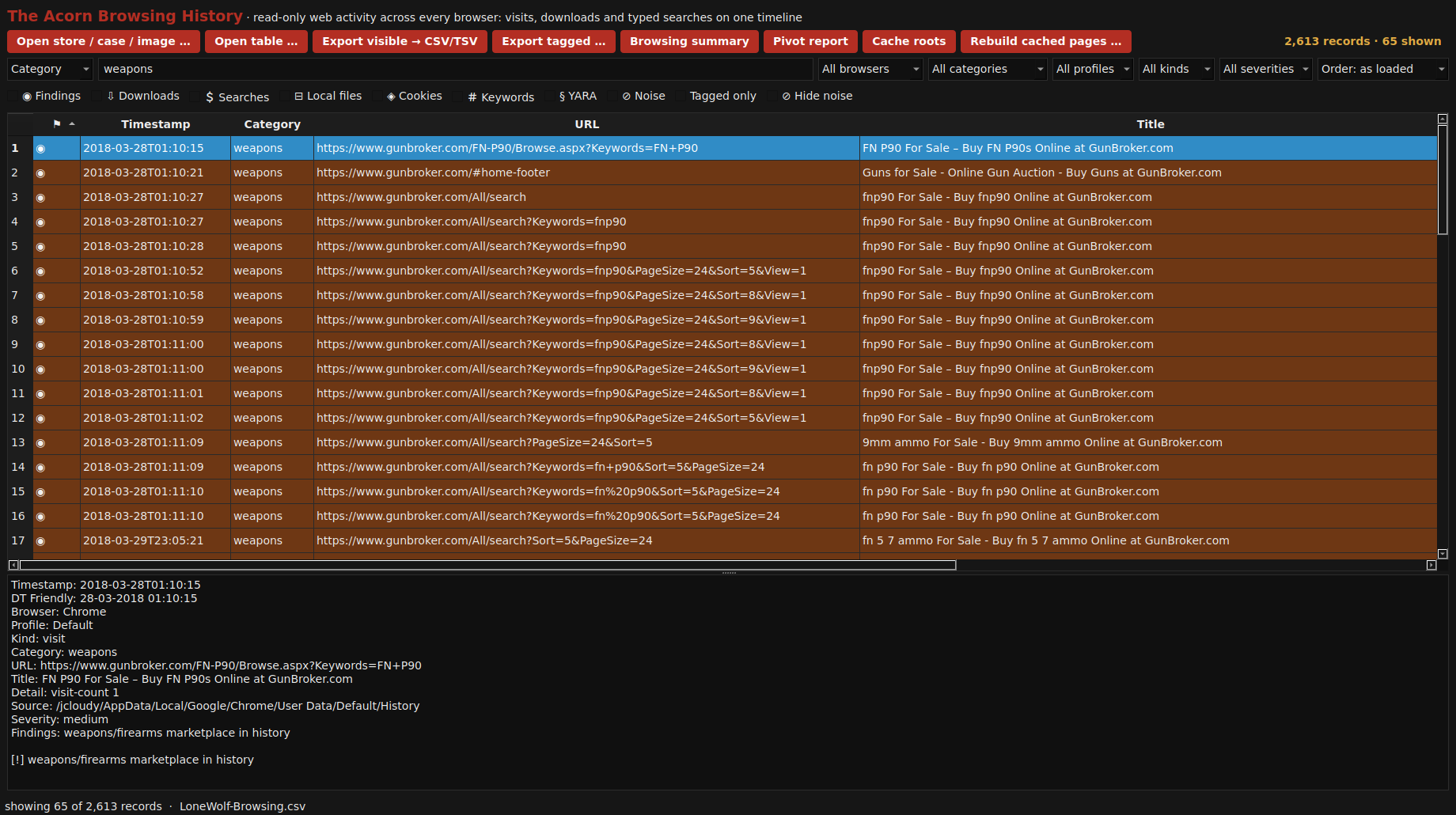 View full screen
Enlarge the screenshot to read the source records.
Source: Digital Corpora’s public Lone Wolf teaching scenario. A browsing record does not establish a purchase, possession, intent or the person using the browser.
Examination steps
Steps to review in your evaluation
-
Find the visits or downloads relevant to the question and identify the browser source from which they were obtained.
-
Inspect the page title, URL, recorded time and browser source. For a download, also check the destination path and available byte counts. Keep the recorded activity separate from assumptions about what happened next.
-
Compare a material lead with the corresponding files and other available activity. Note where the evidence cannot establish completion, execution or the person responsible.
Evaluate the workflow
Questions worth bringing to a demonstration
- Which original browser record supports the displayed visit or download?
- Can the example distinguish a recorded download from later installation or execution of the file?
- What further evidence would be needed before attributing the recorded activity to a particular person?
Related application guides
Start with your requirements
Request an application demo
Tell us the source type and task you want to examine. We can plan a demo using suitable training material. Do not send confidential evidence.