
← The Acorn overview
The Acorn application guide
Filth Finder
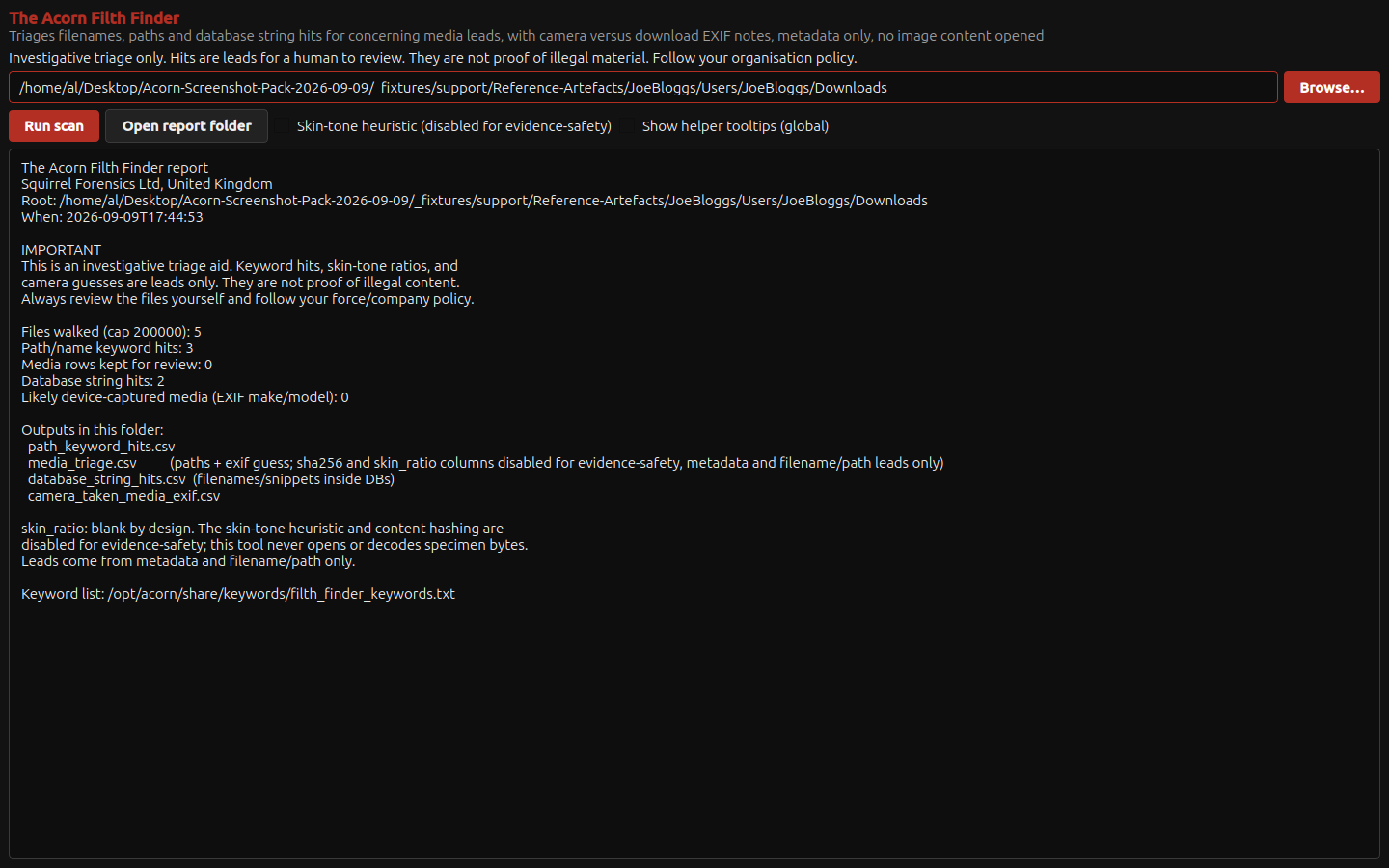
The training exercise returns three filename keyword hits and two database-string hits. Inspect each match before deciding what needs a closer look. No image-content classification was run.
Constructed test example
Use filename and text hits to prioritise review
Example input
- Constructed filenames, metadata and database text used for keyword review.
Result or controls shown
- Keyword and metadata leads from paths and database text.
 View full screen
Enlarge the screenshot to read the source records.
Examination steps
Steps to review in your evaluation
-
Agree the review scope and relevant search terms.
-
Inspect path and database-text matches with their context.
-
Refer any relevant material for appropriate examination rather than treating a keyword as a classification.
Related application guides
Start with your requirements
Request an application demo
Tell us the source type and task you want to examine. We can plan a demo using suitable training material. Do not send confidential evidence.