
The Acorn application guide
Forensic Imager
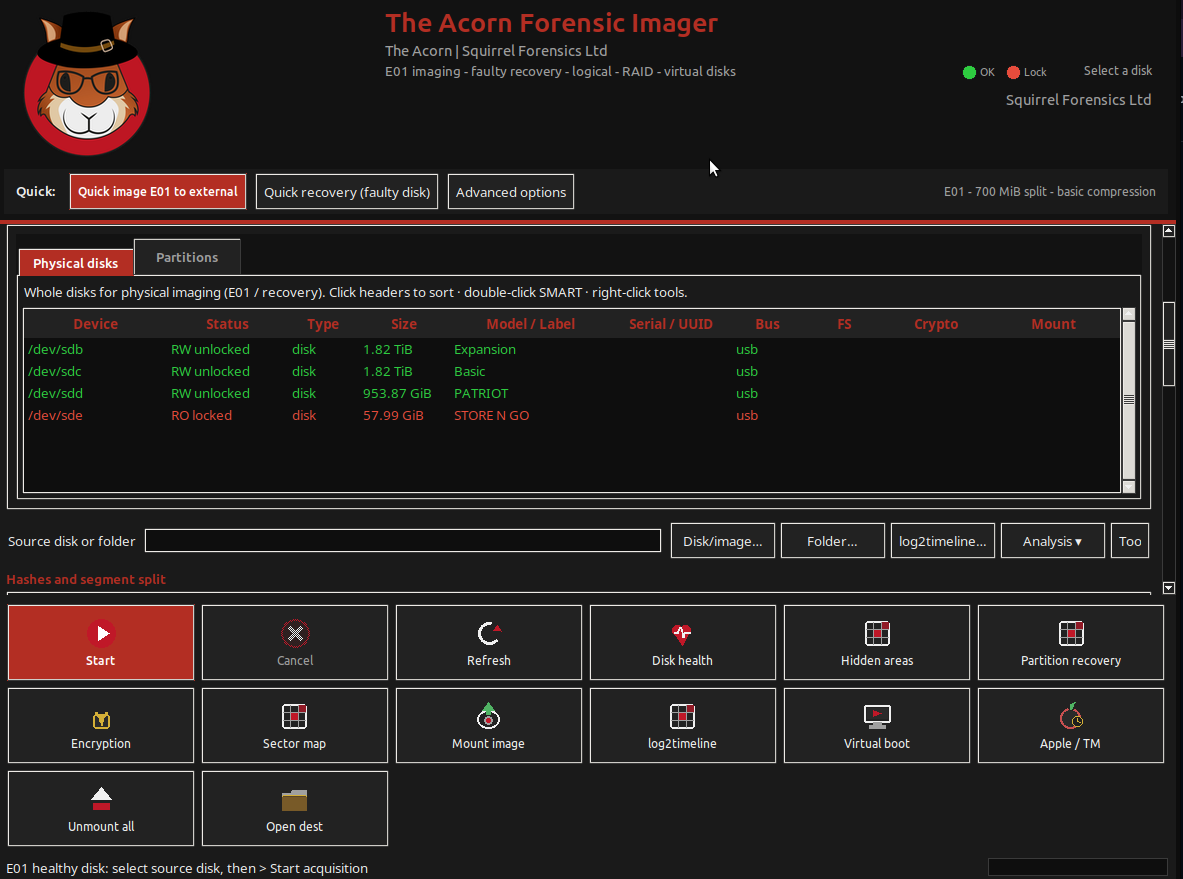
Check the disk inventory, select the source and choose a separate destination. The Imager screen brings those settings together before acquisition. The screenshot shows setup, not a completed imaging job.
Acquisition setup shown
Choose the source and destination before imaging
Example input
- A source device or image and an appropriate destination selected in the acquisition interface.
Result or controls shown
- The illustrated inventory and acquisition setup; no completed acquisition is claimed from this screen.
 View full screen
Enlarge the screenshot to read the source records.
Examination steps
Steps to review in your evaluation
-
Identify the correct source and destination, and record the protection method. Check the available space and the intended acquisition scope.
-
Review the options for the chosen route against the source and expected output. Use representative test media before adopting that route for case work.
-
For a completed test, retain the acquisition record and independently check the intended output. Record errors and unreadable areas instead of assuming completion means complete coverage.
Evaluate the workflow
Questions worth bringing to a demonstration
- Which acquisition route has been tested for my source and intended output, in the build and edition being evaluated?
- What records and verification values are available after that route completes, and how are read errors or incomplete coverage shown?
- Can the result be checked independently without changing the preserved source?
Related application guides
Start with your requirements
Request an application demo
Tell us the source type and task you want to examine. We can plan a demo using suitable training material. Do not send confidential evidence.