
The Acorn application guide
Unified Log Analyser
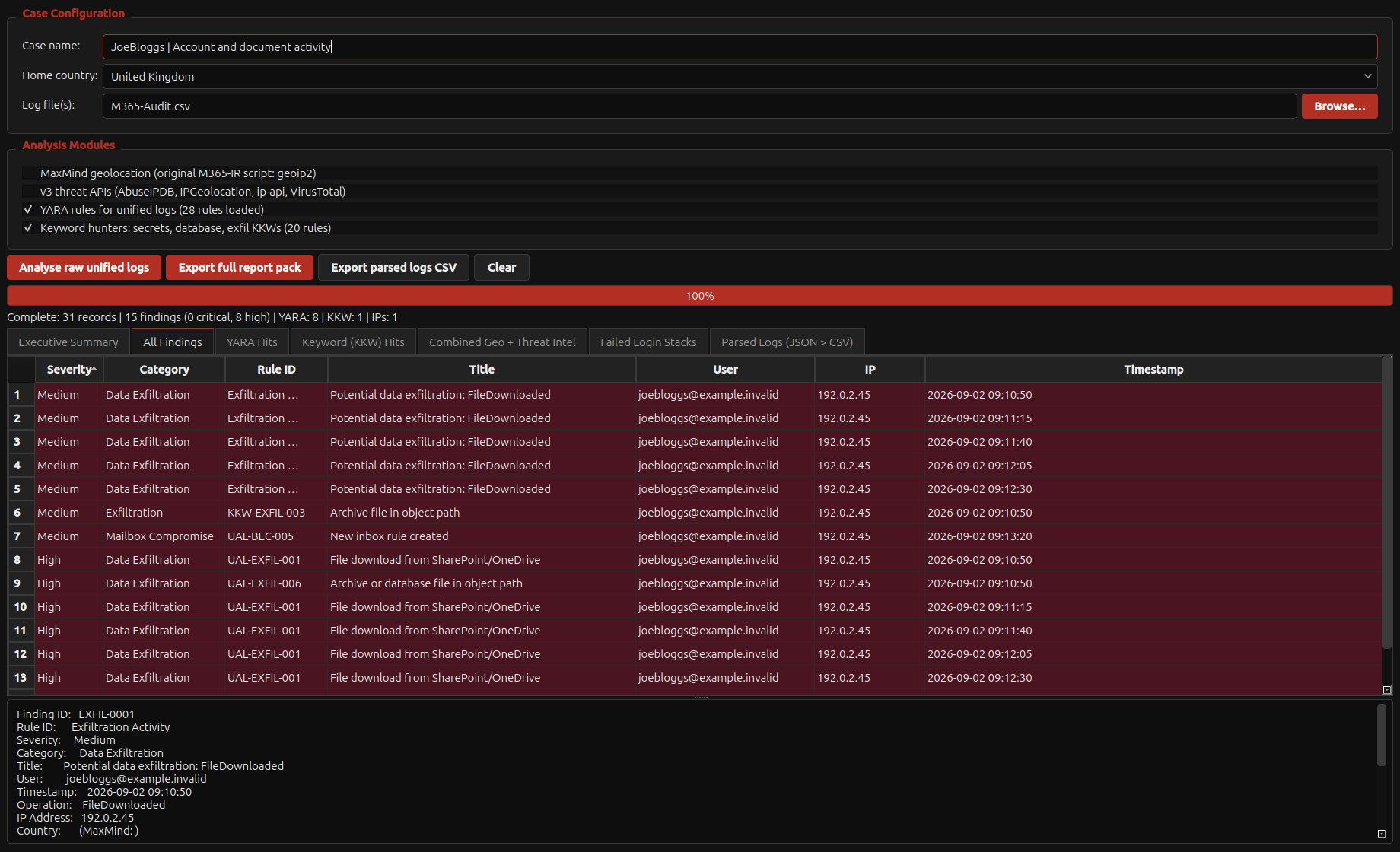
Thirty-one constructed Microsoft 365 audit records show failed sign-ins, file downloads and an inbox-rule change. Compare the selected finding with the source events. These training results do not establish a real account compromise.
Constructed test example
Review sign-ins, downloads and an inbox-rule change
Example input
- Constructed Microsoft 365-style audit events using reserved accounts and documentation-range IP addresses.
Result or controls shown
- Native audit-review rows and rule findings.
 View full screen
Enlarge the screenshot to read the source records.
Examination steps
Steps to review in your evaluation
-
Load the audit material and define the account or activity under review.
-
Compare sign-in, forwarding-rule and download records with their source context.
-
Test automated leads against authorised activity and any further records available.
Related application guides
Start with your requirements
Request an application demo
Tell us the source type and task you want to examine. We can plan a demo using suitable training material. Do not send confidential evidence.