
The Acorn application guide
Event Log Viewer
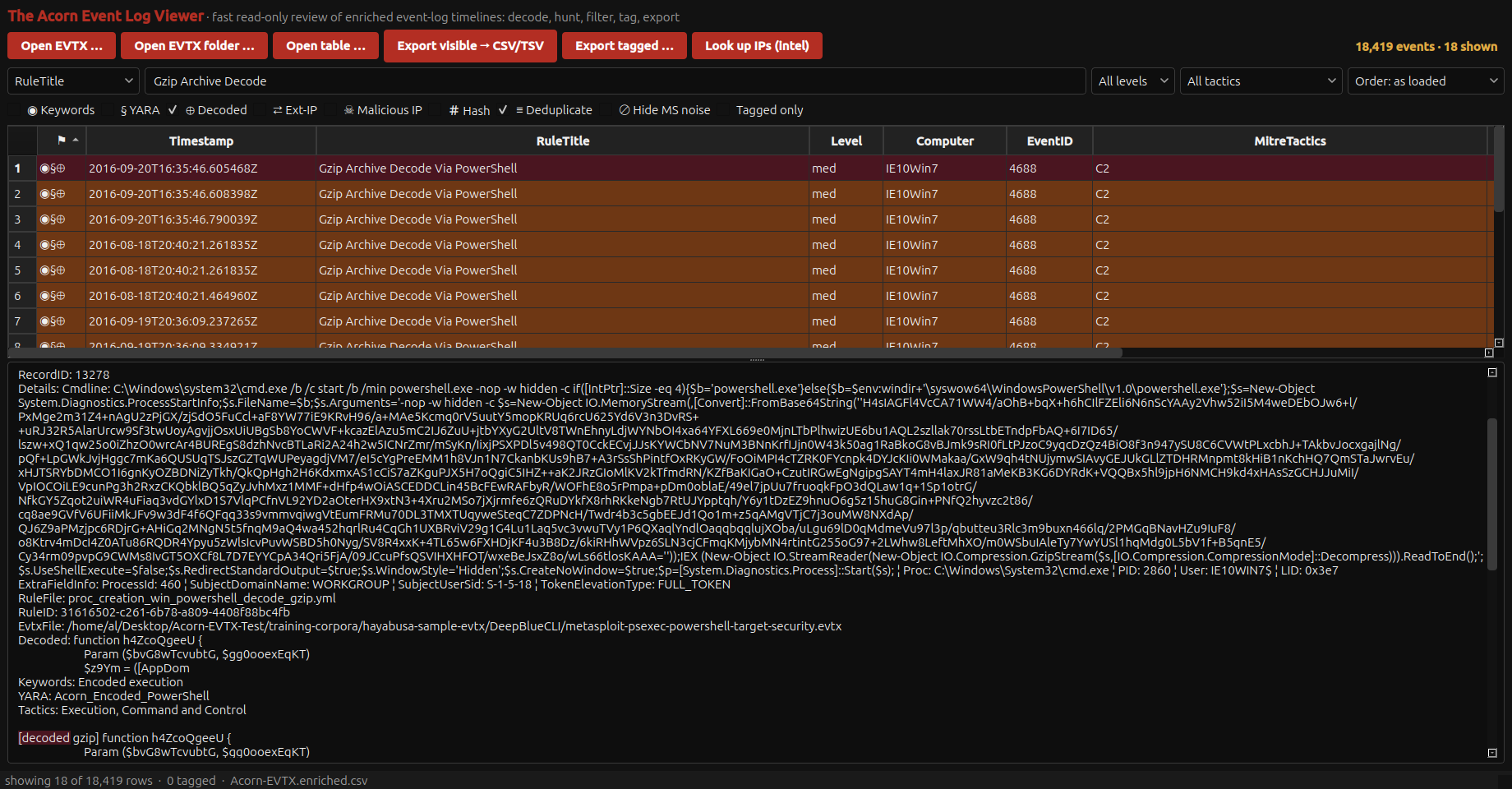
Eighteen rule matches flag archive-decoding commands in public training logs. The selected view puts the encoded command beside a decoded gzip script fragment. Review the source event and repeated matches before counting distinct actions.
Public training example
Read encoded PowerShell beside the source event
Example input
- Windows event records, including PowerShell-related records from public test logs.
Result or controls shown
- Native event-detail and decoded-command views with rule matches.
 View full screen
Enlarge the screenshot to read the source records.
Examination steps
Steps to review in your evaluation
-
Choose the event source and the period or behaviour being investigated. Retain the source file and the identifiers needed to revisit the selected records.
-
Inspect the matched events and any decoded command text. Distinguish several matches on one event from several separate actions.
-
Check the interpretation against related logs or other evidence, and independently inspect a material record where appropriate. State what the available logging does and does not establish.
Evaluate the workflow
Questions worth bringing to a demonstration
- Can I revisit the selected event in its source rather than relying only on the rule-match label?
- How are duplicate matches, recorded times and decoded command text distinguished during review?
- Which further record would support or contradict the proposed execution or incident sequence?
Related application guides
Start with your requirements
Request an application demo
Tell us the source type and task you want to examine. We can plan a demo using suitable training material. Do not send confidential evidence.