
The Acorn application guide
SRUM Viewer
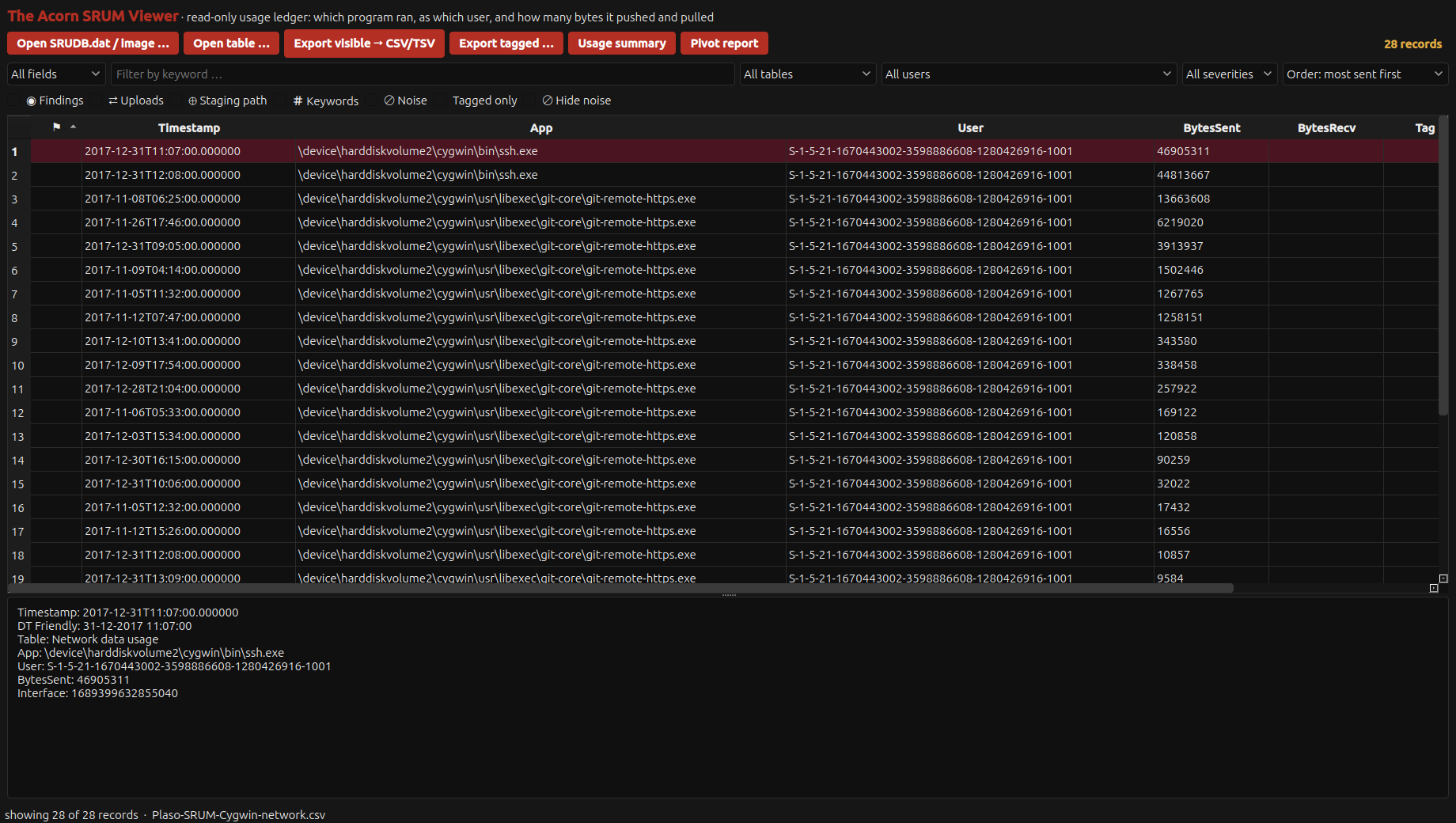
The selected ssh.exe row records 46,905,311 bytes sent. It is one of 28 Cygwin network records imported from a training fixture. A byte count can guide further work, but it cannot identify which files were transferred.
Public training example
Check recorded network usage by an application
Example input
- SRUM network-usage records; the demonstrated import uses public training data with normalised date fields.
Result or controls shown
- Application-level network-usage rows and byte counters.
 View full screen
Enlarge the screenshot to read the source records.
Examination steps
Steps to review in your evaluation
-
Identify the source records and review any date-field normalisation used for import. Preserve uncertainty about the original clock or time zone.
-
Compare the relevant application rows and sent or received byte counters within the available period.
-
Use a significant pattern to select further file, account or network checks. Record the distinction between the observed counter and any proposed explanation.
Evaluate the workflow
Questions worth bringing to a demonstration
- Can the original date values and any import normalisation be explained for the records being reviewed?
- What application, interval and counter does the selected row actually describe?
- Which other source would be needed to test whether particular files left the system?
Related application guides
Start with your requirements
Request an application demo
Tell us the source type and task you want to examine. We can plan a demo using suitable training material. Do not send confidential evidence.