
Prepare for the source and the destination
Confirm the expected devices, required adapters, power and output capacity. Mark source media and destination disks clearly. Include enough working storage for the proposed format and any segmented image files, logs and recovery maps.
Plan the handover route before the visit. A couriered encrypted disk and an approved SFTP transfer have different capacity, connectivity and access requirements. Agree who can receive the material and how they obtain any decryption credentials through a separate channel.
 View full size
Record the facts while the source is present
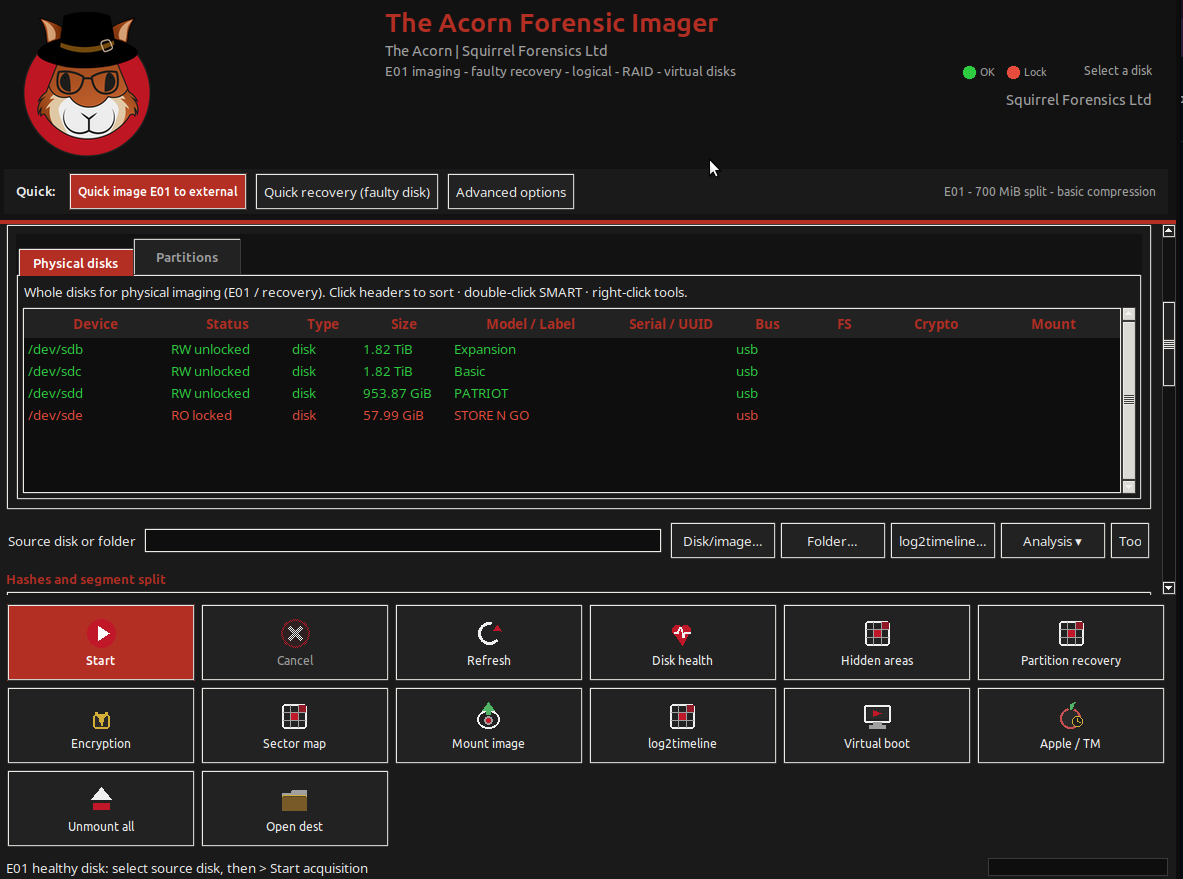
On The Acorn, identify the device in Device Manager, establish read-only protection and record the Imager settings. Keep the exhibit reference, model, serial number where available, capacity, operator and start and finish times with the output.
Retain the acquisition hashes, logs and any unreadable-sector or recovery-map information. Explain interruptions and changes of adapter or connection. If a targeted collection was agreed instead of a full device image, record its scope so the recipient does not mistake it for a complete copy.
Prove the recipient can use what you collected
Check that all image segments arrived and compare the expected hashes. Confirm the intended read-only access route on a working copy. Preserve the original acquisition output rather than silently converting or repairing it to make a different tool open it.
Provide a short handover note covering the instruction, source list, outputs, exceptions and outstanding questions. Ask SQFR to demonstrate this complete sequence when evaluating a field collection setup. A successful progress bar is only one part of a usable handover.
What to check
- Identified sources and enough separate destination storage
- Images, hashes, logs and recovery maps kept together
- Receipt verification and a clear note of scope and exceptions
Common questions
Is an image file alone a complete handover?
It may omit the information needed to assess how it was made. Supply the acquisition record, verification values and any known gaps as well.
Can the same workflow use an SFTP evidence store?
Yes, where the organisation approves it and access, storage and verification are planned. Upload working copies deliberately and confirm the received files, rather than relying on an upload-complete message.
Explore the relevant Acorn apps
Put the workflow to the test
Plan your field collection and handover kit
Tell SQFR about the source types, task and equipment you need. We can discuss a focused demonstration and the configuration or quotation that fits. Do not send case evidence or credentials through the enquiry form.