
Format does not define the scope
A format label does not tell you whether the whole physical device, one partition or selected files were acquired. State the scope separately. A neatly named E01 can still be the wrong source, and a RAW image can still be well documented.
Agree the receiving tool and its supported format variants before collection. If segmentation is required, keep all parts together and preserve their names. Do not assume a recipient can open every evidence-container variation.
 View full size
Choose settings for the actual media
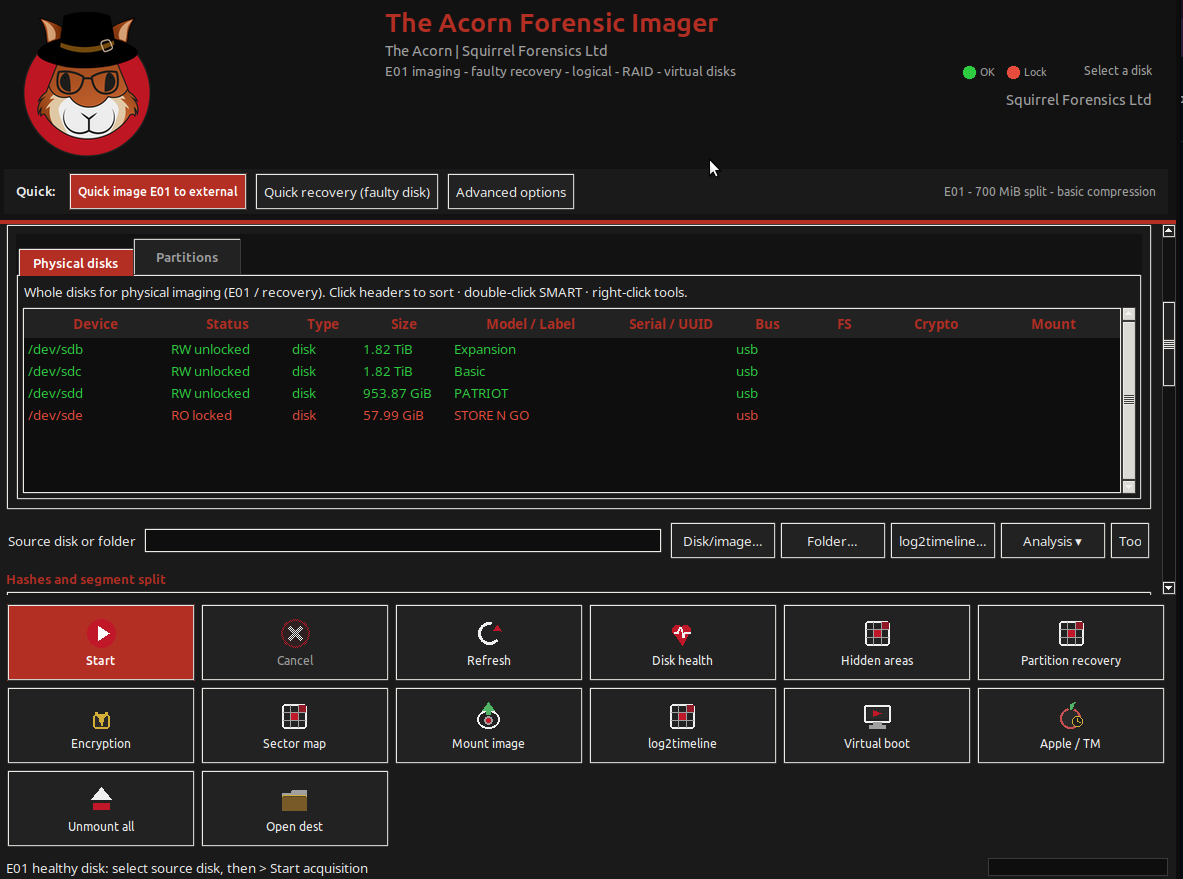
Forensic Imager brings case details, source, destination and hashing controls together. On healthy media, select the format and settings that fit the receiving workflow and available storage. Compression benefits depend on the acquired content, so do not promise a fixed saving.
Faulty-media recovery is a distinct route. Acorn’s resilient sector-imaging mode retains a recovery map beside its output. Do not assume that normal E01 acquisition has the same interruption and resume behaviour as map-based rescue.
Verify what will be handed over
Keep acquisition logs, hashes, source identity and any error information with the output. Check that the receiving environment opens the image and sees the expected layout. Record verification against the acquired data rather than comparing unrelated container-file and data-stream hashes.
Use a known test source to evaluate both the chosen format and the handover. SQFR can demonstrate acquisition and review, while your team confirms compatibility with its normal downstream software and retention process.
What to check
- Acquisition scope stated separately from image format
- Receiving software and segmentation needs checked
- Image, companion records and verification kept together
Common questions
Will an E01 file hash equal a RAW file hash?
Not simply because they represent the same source. A container has structure beyond the acquired data stream. Compare like-for-like verification values and state what was hashed.
Which format is always smaller or faster?
Neither is universally better. Content, compression settings, source reading speed, destination and verification affect the result.
Explore the relevant Acorn apps
Put the workflow to the test
Check your image-format workflow with SQFR
Tell SQFR about the source types, task and equipment you need. We can discuss a focused demonstration and the configuration or quotation that fits. Do not send case evidence or credentials through the enquiry form.