
Match the workspace to your instructions
Start with the last few types of matter you handled. A disputed document, a browser timeline and a large corporate collection need different tools and storage. Write down the input formats and report requirements before comparing feature lists.
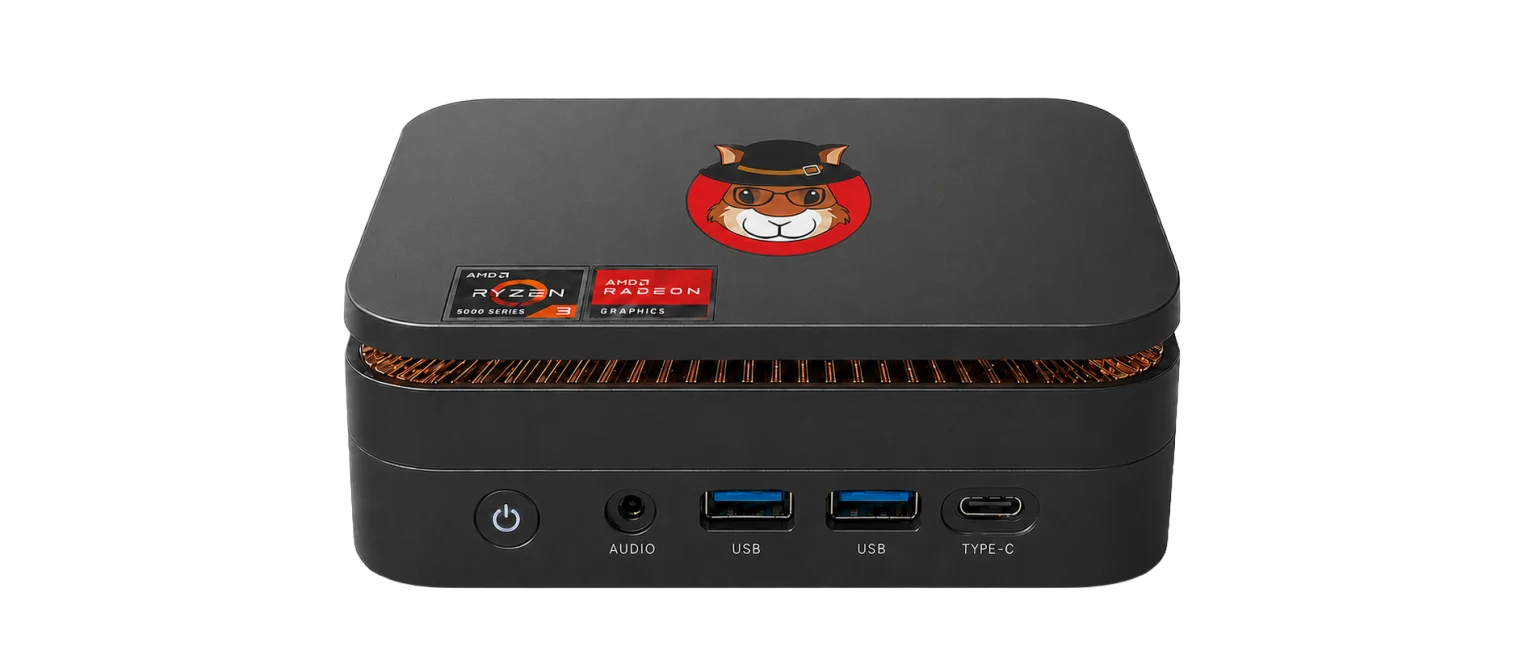
Consider where work takes place. The current Acorn unit is about 12.8 × 12.8 × 4.4 cm and weighs around 500 g before its power supply and accessories. That can suit an on-site visit, while a compatible dock and external displays support desk-based review. It is not a claim that a small unit replaces every laboratory resource.
 View full size
Keep the case record close to the examination
Use Device Manager and the Imager to establish the source and acquisition record. Review supported records in the relevant app or Workbench. Retain the input hash, settings, tool version and original record reference behind each selected finding.
Case notes should explain why a record matters, what it does not show and what further source might answer the question. A clear output format helps another examiner repeat a check. The examiner remains responsible for interpretation; a generated report is not a substitute for that judgement.
Ask for a demonstration around one real task
Provide a non-confidential example of the workflow you want to evaluate. Follow it from input to export and check whether the result can be reviewed with the other tools you use. Include encrypted sources, faulty media or remote access only where these reflect your work.
Discuss the configuration, external storage, support and current availability with SQFR. Final purchasing terms belong in a quotation. Avoid buying on a promised speed figure when no representative test has been run on your source type and intended connections.
What to check
- Your common input formats and report requirements
- Source protection, traceable outputs and a peer-review route
- A complete kit and support quotation, not just a processor comparison
Common questions
Must I replace my existing forensic software?
No. Acorn can provide local acquisition and review while you retain other approved tools and workstations for tasks that need them.
Does a tool-generated report establish admissibility?
No. The instruction, handling, method and examiner’s reasoning still matter. Assess the work against the requirements of the case and jurisdiction.
Explore the relevant Acorn apps
Put the workflow to the test
Discuss your independent examination workflow
Tell SQFR about the source types, task and equipment you need. We can discuss a focused demonstration and the configuration or quotation that fits. Do not send case evidence or credentials through the enquiry form.