
Start with the job, not the chassis
List the source sizes, simultaneous tasks and outputs you handle. Imaging one device, reviewing a browser database and processing several large cases have different demands. A small system can be a useful field or secondary workstation without replacing every machine in a laboratory.
Ask for a representative workflow demonstration. Record the inputs, build, storage and elapsed time if you need a performance comparison. Processor branding alone cannot establish acquisition speed or a case-processing deadline.
 View full size
Know what the current configuration provides
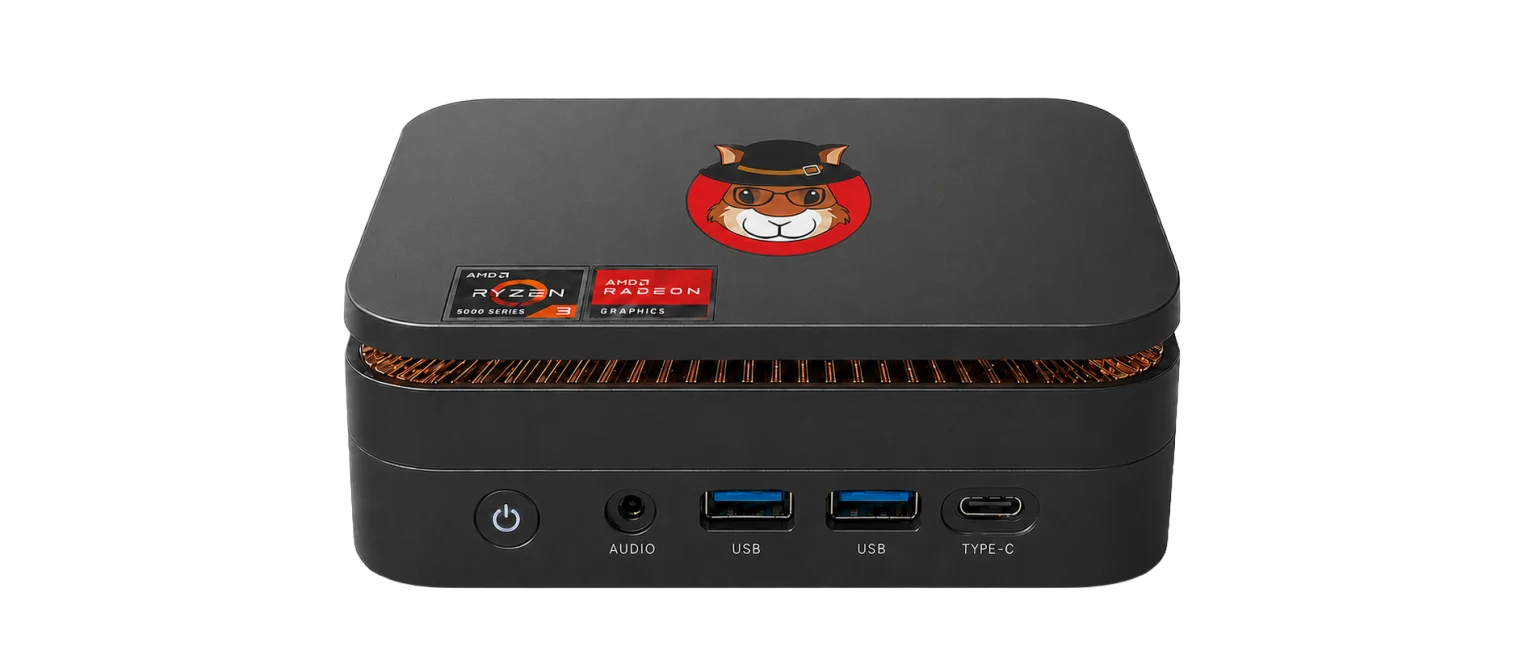
The workstation measures 5.05 x 5.05 x 1.73 inches, approximately 12.8 x 12.8 x 4.4 cm. It has 24 GB DDR4, a 1 TB SSD and two M.2 slots with different supported interfaces. Memory expansion is specified up to 32 GB and storage options up to 4 TB, subject to the selected compatible components.
Display outputs are HDMI 2.0, DisplayPort 1.4 and USB-C, supporting three independent screens. It uses a 19 V DC supply. Confirm the dock, adapters, destination disks and any added drives in the quotation; the unit’s weight is not the packed weight of the whole kit.
Buy a configuration, not an assumption
Squirrel Forensics is a UK company developing The Acorn. UK design does not mean every hardware component is manufactured in the UK. Ask for the supplied model, software build, included accessories, licence terms and support arrangements.
The planned workstation is not currently offered through a deposit or pre-order checkout. Use the enquiry route to describe your workload and obtain the current position. The final quotation should settle the configuration, availability, VAT, delivery and terms before you commit.
What to check
- Representative workload and expected outputs
- Exact memory, storage, connections and accessories
- Written quotation covering supply, support and availability
Common questions
Is 500 g the complete kit weight?
No. It is the workstation unit. The screen, cables, power supply, keyboard, mouse, carry bag and evidence disks add weight.
Can it drive three displays?
The supplied specification supports three independent displays through HDMI, DisplayPort and USB-C. Confirm the chosen display and dock arrangement rather than assuming every dock exposes all three.
Explore the relevant Acorn apps
Put the workflow to the test
Discuss your compact workstation configuration
Tell SQFR about the source types, task and equipment you need. We can discuss a focused demonstration and the configuration or quotation that fits. Do not send case evidence or credentials through the enquiry form.