
Find the bottleneck before buying hardware
Record how much time the main workstation spends acquiring, verifying, copying and analysing. If most waiting time comes from slow destination storage, another computer alone may not solve it. If examiners compete for one source connection or display, a separate station may make the workflow easier to schedule.
Include the operator’s work. Labelling, selecting the right source, checking logs and handing over outputs still take attention. More machines do not remove the need for a clear responsibility for each acquisition.
 View full size
Keep the acquisition station self-contained
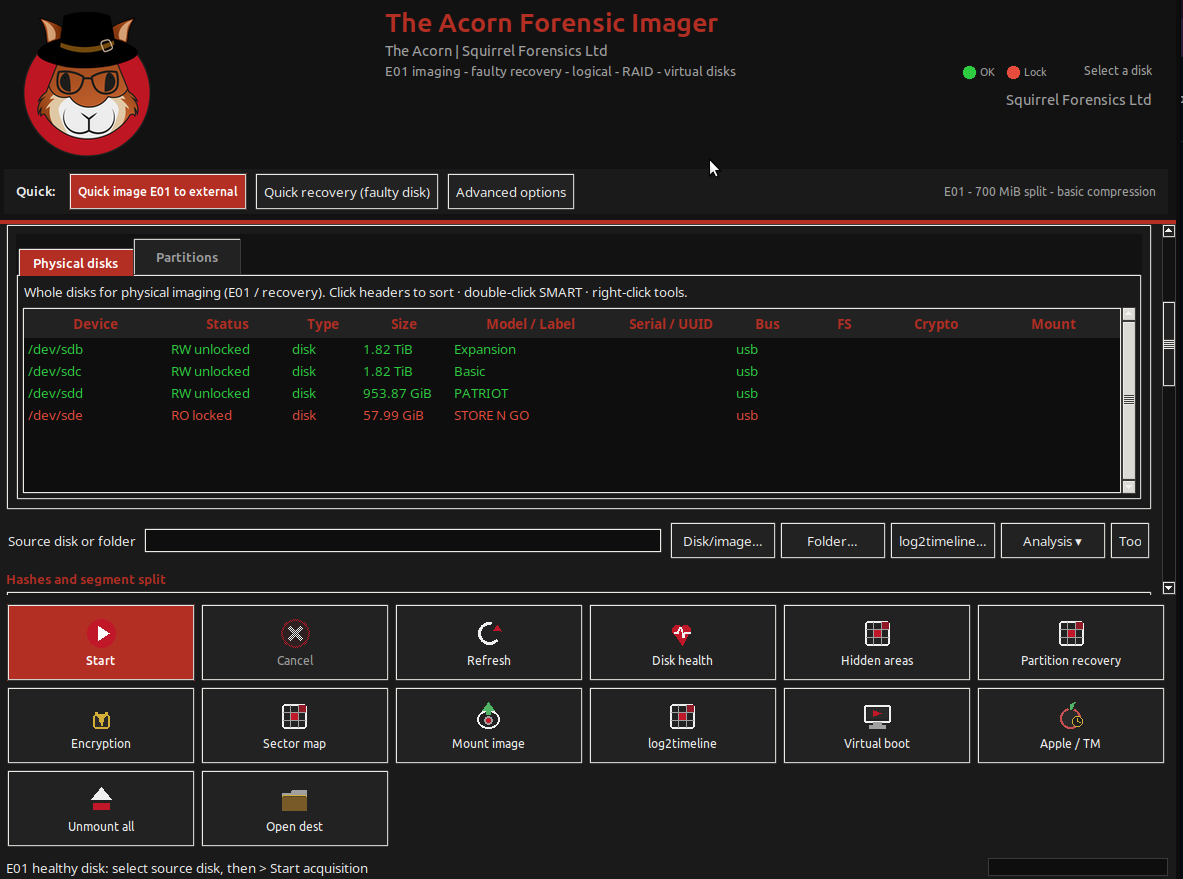
Give the imaging station suitable adapters, power and destination capacity. Use Device Manager and Forensic Imager to retain identity, protection, settings and output records in the same job. Avoid placing temporary outputs in personal folders that the next examiner cannot locate.
If the laboratory uses shared storage, agree permissions, capacity, naming and verification. A local high-speed output followed by a controlled transfer may behave differently from writing straight to a network destination. Measure the route you intend to use.
Define the handover that releases the analyst
The analyst needs the image, hashes, acquisition log, source identity and any read-error information. A file arriving in a shared folder is not a complete handover. Keep the acquisition record with the case and identify which output is ready for examination.
Evaluate Acorn against a normal laboratory job and compare elapsed time, operator time and interruptions to the main workstation. SQFR can discuss the configuration and workflow. A claim of hours saved or return on investment should follow your measurements, not precede them.
What to check
- A measured queue or resource conflict
- Dedicated acquisition connections and output capacity
- A consistent image, log and verification handover
Common questions
Will a second station double throughput?
Not automatically. Source speed, storage, network capacity, verification and examiner availability can still limit the workflow.
Does the analysis software have to run on Acorn?
No. The acquisition station can hand over supported standard outputs to the laboratory’s existing examination environment. Check format compatibility during evaluation.
Explore the relevant Acorn apps
Put the workflow to the test
Evaluate an additional imaging station
Tell SQFR about the source types, task and equipment you need. We can discuss a focused demonstration and the configuration or quotation that fits. Do not send case evidence or credentials through the enquiry form.