
← The Acorn overview
The Acorn application guide
Net Sentinel
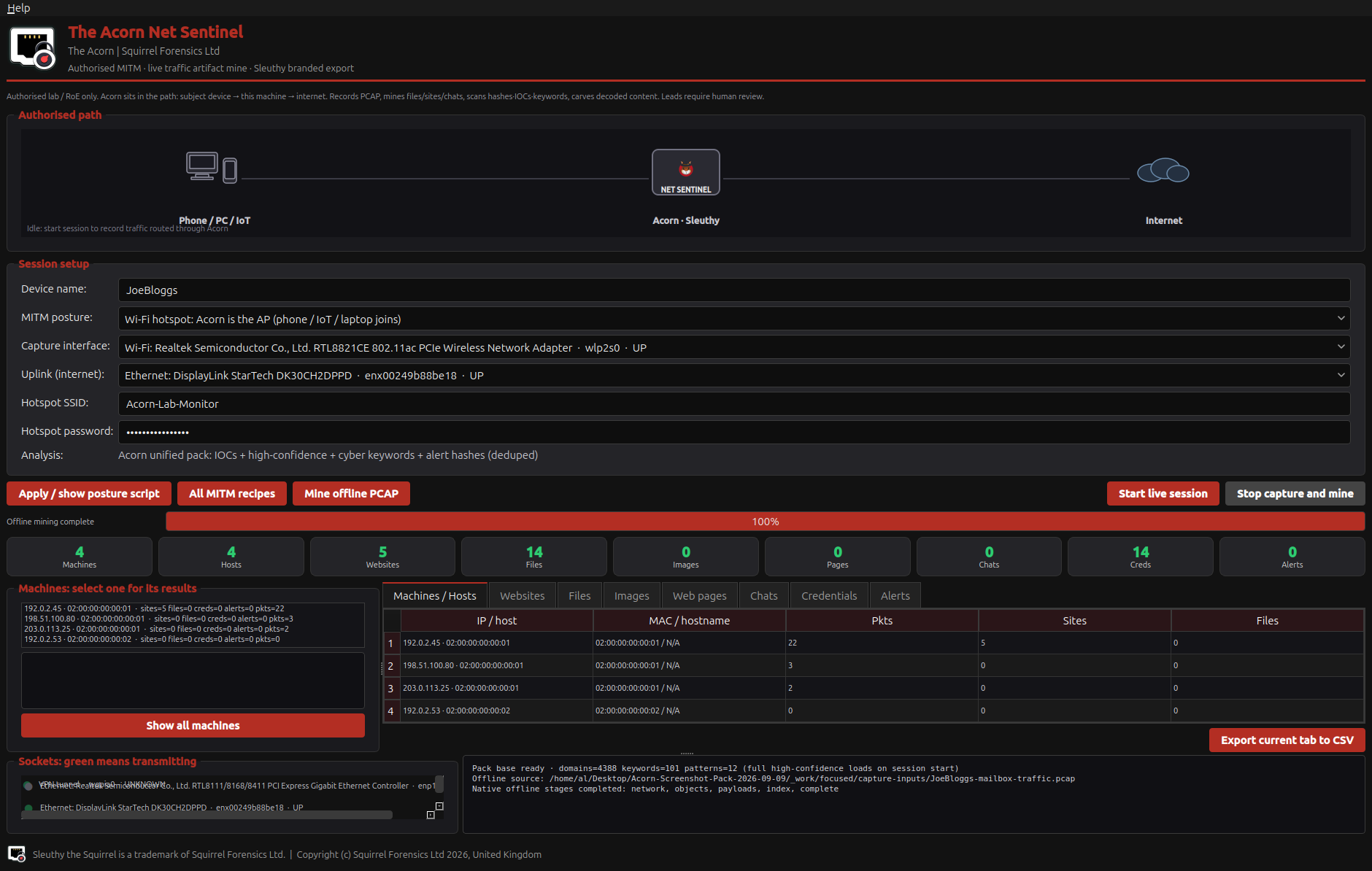
The training capture was parsed offline into host, site and object-review tables. Inspect those observations alongside the native PDF output. No live capture or interception was started.
Constructed test example
Inspect hosts and objects from an offline capture
Example input
- A constructed offline packet capture processed through the documented native parsing and table-rendering route.
Result or controls shown
- Demonstrated host/object/lead tables and a native PDF from the documented offline test.
 View full screen
Enlarge the screenshot to read the source records.
Examination steps
Steps to review in your evaluation
-
Review the capture's host and name observations.
-
Inspect extracted objects and cleartext leads without executing them.
-
Keep parser and table-population limitations visible when preparing a handover.
Related application guides
Start with your requirements
Request an application demo
Tell us the source type and task you want to examine. We can plan a demo using suitable training material. Do not send confidential evidence.