
Identify the drive before ordering an enclosure
Record the drive model, interface, keying and length. Separate 2.5-inch SATA, 3.5-inch SATA, M.2 SATA and M.2 NVMe requirements. Other formats, soldered storage and specialist interfaces need their own plan; a generic USB kit is not universal access.
Power matters as well. A 3.5-inch SATA disk normally needs an appropriate powered adapter, while a small SSD enclosure has different demands. Include the adapter’s supply and cables in the kit inventory, not just the enclosure.
 View full size
Check what the bridge exposes
A bridge can affect reported identifiers, SMART access, stability and throughput. During evaluation, record the source as seen through that adapter and check that the information is sufficient to distinguish it from other connected storage.
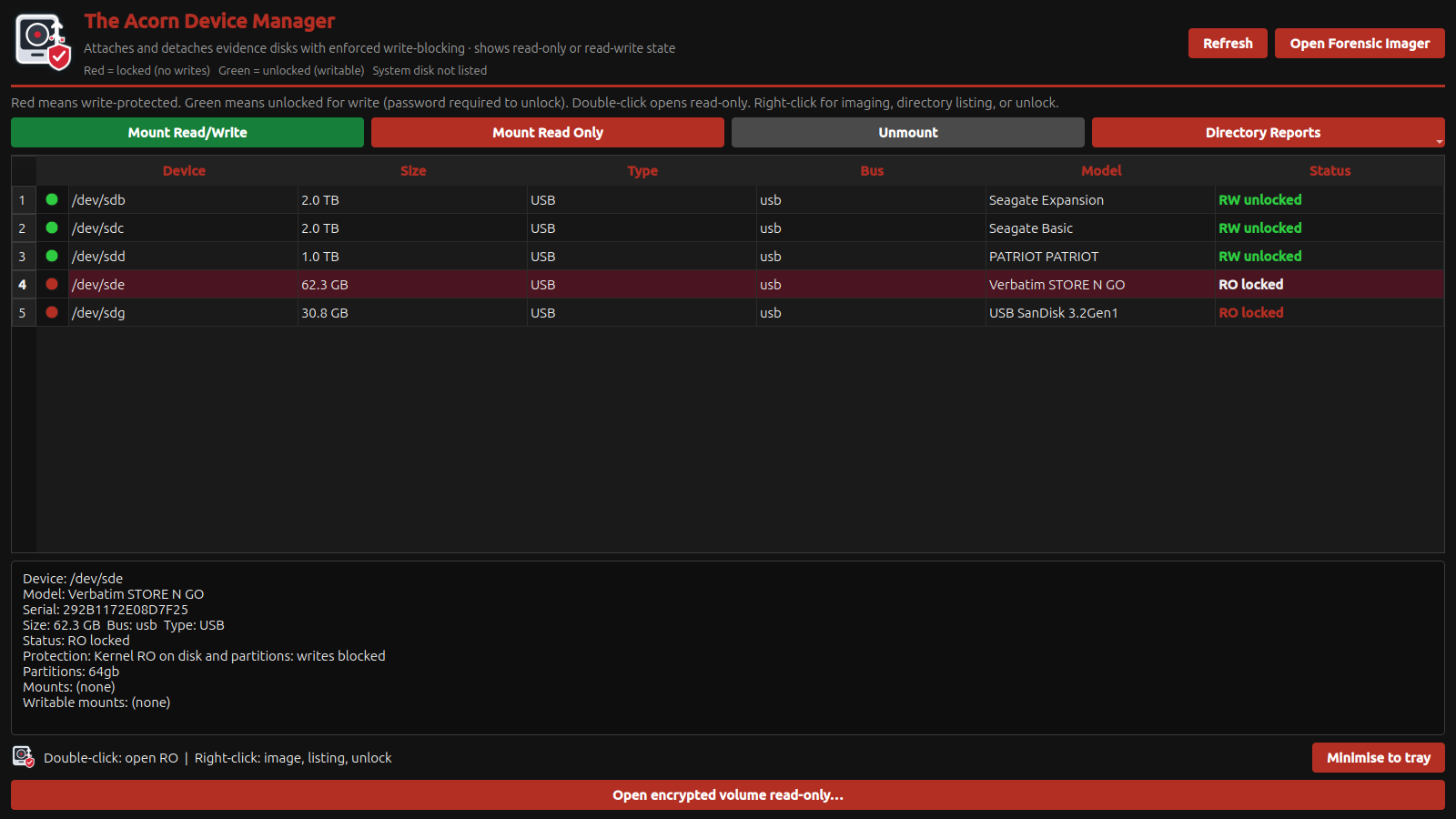
Use Device Manager to identify the source and protection state before imaging. Do not infer write protection from an enclosure label or assume a cable is a blocker. If your procedure specifies a hardware write blocker, choose one that supports the relevant protocol and test the complete path.
Keep evidence storage separate from the system’s expansion slots
The Acorn workstation’s internal M.2 slots provide system-storage expansion; they are not a promise of hot-plug forensic evidence bays. Plan external source connections and separate output disks for the collection workflow.
A useful quotation states the supported source types, exact adapters and any required power supplies. Ask SQFR to demonstrate acquisition and verification using that combination. Keep a known test device available for pre-deployment checks after replacing an adapter or cable.
What to check
- Protocol, form factor, keying and length identified
- Power and source-protection method agreed
- Identifiers, health visibility and acquisition tested through the actual bridge
Common questions
Does USB-C mean an adapter supports NVMe?
No. USB-C is a connector. The enclosure electronics determine the supported storage protocol, and cable capabilities also vary.
Are the internal M.2 slots forensic write-blocked evidence ports?
Do not assume that. Treat system expansion and evidential source connections as different uses and agree the intended workflow.
Explore the relevant Acorn apps
Put the workflow to the test
Ask SQFR to specify your media-adapter kit
Tell SQFR about the source types, task and equipment you need. We can discuss a focused demonstration and the configuration or quotation that fits. Do not send case evidence or credentials through the enquiry form.