
Separate three buying decisions
The workstation runs the tools. An adapter connects a particular storage protocol. A hardware blocker, where specified, controls traffic through a separate device. One product can perform more than one role, but a quotation should not blur those roles.
List the source interfaces you expect to receive and whether your organisation requires a particular tested blocker. This determines the connection hardware and evaluation, not simply the number of USB ports on the computer.
 View full size
Ask to see the source-to-output path
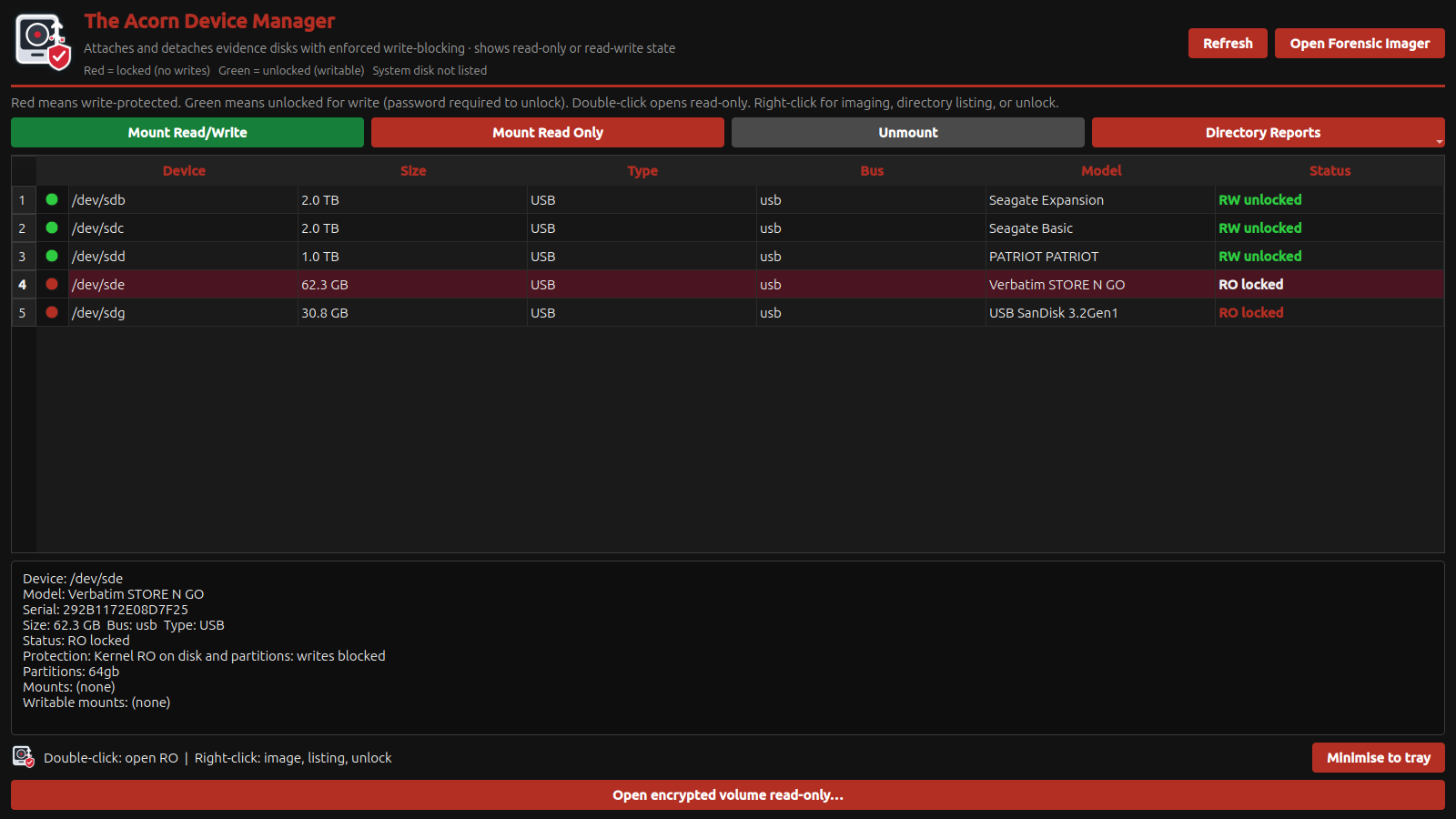
In an Acorn demonstration, identify a test source in Device Manager, apply protection and move into Forensic Imager. Show the destination separately and retain the resulting log. A demonstration of this sequence makes the integrated workflow concrete.
Where an external blocker is also used, include it in the demonstration. Check device identification, health visibility and reading behaviour through that exact path. Support for a protocol on paper does not describe the performance or visibility of every combination.
Write acceptance criteria into the evaluation
Agree the test media, protection method, image format, expected verification and handover record. Record software and firmware versions. Use controlled test media to check source behaviour and keep the results available for your quality process.
SQFR can discuss a compact station around those requirements. Ask the quotation to distinguish supplied adapters, optional blockers and customer-provided hardware. That prevents a purchase based on the assumption that an unspecified accessory is included.
What to check
- Software and hardware protection clearly distinguished
- Required interfaces and accessories explicitly listed
- Known-media acquisition and verification demonstrated
Common questions
Does integrated mean I will never need an external blocker?
No. The required method depends on your instruction and quality process. Include external hardware when that method specifies it.
Can I use a blocker I already own?
Potentially. Identify its model, interface and firmware, then test it with the intended source, Acorn build and destination configuration.
Explore the relevant Acorn apps
Put the workflow to the test
Specify a write-protected acquisition station
Tell SQFR about the source types, task and equipment you need. We can discuss a focused demonstration and the configuration or quotation that fits. Do not send case evidence or credentials through the enquiry form.