
Protect the source before choosing an action
Start by identifying the evidence disk and its partitions. Keep the system disk and intended output storage distinct. Apply read-only protection to the source and check the resulting state before mounting, browsing or starting acquisition.
A file system mounted read-only and a protected block device are related but different controls. The first concerns the mounted view; the second applies at the block-device layer. The workflow should make both relevant states visible rather than asking the examiner to infer them from an icon.
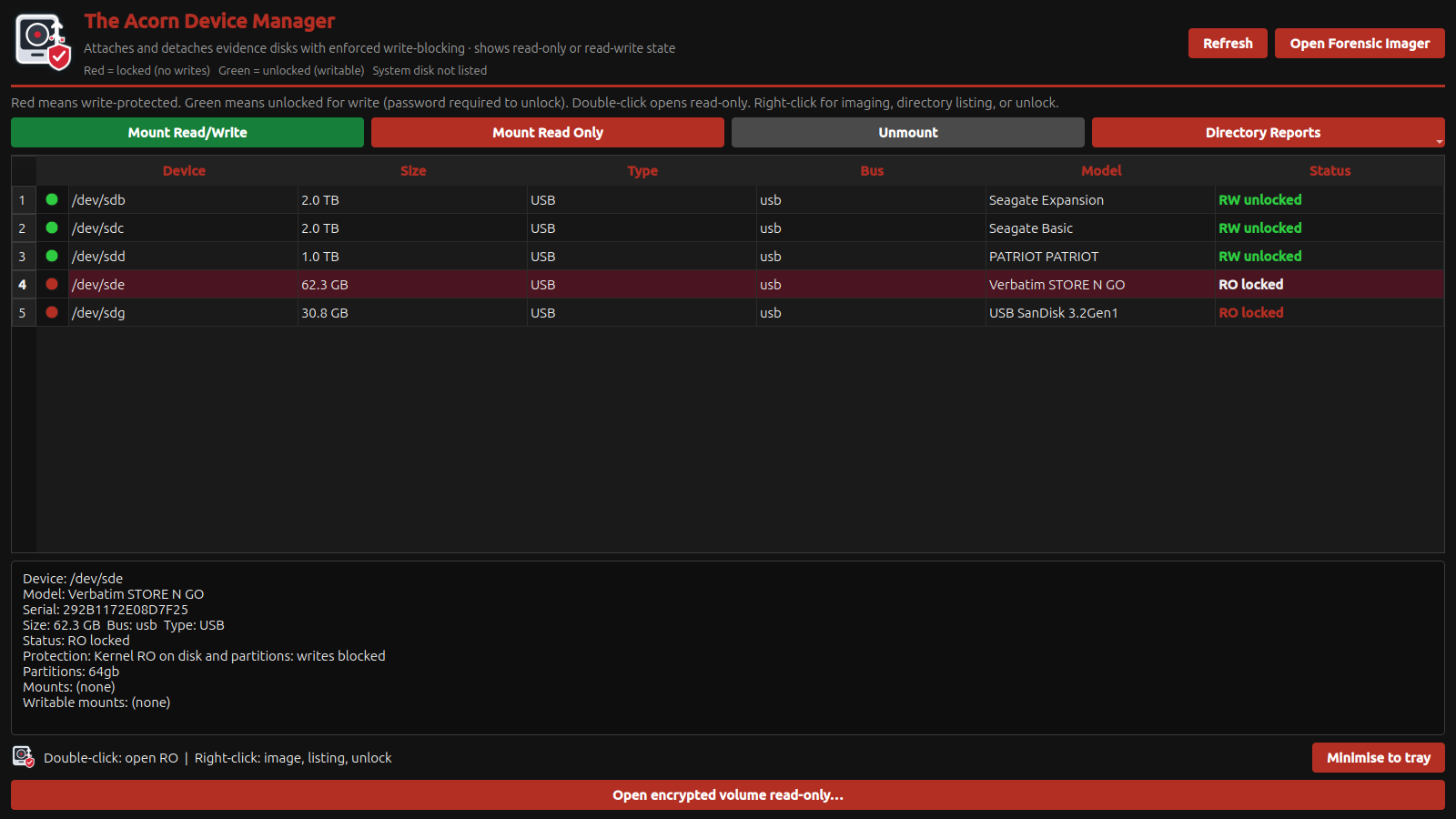 View full size
Recheck when the device path changes
Reconnection, a reboot or a different adapter can change how a device is presented. Identify the device again and confirm its protection state. Do not rely on a remembered Linux device name or the order in which disks appeared during an earlier session.
Record the Acorn build, source identity, adapter and protection method with the acquisition notes. A short record of the actual configuration is more useful than a general statement that a workstation is forensic.
Validate the protection method your procedure requires
Use disposable test media, known content and a controlled test to evaluate the read-only workflow before casework. Do not test write attempts against an original exhibit. If an instruction or laboratory method specifies a hardware blocker, software protection does not silently replace that requirement.
Ask SQFR to demonstrate the source selection, protection state and hand-off to Forensic Imager. The buying decision should include usability: the examiner must be able to see which device is protected and which destination remains writable.
What to check
- Source and destination positively identified
- Kernel-level protection state checked before acquisition
- Build, connection and method retained in the job record
Common questions
Is this a certified hardware write blocker?
No. It is kernel-level software protection. A hardware blocker is a separate device in the connection path and must be selected where your procedure calls for one.
Should every disk be set read-only?
Evidence sources should be protected. The selected output destination must be writable, which is why clear identification is essential.
Explore the relevant Acorn apps
Put the workflow to the test
See Device Manager’s read-only acquisition workflow
Tell SQFR about the source types, task and equipment you need. We can discuss a focused demonstration and the configuration or quotation that fits. Do not send case evidence or credentials through the enquiry form.