
Why finding the start of a photograph may not be enough
A file can occupy several separate areas of a storage device. A simple recovery approach may find the JPEG header, then continue reading bytes that belong to something else. The result can be incomplete or fail to open even though further parts of the photograph remain elsewhere.
Carving looks for file content without relying solely on an intact directory entry. Reassembly has a harder task: finding compatible fragments and testing their order. Missing or overwritten parts cannot be recovered merely by making the displayed image look complete.
 View full size
The G5-1 test: compare the output with a known original
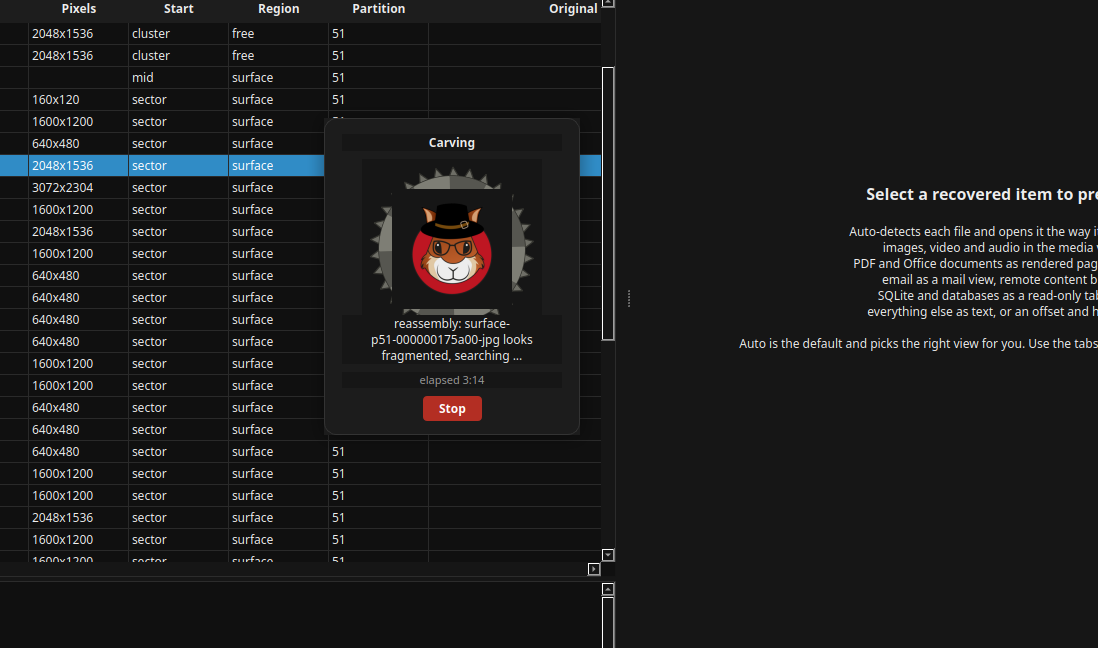
The example uses IMG_0043.JPG, labelled G5-1, from the Digital Corpora NPS-2009-Canon2 test corpus. Its reference records describe four fragments totalling 2,834,018 bytes. A review of the supplied Acorn output on 14 September 2026 confirmed a complete-byte match with the supplied reference file.
The SHA-256 value was dc6b724edf8319417c8527c261b8c8d0bf85075db6fd6238b6c02ccb89a88bc5. The pictured Acorn window shows reassembly in progress; it is not the verification result. The verification compared the finished file, not just the appearance of a preview.
What happened to the EXIF?
EXIF is metadata commonly stored inside a JPEG, such as camera details and a recorded capture time. In this example, its APP1 data already survived in the first part of the partial file. Reassembly retained it unchanged and it matched the reference. No GPS coordinates were returned for this item.
This is not evidence that missing EXIF was reconstructed, that the camera clock was correct or that the photo’s author was identified. Nor does a folder named Deleted Test establish that this particular file was deleted. Ask to evaluate Carver against known samples and retain both the recovered output and the checks that support your conclusion.
What to check
- Preserve the recovered bytes separately from any viewing copy
- Check complete-file content against a reference when available
- Distinguish retained metadata from reconstructed image content
Common questions
Does a photograph that opens correctly count as verified recovery?
Not by itself. Decoders can tolerate damage, and an attractive preview can hide missing data. Compare bytes or other known properties where a reference exists and retain any recovery warnings.
Will Carver recover every fragmented JPEG?
No universal success rate is claimed. Available fragments, overwriting, headers and the layout of the file affect the result.
Explore the relevant Acorn apps
Put the workflow to the test
Ask about a fragmented-file recovery demonstration
Tell SQFR about the source types, task and equipment you need. We can discuss a focused demonstration and the configuration or quotation that fits. Do not send case evidence or credentials through the enquiry form.