
A missing partition is not always missing content
The partition table describes where volumes begin and end. Damage or deletion of an entry can make a volume disappear from normal browsing even while some of its structures remain. Recovery starts by looking for those structures, not by accepting every proposed repair.
Work from a forensic copy where practical. Preserve the original state and its acquisition record. If media also has read errors, address the acquisition problem first; repeated scans of a failing original can be a poor use of its remaining readable life.
 View full size
Validate the candidate before treating it as the answer
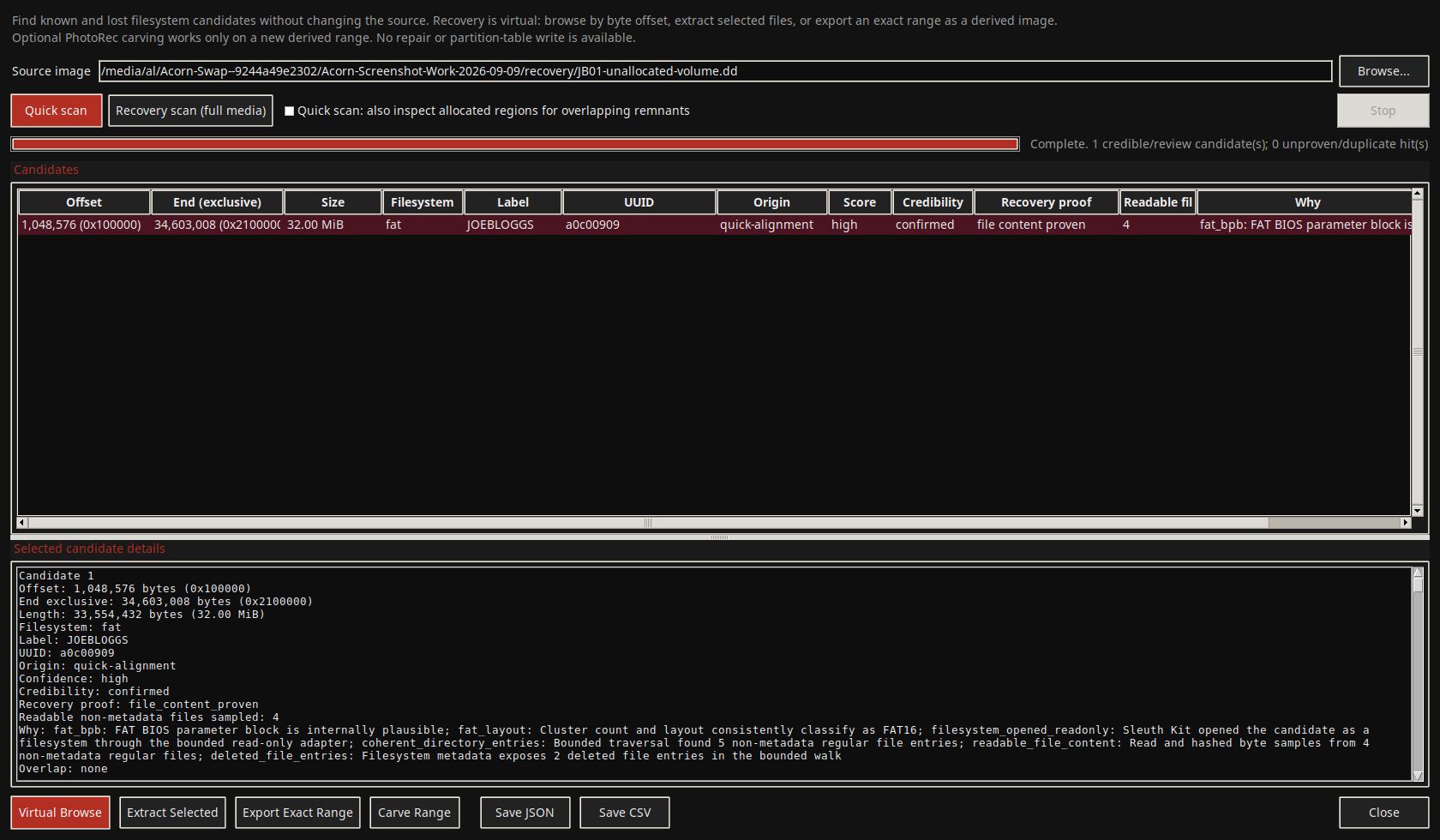
Compare the proposed offset, size and file-system information with the source. Browse the recovered view and inspect a sample of expected files. More than one candidate may overlap, and a plausible volume label is not enough to select one.
Acorn brings scanning, read-only browsing and export into the imaging workspace. Keep the candidate details in the case notes so another examiner can return to the same view. Leave source-side repair actions out of the evidential workflow.
Export and explain what survived
Save recovered partitions or files to separate storage. Retain paths, output hashes and the relationship between the export and source image. Open representative outputs and check their contents rather than relying on names or extensions alone.
Partition recovery cannot recreate overwritten data or promise that a recovered directory contains every former file. Ask for a demonstration using a known deleted-partition test image and compare the expected content with the actual export. That gives a useful basis for evaluating the workflow.
What to check
- Source protected and no partition-table rewrite
- Candidate boundaries and file-system content checked
- Separate export with source references and output hashes
Common questions
Do I have to repair the disk before browsing the partition?
Not for the Acorn read-only recovery route. Inspect the candidate volume and export elsewhere while retaining the original partition table.
Is this the same as file carving?
No. Partition recovery looks for volume structures. Carving searches for recognisable file content and can be useful when the directory structures are unavailable.
Explore the relevant Acorn apps
Put the workflow to the test
Request a lost-partition recovery demonstration
Tell SQFR about the source types, task and equipment you need. We can discuss a focused demonstration and the configuration or quotation that fits. Do not send case evidence or credentials through the enquiry form.