
Preserve the disputed instruction
Retain messages in their original available format, with headers and attachments. A forwarded email or screenshot may omit information useful for comparison. Obtain both versions of a changed invoice or payment request where they exist, and record where each came from.
Confirm the actual transaction through the organisation’s banking and accounting records. A bank-account number in a PDF does not prove money moved, and a familiar sender name does not establish who controlled the sending account.
 View full size
Connect the mailbox and endpoint views
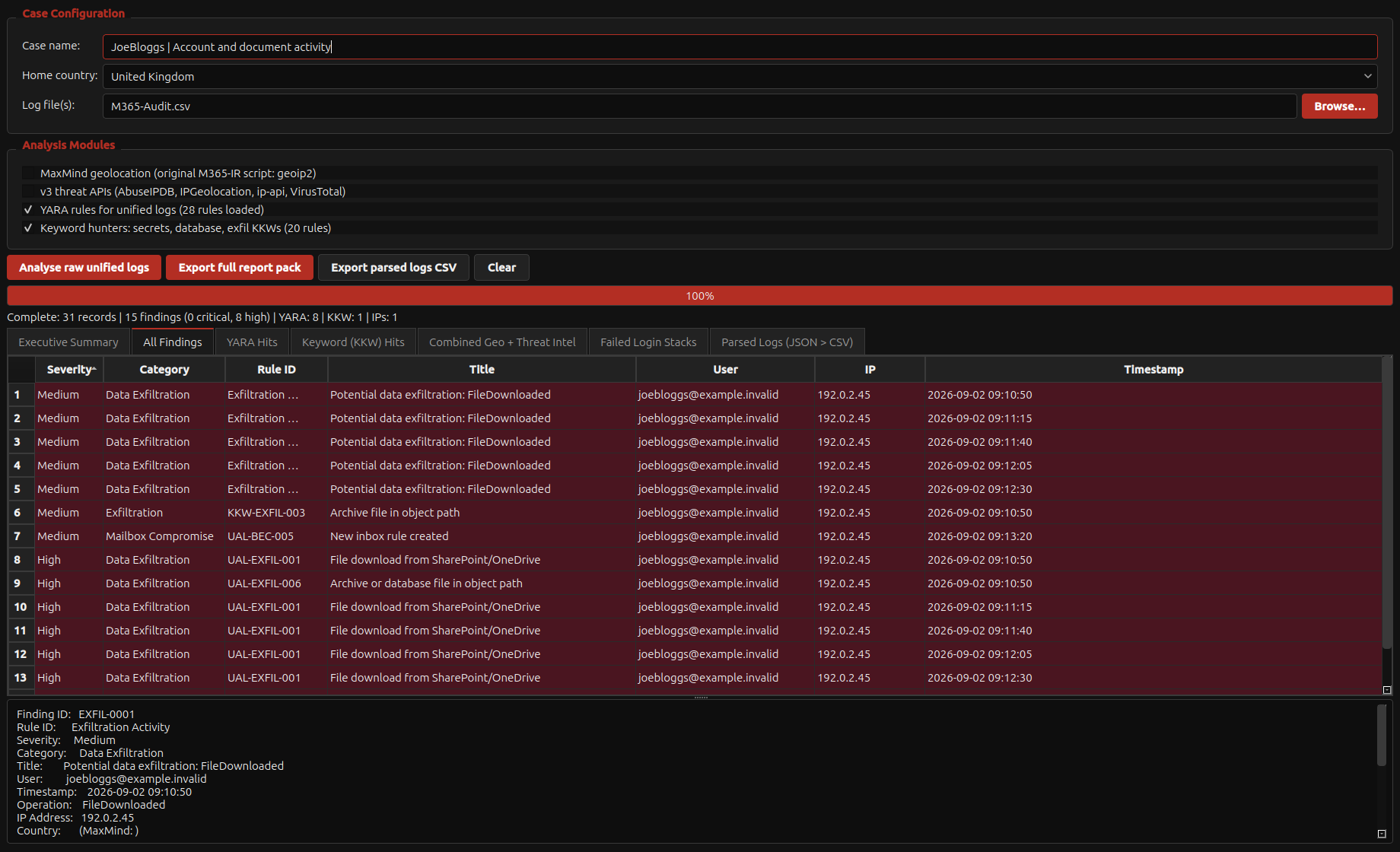
Review authorised sign-in records, mailbox-rule changes and relevant Microsoft 365 exports. On the endpoint, examine the received document, browser activity and other supported records within scope. Keep the original record identifiers and time basis.
Acorn’s Unified Log Analyser, document tools and timeline workflow address different parts of this question. A rule match is a starting point for review. Test the innocent explanation as well: known VPN use, authorised forwarding and legitimate account activity can resemble suspicious events in isolation.
Report a sequence, not a confident guess
Set out what changed, when it was recorded, which sources support the sequence and what remains unknown. Distinguish message delivery, account access, document alteration and confirmed loss. State where missing logs prevent an answer.
For an equipment evaluation, use a small training set containing a genuine invoice, an altered version and account events. Ask the team to recover the sequence and reference each finding. SQFR can discuss that workflow without requiring confidential incident material in the public enquiry form.
What to check
- Original messages, headers and competing document versions
- Account and endpoint records with consistent time handling
- Financial outcome and technical findings kept distinct
Common questions
Can email headers alone identify the person responsible?
Usually not. They describe parts of message handling and can support further enquiries. Attribution needs the available account, device and independent evidence.
Should I wait for analysis before securing the account?
Containment is a response-team decision. Coordinate it with evidence preservation and record the changes made, rather than treating examination as a reason to leave an active compromise unmanaged.
Explore the relevant Acorn apps
Put the workflow to the test
See an email-compromise review workflow
Tell SQFR about the source types, task and equipment you need. We can discuss a focused demonstration and the configuration or quotation that fits. Do not send case evidence or credentials through the enquiry form.