
Collect the right export first
The administrator needs the appropriate permissions to search and export audit records. Record the tenant context, query, accounts, date range, collection time and export method. Retention and available events depend on the service configuration and licences; do not assume an empty result means nothing happened.
Preserve the original CSV or other supplied export before reformatting it. AuditData can contain structured JSON inside a CSV field. Manual spreadsheet edits can change quoting, dates or long identifiers, so keep any normalised working copy separate.
 View full size
Review activity with its source context
Look at the operation, account, recorded time, workload and relevant properties. A sign-in, download or mailbox-rule event describes a particular recorded action. Its meaning depends on the event type and surrounding records, not only on an alarming label.
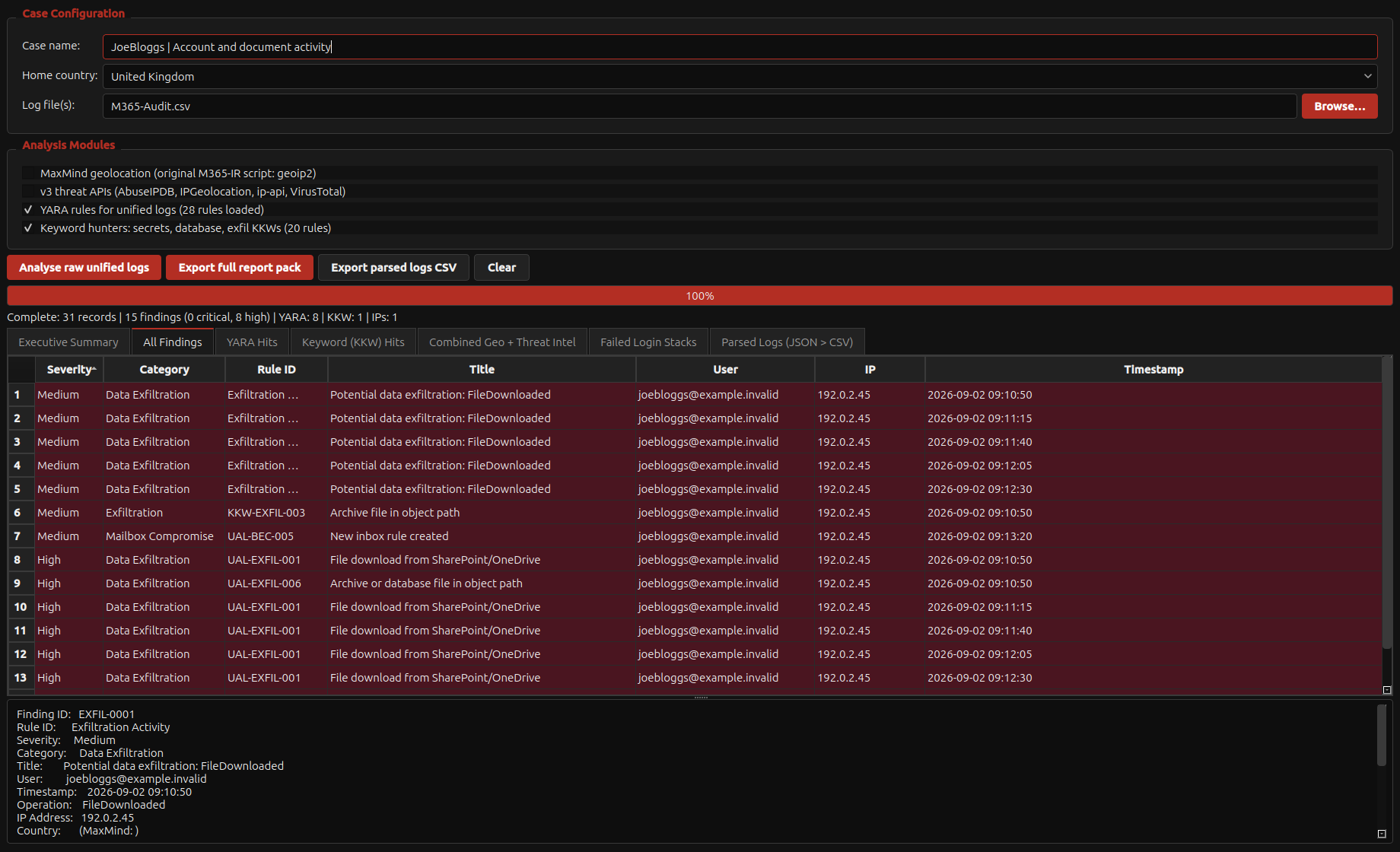
Use the Acorn analyser to inspect supported records and retain source rows for selected leads. Compare them with the available identity, message and endpoint evidence. Some questions need additional exports rather than a more confident reading of the same incomplete file.
Build a timeline that can be checked
State the time basis and collection limits. Separate an unfamiliar location from proof of an attacker, and a recorded file operation from proof that confidential content left the organisation. Include the original event reference in the report.
For evaluation, provide a non-sensitive representative export with known events and expected counts. Ask SQFR to demonstrate parsing, filtering and source-row review. This checks whether the supplied format and the current build fit the way your team collects Microsoft 365 evidence.
What to check
- Original export, query scope and collection time retained
- Structured AuditData preserved through any working-copy conversion
- Selected findings traceable to source records and coverage limits
Common questions
Can the analyser retrieve logs that the tenant no longer retains?
No. Analysis depends on the records available for collection. Check retention and preserve relevant logs promptly through the authorised process.
Does a mailbox-rule event prove messages were stolen?
Not by itself. Review the rule conditions, destination, affected messages and other relevant activity before drawing that conclusion.
Explore the relevant Acorn apps
Put the workflow to the test
Evaluate your Microsoft 365 export in Acorn
Tell SQFR about the source types, task and equipment you need. We can discuss a focused demonstration and the configuration or quotation that fits. Do not send case evidence or credentials through the enquiry form.