
Separate response actions from examination
DFIR means digital forensics and incident response. The response team may isolate accounts or systems while an examiner preserves records. Agree who owns those actions. Logging in to a compromised endpoint and opening files can change the very state you need to explain.
Build a source list around the question: endpoint storage, exported event logs, browser data, messages, identity records or network captures. Record collection times and missing coverage. The kit cannot recover a cloud log that was never retained merely because it contains an analysis tool.
 View full size
Use the local workspace where it fits
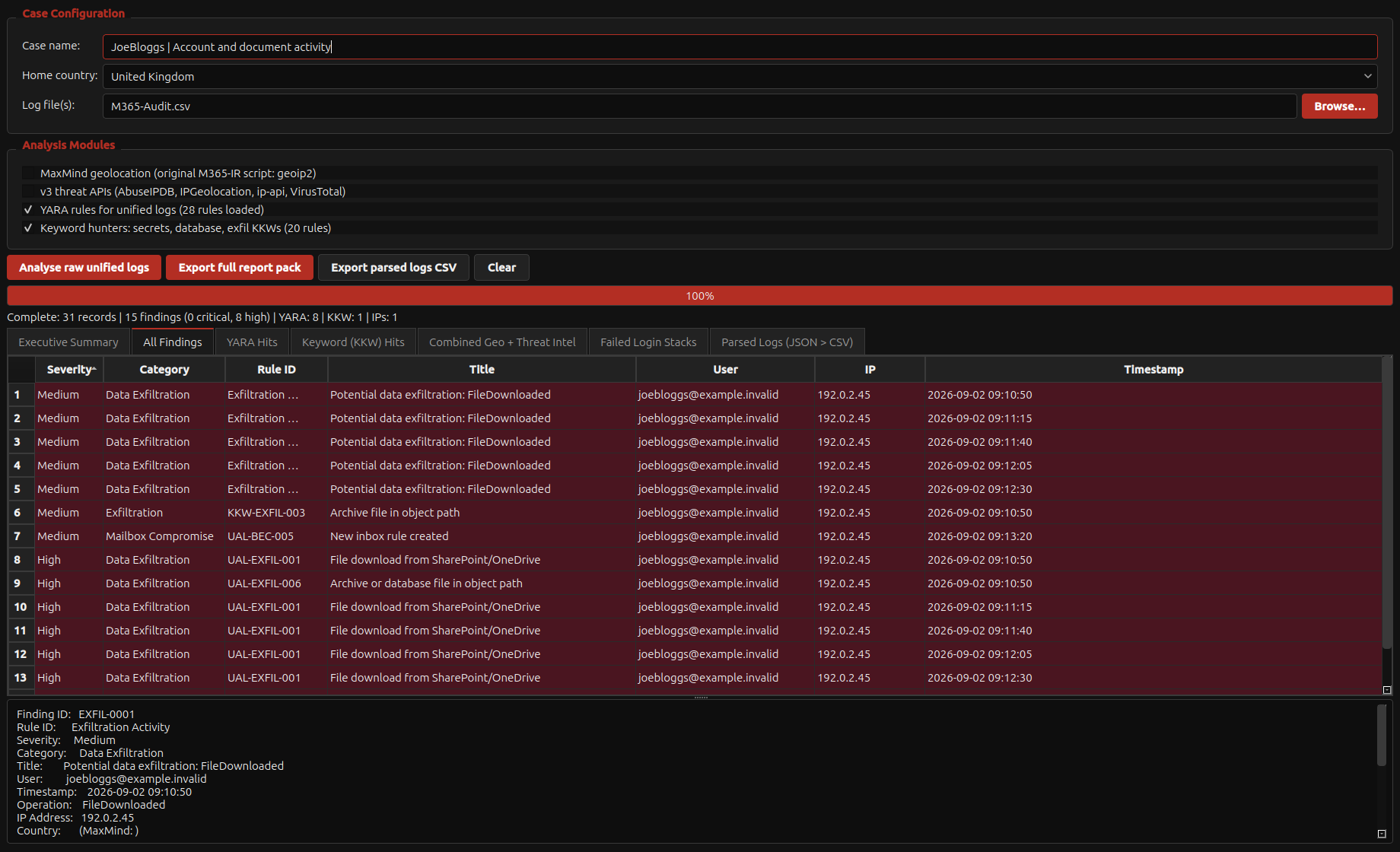
Image media, protect sources and review supported records locally. Focused Acorn tools can help narrow a large set of records into a timeline or a small set of leads. Retain original rows and file references so those leads remain checkable.
Use disposable or appropriately isolated examination copies for suspicious content. Static document review is different from opening an attachment normally. Do not let the convenience of the workstation replace the organisation’s containment and evidence-handling procedures.
Add remote capacity deliberately
A licensed cloud Windows VM can provide an existing Windows toolset or additional resources. Remmina provides the remote desktop connection from Linux; the Windows applications execute on the remote host. Evidence transfer is a separate, authorised step.
Specify private access, identity controls, storage region, retention and the transfer route before deployment. For procurement, ask SQFR to demonstrate a local collection, a referenced finding and access to your approved remote environment using non-sensitive test data.
What to check
- Response ownership and evidence scope agreed
- Local sources, logs and derived findings retained
- Remote access and evidence transfer separately authorised
Common questions
Is this a managed incident-response service?
This page concerns the workstation and its workflow. Any investigation service, response retainer or cloud administration must be agreed separately.
Does Remmina move my case to the cloud?
A remote desktop connection is not an automatic case upload. Clipboard, drive redirection and explicit transfers need their own policy and settings.
Explore the relevant Acorn apps
Put the workflow to the test
Discuss an Acorn kit for your DFIR team
Tell SQFR about the source types, task and equipment you need. We can discuss a focused demonstration and the configuration or quotation that fits. Do not send case evidence or credentials through the enquiry form.