
Define the questions that must be answered on site
A field examiner may need a preserved image, a list of contact details, a small set of communications or selected file metadata before laboratory handover. Keep the task bounded. Collecting everything visible without a question can consume the time and storage needed for preservation.
Agree what is authorised and what must wait for the laboratory. A name, telephone number or location field is a lead with a source, not an automatic identification or verified account of someone’s movements.
 View full size
Prepare the disconnected workflow
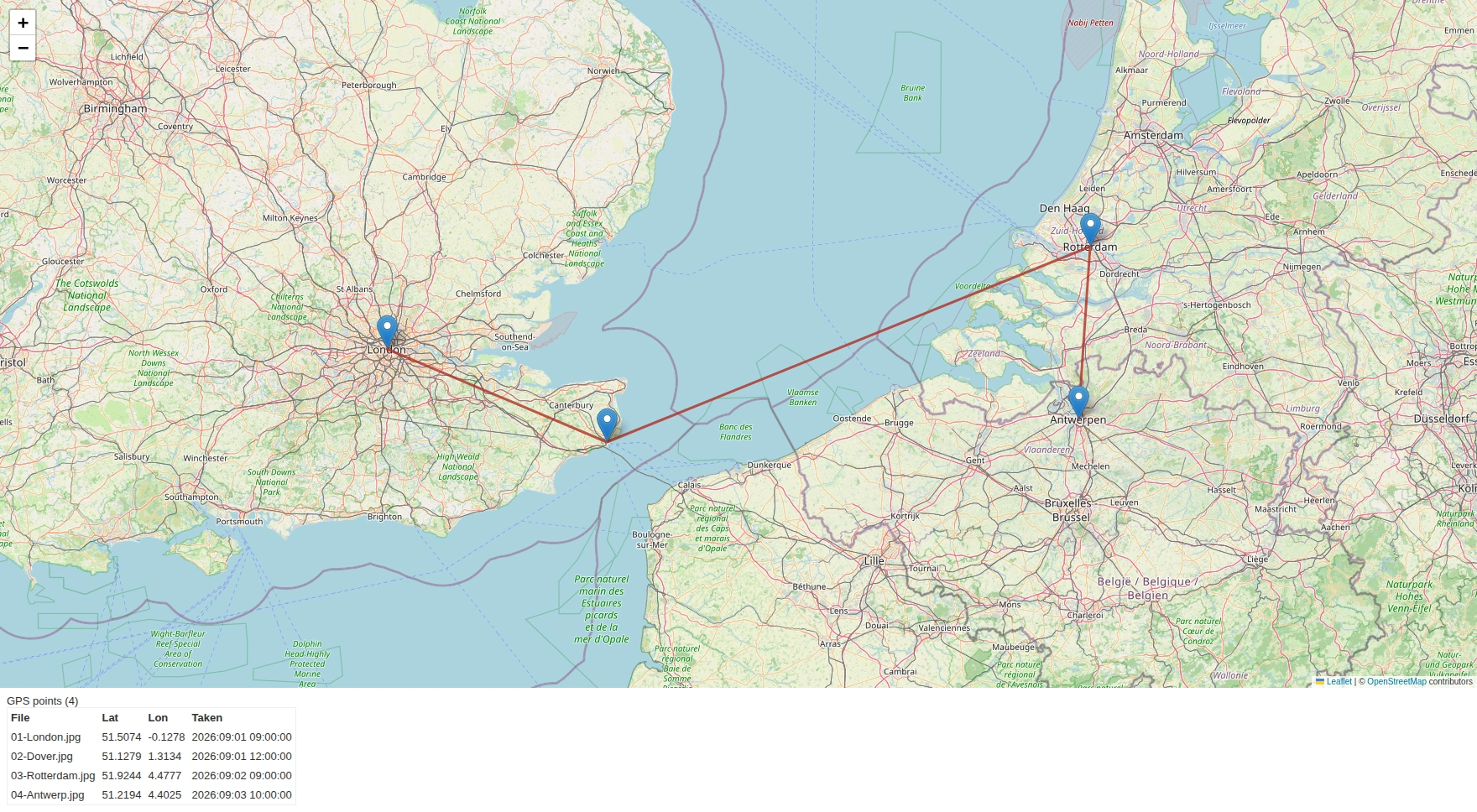
Install and test the required tools before travel. Use known inputs to check parsers, export paths and reporting. Confirm that any reference datasets or packages you need are already available locally. A browser-based map may require remote tiles even when the underlying GPS values are stored on the workstation.
Plan power, separate evidence storage, spare connection hardware and a documented clock/time-zone basis. The compact unit is not a claim of environmental hardening, classified-system approval or military certification. Choose transport protection for the actual conditions.
Make the handover useful when connectivity returns
Retain the acquisition, logs, selected records and source references together. Label observations separately from questions that need provider records or further laboratory work. Do not silently upload the case as soon as a network becomes available.
Ask for an offline demonstration with network access disabled and the intended dataset supplied. That makes hidden dependencies visible. SQFR can then discuss a kit matched to local acquisition and review, with a separate plan for authorised online services.
What to check
- Required local tools and reference data prepared
- Power, storage, clock and transport arrangements recorded
- Offline outputs separated from tasks needing connectivity
Common questions
Does offline mean nothing ever needs a network?
No. It describes the local evidence workflow. Cloud exports, remote sessions, updates and some mapping or lookup features need connectivity.
Can the field kit replace the full laboratory examination?
It can preserve and review relevant material on site. The remaining questions, validation needs and available sources determine what must still be examined in the laboratory.
Explore the relevant Acorn apps
Put the workflow to the test
Plan an offline field evaluation
Tell SQFR about the source types, task and equipment you need. We can discuss a focused demonstration and the configuration or quotation that fits. Do not send case evidence or credentials through the enquiry form.